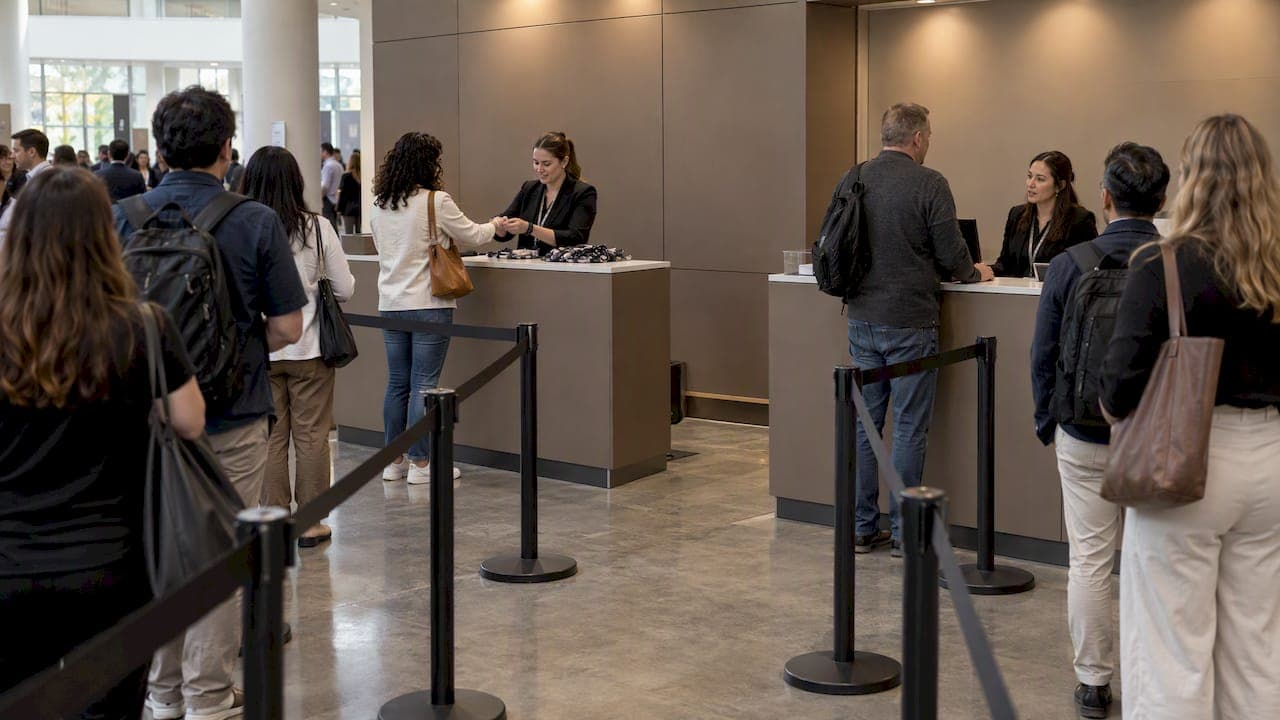
Give each service its own queue when the services differ in length, staffing or purpose, and keep one shared line when the same staff can serve everyone. A clinic that splits registration from lab draws, or an event that splits ticket pickup from refunds, usually works better with separate lines. A barbershop with three interchangeable chairs usually does not. This guide shows how to decide, how to route people from several entrances without arguments, and how to check that the change helped.
TL;DR
- Separate queues fit services that need different skills, time or equipment. One pooled line fits identical servers doing identical work.
- Research is mixed: dedicated lines can speed up service when staff build rapport, while pooled lines keep staff from sitting idle.
- Several entrances should feed one fair order, with clear signs, a visible number system and a safe path for people with disabilities.
- A browser-based queue lets you run several queues from phones or tablets, with no customer app and no shouting names.
- Measure before and after: wait time, walkouts, and how long each service really takes.
Table of Contents
- What a separate service queue is
- Separate or pooled: what the research says
- When to use separate queues: a decision table
- How it looks in five kinds of venues
- Directing people to the right queue
- Layout and staff habits that keep lines calm
- Making multiple entrances feed one fair order
- Setting it up with Ezseat
- Measuring whether separate queues helped
- FAQ
- Sources
What a separate service queue is
A separate service queue (also called a dedicated queue) gives each server or service point its own line. The alternative is a pooled, or single-line, design where one shared line feeds every available server. Queueing researchers describe the two structures this way, and the distinction is the starting point for every decision below.
In day-to-day operations, "separate queues" usually means one of three setups:
- One queue per service. Check-in, consultation and payment each have a line, because each needs different staff.
- One queue per server. Each barista, stylist or cashier has a personal line.
- One queue per entrance. Guests arrive at different doors and are served by the same team.
The third setup is what people mean by a multi-entrance queue. It creates the most confusion, because guests at different doors cannot see each other. If arrival order matters to fairness, the entrances should feed one shared order, even when the services behind them are separate. We cover that in a later section.
Separate or pooled: what the research says
The evidence does not crown a winner, which is why the choice depends on your operation.
Where dedicated lines help. In large-scale service systems, dedicated queues combined with join-the-shortest-queue routing can improve some performance measures. The same paper cites studies indicating that in busy emergency departments, dedicated structures can lead to shorter average patient stays than pooled ones. People matter too: experiments on customer-server relationships found dedicated queues improved speed without hurting quality when servers could build a human connection with customers. When that connection was unlikely, there was no performance difference.
Where pooled lines help. A 2023 simulation of clinic registration found the pooled system served more patients in most cases, because pooling stops one resource sitting idle while another is overloaded.

The practical reading: pool when servers are interchangeable, and separate when the work is different or when familiar faces make service faster. Most real venues end up with a mix: a pooled line within each service, and separate lines between services.
When to use separate queues: a decision table
| Situation | Better fit | Why |
|---|---|---|
| Staff do different jobs (check-in vs. payment) | Separate queues | A guest should not wait behind someone who needs a different desk |
| Some transactions are quick, others slow (pickup vs. refund) | Separate queues | Slow cases do not block quick ones |
| Several identical counters | One shared line | The next person goes to the next free counter |
| Repeat customers who prefer a specific person | Separate queues per person | Familiarity can speed service |
| Several doors, one team | One shared order, many entrances | Arrival order stays fair |
| Priority or accessible service needed | Separate lane, same system | Needs are met without hiding the main order |
Two questions settle most cases. First, can any staff member serve any guest? If yes, pool. Second, do guests need to know where to stand? If yes, label each line clearly so nobody has to guess.
How it looks in five kinds of venues
Clinics. Registration, triage, lab work and checkout are different services with different durations. Separate queues stop a ten-minute lab draw from stacking behind a two-minute form drop-off. Patients can wait in the car or the waiting room and be called by text rather than by name, which also avoids announcing names in a public space. Our guide on phone queue management for restaurants, clinics and more covers that flow.
Restaurants. A host stand often juggles walk-ins, waitlist parties and pickup orders. Separate queues for dine-in and takeaway keep a hungry pickup customer from waiting behind a party of eight. A browser-based queue lets guests join from a QR code and leave the entrance clear.
Food trucks. One window, but often two jobs: ordering and collecting. A second queue for collection, shown on a screen, keeps people from crowding the window.
Barbershops. If clients book a named barber, give each barber a line. If any barber can take the next client, use one line.
Events. Ticket pickup, merchandise, refunds and help desks are natural separate queues. Our piece on app-free event queue management and the guide to conference check-in queues show how peaks hit one service far harder than the others. Food halls have the same shape with many vendors, which we cover in multi-vendor queue setups.

Directing people to the right queue
Separate queues only work if people join the right one the first time. A wrong line costs the guest time and costs you staff attention.
The U.S. Occupational Safety and Health Administration's crowd management guidelines for retailers recommend visible signs for entrances, exits and opening times, staff who explain entry procedures and point people to lines or entrances, and a safe entrance for people with disabilities. Those principles apply well beyond retail.
In practice:
- Name lines by task, not by internal jargon. "Pick up tickets" beats "Will call." "Refunds and problems" beats "Desk C."
- Put a greeter where paths split. One person asking "What do you need today?" prevents most wrong-line mistakes.
- Offer the accessible route at the same decision point, not behind a side door nobody can find. Staff should know how to offer it without making a guest explain themselves.
- Keep priority lanes visible. For ticketed events, mapping a separate VIP line or ticketing booth helps guests who paid for premium access have a smoother experience. Hiding it invites complaints from everyone else.
- Use screens for the numbers. A public display showing who is being served in each queue removes the need to call out names. See our queue display screen guide and the ticket display screen setup.
Layout and staff habits that keep lines calm
Physical layout still matters, even with digital queues.
- Build barriers before the crowd arrives. OSHA advises setting up barricades well before customers show up, using breaks and turns to control density and prevent dangerous pushing.
- Separate the slow desk from the fast lanes. Event organizers are advised to place customer service desks outside the main event space and apart from entry and sales lanes, since resolving an issue often takes longer than a standard transaction.
- Use a zig-zag chute with barriers where one entry line has to fold into a small space, and clearly mark customer-service and box-office desks as different places.
- Give staff their own door at big events. For major sales, OSHA recommends a separate staff entrance monitored by guards or authorized personnel, so staff are not stuck in the guest crowd.
A digital queue reduces the need for physical lines at all. People can wait elsewhere and come back when called. Usability research on virtual queues notes that any interaction with limited access that requires a queue is inherently stressful, and recommends letting users complete necessary tasks in advance. Collecting the details a service needs when someone joins, such as a party size or visit reason, is one way to do that. For more rules of thumb, see our virtual queue best practices.
Making multiple entrances feed one fair order
Multiple doors are where fairness breaks down. Someone at door B sees door A moving and assumes they are being skipped. Four habits prevent this.
- One numbering sequence across all entrances. Whether a guest scans a code at door A or a reception kiosk at door B, the next ticket number is the next number.
- A visible shared status. One public screen, or the same status on every guest's phone, shows what number is being served and which queue it belongs to.
- Clear rules for exceptions. If priority guests skip ahead, say so on a sign and apply the rule the same way at every door.
- Route by service, not by door. The door someone walked through should not decide which line they join. The service they need should.
When the same service has several counters, the simplest design is a single shared queue, where the next person goes to the next free counter. Combine that with separate queues between services and you get the mixed model most venues end up with.
Our perspective
We built Ezseat around a simple belief: the queue should live in the guest's browser and the operator's phone, not in a shouting match at the counter. Separate service queues are where that belief gets tested, because the moment you have two services and two doors, a paper list or a single number stops working.
What we see in the way our customers run things is that the hard part is rarely the theory of pooled versus dedicated lines. It is keeping guests informed and keeping staff from improvising. That is why Ezseat is designed to support multiple queues and multiple devices, public screens for ticket numbers, reception kiosks, custom queue fields and SMS or call notifications, all without asking guests to install anything.
We think a small restaurant, a clinic or a food truck should not need special hardware or a per-message bill to give guests a fair, visible line. That is the design goal behind our pricing and our no-app approach.
Ezseat
Setting it up with Ezseat
If you want to run separate queues without building a system, Ezseat is a web-based queue management tool. Operators manage the flow from a phone or tablet. Guests join from a browser, with no app to download. You can set up several queues and devices, show ticket numbers on a public screen, add a reception kiosk, notify guests by SMS or call, and add custom fields to capture what each service needs.
You start with a free two-month trial. After that, the published plans are Light at $3.90 per month or $39.00 per year, and Pro at $14.90 per month or $149.00 per year. See the plans on the Ezseat site and compare them with your own number of queues and devices.

A sensible first rollout: start with the one service that backs up most often, add its queue, put the QR code at the door, and watch a week of data before splitting anything else.
Measuring whether separate queues helped
A new queue structure is a hypothesis. Test it with numbers you already have or can collect cheaply.
- Wait time per service. Compare the average and the longest waits for each queue before and after the change. The longest waits show your worst moments, and averages hide them.
- Service time per service. If one queue's service time is much longer than the others, that is the one to staff differently or split further.
- Walkouts. Count guests who join and leave before being served. A drop is the clearest sign that waiting feels better.
- Wrong-line rate. Track how often staff move a guest to another queue. A high rate points to bad signs or unclear names, not bad structure.
- Peak behavior. Compare the busiest hour, not the day. Queue design shows its worth under pressure.
- Staff idle time. If one queue's staff are idle while another's are swamped, that is the case for pooling those two, as the clinic simulation suggests.
Run the comparison across matching days and hours, such as one Saturday lunch against another, so a quiet day does not flatter the change. Then adjust one thing at a time. If you change signs, queue names and staffing together, you will not know what worked. Ask guests too: a single question at the end of a visit about whether the wait felt fair tells you what the clock cannot.
If you are deciding between ticketed and ticketless joining, our overview of ticketless queues explains when each fits, and the guide to virtual queues for small businesses covers the basics.
FAQ
Is a separate queue per service always better than one line?
No. When every server can do the same job, a single shared line usually keeps staff busier and spreads waits evenly. A clinic registration simulation found pooled systems served more patients in most cases. Separate queues earn their place when services differ in skill, length or location.
How do I keep multiple entrances fair?
Use one number sequence and one visible status for every door. Guests should join the line for the service they need, not the line for the door they used. Post the rules for priority guests where everyone can read them.
How do I handle priority or accessible service?
Offer it at the same decision point as the main lines, with signs and staff who can direct people. OSHA's crowd guidance includes providing a safe entrance for people with disabilities. Make any priority rule public so it does not feel arbitrary.
Do guests need to download an app to join a queue?
Not with Ezseat. Guests join from a web browser, usually by scanning a code or visiting a link, while operators manage the queues from a phone or tablet.
How many queues should a small business start with?
Start with as few as work. Add a second queue only where one service regularly blocks another. Review your wait and walkout numbers after a week or two before adding more.
Sources
- To Pool or Not to Pool: Queueing Design for Large-Scale Service Systems (Cao et al., 2020)
- INSEAD faculty research on dedicated queues and customer connection
- Analysis of the Waiting Time in Clinic Registration (2023)
- OSHA: Crowd Management Safety Guidelines for Retailers
- Eventbrite: What You Need to Know to Build an Effective Event Map
- Nielsen Norman Group: Virtual Queues, 13 Best Practices