
For any restaurant, clinic, food truck, barbershop, or event venue dealing with crowded waiting areas and frustrated guests, the answer is a no-app browser-based queue system with SMS notifications. Ezseat is built exactly for this: guests join via a web browser or QR code scan, no download required, and you manage the entire flow from your phone or tablet.
Here is what this approach gives you on day one:
- Guests join the queue from their own phone browser or a kiosk you set up
- The system sends SMS position updates and ETAs automatically
- A public display screen shows ticket numbers without staff shouting
- You see every queue, every wait time, and every no-show from one dashboard
Start with a two-month free trial during a low-traffic window, like a Tuesday lunch shift or a slow clinic morning, so your team can learn the system before peak hours hit.
Key Takeaways
A no-app, browser-based queue system with SMS notifications is the most practical upgrade for in-person venues dealing with crowded lobbies, high no-show rates, and staff stretched thin managing the wait.
| Point | Details |
|---|---|
| Browser entry beats pagers | Guests join via QR code or URL on any phone browser, no app or hardware rental needed. |
| Wait time drops sharply | Published case study data shows average waits falling from 28–32 minutes to 5–9 minutes after switching. |
| No-shows cut to under 8% | SMS position updates keep guests engaged; no-show rates dropped from 23–28% to 4–7% in the same study. |
| Signage drives adoption | Clear QR code placement at three spots (door, host stand, sidewalk) is the single biggest factor in guest uptake. |
| Ezseat offers a free trial | A two-month free trial lets you run a real pilot at one location before choosing a plan tier. |
Table of Contents
- What does "phone queue management" mean in this guide?
- Why replace paper tokens and static waitlists?
- How does a browser-based queue system work end-to-end?
- How do you choose the right phone-based queue system?
- What hardware and messaging setup do you actually need?
- A 7-step first-week setup for restaurants, clinics, and small venues
- Use cases by venue type
- How do you measure whether the pilot worked?
- Common pitfalls and how to fix them fast
- What operators actually learn after switching
- Ezseat makes no-app queue management practical from day one
- Sources
What does "phone queue management" mean in this guide?
The phrase gets used two very different ways online. Call centers use it to mean routing incoming phone calls to agents. That is not what this guide covers.
Here, phone queue management means using a guest's phone browser (or a venue kiosk) to join and track an in-person queue, with the venue managing flow through a web dashboard, SMS notifications, and a public display screen. No app. No pager hardware. No shouting.
Channels this guide covers:
- Browser entry: guest scans a QR code or visits a short URL and joins from any smartphone browser
- SMS notifications: automated texts with position, ETA, and "you're next" alerts
- Kiosk check-in: a staff-facing or self-serve tablet at the door
- Public display screens: a TV or monitor showing current ticket numbers
What this guide does not cover: call-center IVR systems, phone-tree routing, or any software designed to handle inbound telephone calls.
Why replace paper tokens and static waitlists?
Paper tokens and clipboard waitlists have one fatal flaw: guests have to stay close to the venue to know where they stand. That creates crowded lobbies, anxious customers, and a steady stream of no-shows when people give up and leave.
The Four Actions Framework gives operators a clean lens for the switch: eliminate manual tokens and repetitive sign-ins, reduce lobby crowding, raise transparency through live position updates, and create a contactless check-in flow that guests actually prefer. Applied to queueing, it turns a pain point into a genuine operational edge.
The data backs the shift. A published case study found that moving to a web-based queue system cut average wait times from 28–32 minutes down to 5–9 minutes and dropped no-show rates from 23–28% to 4–7%, while daily service capacity rose from roughly 35 to 45 participants.
Many consumers say receiving wait-time information improves their experience, and 87% say they prefer a short, transparent wait over a broken or opaque one.
Operationally, the gains compound: fewer no-shows mean fewer idle service slots, shorter perceived waits mean higher CSAT scores, and contactless flow means staff spend less time managing the lobby and more time serving.
How does a browser-based queue system work end-to-end?
The flow is straightforward. A guest arrives, scans a QR code posted at the entrance (or walks up to a kiosk), and joins the queue through a browser page. The system assigns a position and estimated wait time, then sends SMS updates as the queue moves. When it is their turn, a notification fires and the public display screen updates. The host calls them in.
Core components:
- Guest entry: QR code scan, short URL, or kiosk touchscreen
- Queue manager dashboard: real-time list of all guests, positions, and wait times, accessible from any phone or tablet
- Public display: a TV or monitor showing current ticket numbers, updated automatically
- Notification engine: SMS and browser-based alerts for position changes and "your turn" calls
- Analytics: wait time history, no-show rates, throughput per hour
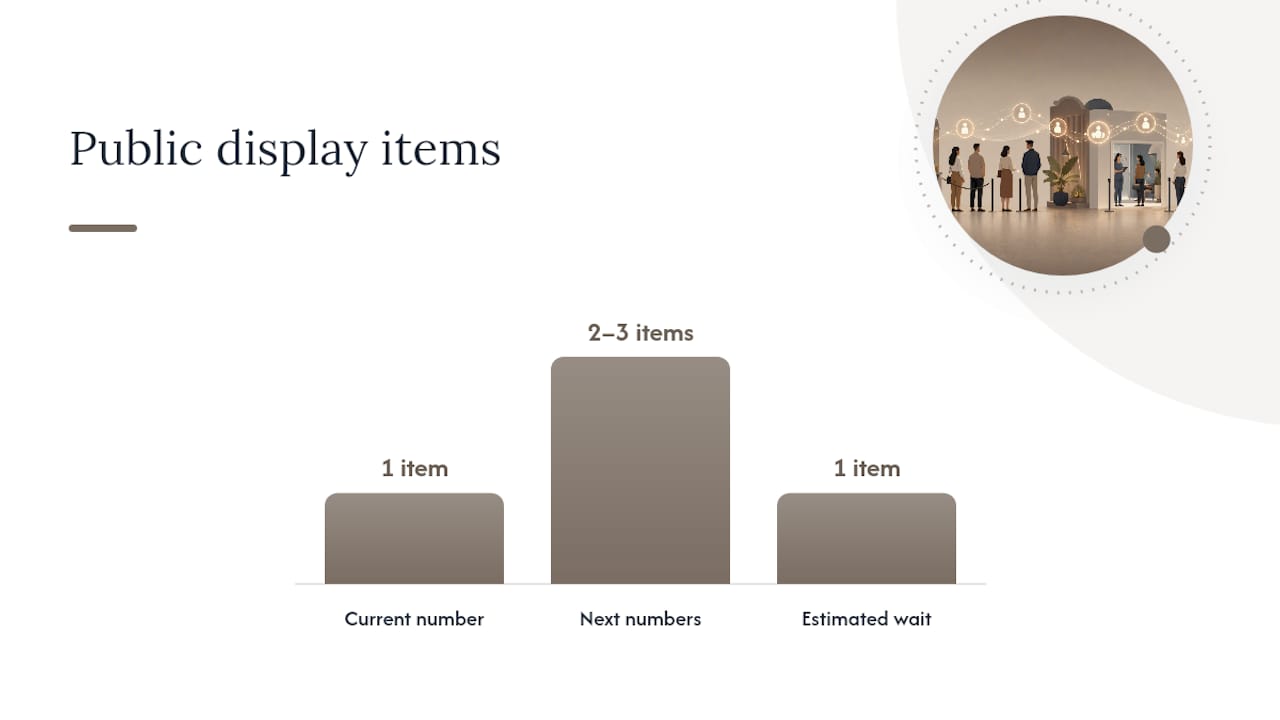
Predictive queue research consistently shows that low-cognitive-load displays, ones showing only the current number and the next two or three, reduce guest confusion and speed host decisions compared to information-dense screens.
Pro Tip: Keep your public display to three data points maximum: current number being served, next number, and estimated wait. More than that and guests start second-guessing the system instead of trusting it.
How do you choose the right phone-based queue system?
Start with a non-negotiable features list, then pressure-test pricing and vendor reliability before signing anything.
Must-have features:
- Browser-based guest entry with no app requirement
- SMS notifications with opt-out management (required for TCPA compliance)
- Kiosk mode for staff or self-serve check-in
- Public display screen support
- Multi-queue support (e.g., dine-in vs. takeout, triage vs. specialty)
- Basic analytics: wait time, throughput, no-show rate
- Role-based access so hosts see only what they need
- Integration hooks for POS or calendar systems
Pricing questions to ask:
- Is SMS volume included or billed separately per message?
- Is pricing per location or per seat?
- What features are gated behind higher tiers?
- How does pricing scale when you add a second or third location?
Questions for any vendor:
- What are your support hours and response SLA?
- How long does onboarding take for a single location?
- Who owns the guest data, and can you export it?
- Is there a sandbox or trial period before billing starts?
Red flags: the vendor requires guests to download an app, SMS pricing is buried or usage-based with no cap, there is no trial period, or onboarding is entirely self-serve with no support option.
What hardware and messaging setup do you actually need?
Minimum viable hardware for most venues:
- One host tablet (any modern iPad or Android tablet works)
- One TV or monitor for the public display, wall-mounted near the waiting area
- Optional: a second tablet mounted as a self-serve kiosk at the entrance
- Optional: a label or receipt printer for physical ticket backup
For SMS, the choice between Short Code and 10DLC matters more than most operators expect. Short codes (five- or six-digit numbers) are instantly recognizable, handle high message volume reliably, and guests rarely mark them as spam. The trade-off is higher monthly cost and a longer setup process. 10DLC (ten-digit long codes registered with carriers) costs less and is fully carrier-compliant, making it the right fit for most small venues sending moderate SMS volume.
For display screen setup, the Queue Display Screen Guide covers recommended font sizes, layout choices, and the low-cognitive presentation techniques that reduce guest confusion during busy periods.
Pro Tip: Draft your SMS opt-in language before launch and have legal review it. A simple "Reply STOP to opt out" line is required, but the opt-in consent language at check-in is where most venues get it wrong.
A 7-step first-week setup for restaurants, clinics, and small venues
- Pick your pilot location and hours (Day 1, owner): choose one location and one shift, ideally a mid-week, lower-traffic window.
- Provision your account (Day 1, owner/IT): sign up, configure your venue name, time zone, and notification defaults.
- Set up queues and messages (Day 2, owner): create queue categories, write SMS templates, and set wait-time thresholds.
- Configure kiosk and display (Day 2–3, IT/vendor): mount the display screen, load the display URL, and test the kiosk flow end-to-end.
- Train hosts (Day 3–4, owner): run a 30-minute walkthrough covering how to call the next guest, handle no-shows, and escalate system issues.
- Soft-launch (Day 5): go live with real guests, keep a staff member near the entrance to help guests who hesitate at the QR code.
- Collect first-week metrics (Day 7, owner): pull wait time averages, no-show count, and throughput per hour to establish your baseline.
Use cases by venue type
Restaurants run two queues simultaneously: dine-in and pickup. The host dashboard shows both in one view, and the public display can toggle between them. Peak-hour tip: set a maximum queue size so the system stops accepting new entries when wait times exceed your threshold.
Clinics benefit most from the no-show reduction. With clinic-specific configuration, you can run separate queues for triage, general consult, and specialty appointments, each with its own SMS cadence and staff role.
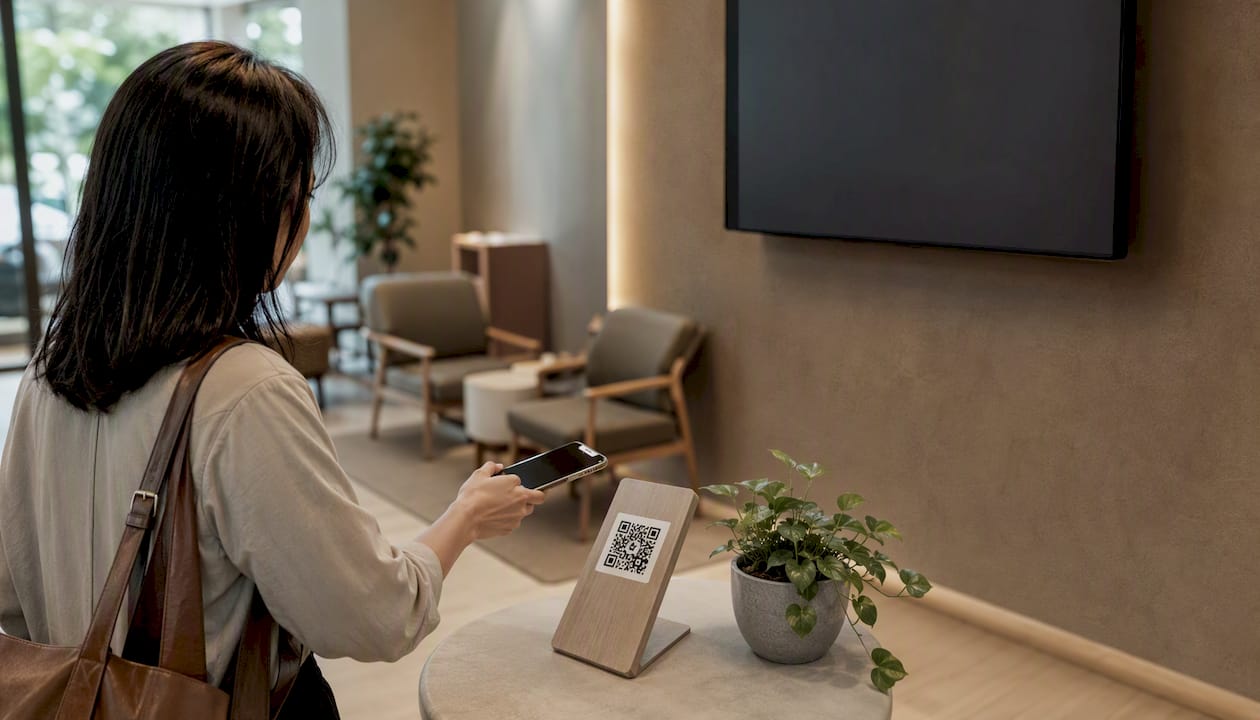
Food trucks often skip the kiosk entirely. A QR code on a sandwich board is enough. Guests join from the sidewalk, wander nearby, and return when their number is called.
Barbershops use the system to eliminate the "just walk in and wait" ambiguity. Guests join remotely before they even leave home, which fills the chair without filling the waiting area.
Events use it for crowd control at registration desks and food stations. A QR code waitlist setup at each station keeps lines from forming in aisles.
Pro Tip: For any venue, post the QR code at eye level in at least three spots: the entrance door, the host stand, and a sidewalk sign. Guests who miss the first sign almost always catch the second.
How do you measure whether the pilot worked?
Track these six KPIs from day one:
- Average wait time (target: reduce by 40–60% vs. paper baseline)
- No-show rate (target: below 8% within 30 days, based on published case study outcomes)
- Throughput per hour (guests served per service channel per hour)
- Host idle time (time between serving one guest and calling the next)
- CSAT score (a one-question SMS survey after service works well)
- Perceived wait (ask guests if the wait felt shorter than expected)
Establish your paper-system baseline in the week before launch. Even rough numbers, like a tally of no-shows per shift and a stopwatch average of wait times, give you something real to compare against.
| Metric | Paper baseline (typical) | 30-day pilot target |
|---|---|---|
| Average wait time | 28–32 minutes | 5–9 minutes |
| No-show rate | 23–28% | 4–7% |
| Daily throughput | ~35 guests | ~45 guests |
These figures come from the web-based queueing case study cited earlier and represent outcomes from a single-location deployment.
Common pitfalls and how to fix them fast
- SMS delivery delays: check carrier registration status first. If 10DLC registration is pending, messages may throttle. Switch to a Short Code temporarily for high-volume shifts.
- Display screen out of sync: most sync issues trace to the display browser tab going idle. Set the screen's power settings to "never sleep" and pin the display URL as the browser's startup page.
- Duplicate entries: happens when guests scan the QR code twice. Add a phone-number deduplication rule in your queue settings, or require staff to confirm arrival before the entry activates.
- Guest confusion at the QR code: post a three-word instruction above the code: "Scan to wait." Nothing more. Longer instructions get ignored.
- Staff resistance: the most common cause is hosts feeling like the system is watching them. Frame the dashboard as a tool that removes the "who's next?" argument, not a performance tracker.
Pro Tip: Keep a paper backup list for the first two weeks. Not because the system will fail, but because having a fallback removes staff anxiety and makes the transition feel lower-stakes.
When escalating to vendor support, collect three things first: a screenshot of the error, the time it occurred, and the queue configuration settings active at that moment. That cuts resolution time significantly.
What operators actually learn after switching
The decision to switch rarely feels urgent until one bad Saturday. A packed waiting area, a host calling names no one hears, three parties who left without telling anyone. That is usually the moment.
The pilot itself tends to go faster than expected. Most single-location venues are live within a week. The concrete win that shows up first is almost always the no-show rate: when guests can see their position on their phone, they come back instead of wandering off. The lesson that takes longer to absorb is that the system only works as well as your signage. Guests who do not see the QR code default to walking up to the host, which defeats the purpose. Invest in clear, well-placed signs before you invest in anything else.
Staff training takes one session, not a week. The harder part is getting hosts to trust the dashboard instead of their instincts. Give it two weeks before drawing conclusions.
Ezseat makes no-app queue management practical from day one
Ezseat gives you browser-based guest entry, kiosk support, SMS notifications, public display screens, and multi-queue management without asking your guests to download anything. The setup is fast enough that most single-location venues are live within a week.

Light and Pro plan tiers scale with your operation, and every new account starts with a two-month free trial so you can run a real pilot before committing. The Ezseat blog covers clinic workflows, display screen configuration, and SMS messaging trade-offs in detail if you want to go deeper before signing up.
Start your free trial at Ezseat and run your first pilot shift this week.
Sources
- Optimization of Services Through the Development of a Website-Based Online Queueing System | Journal of Innovation and Technology Polbeng Series on Informatics (INOVTEK Polbeng - Seri Informatika)
- Improving Hospital Queuing System Using Kim and Mauborgne’s Four Actions Framework | Ramasubramaniam | Business and Economic Research
- Predictive queue management in healthcare environments: A systematic review of IoT architectures, edge-based analytics and low-cognitive-load displays
- Survey Results: Consumer Opinions on Virtual Waiting Rooms