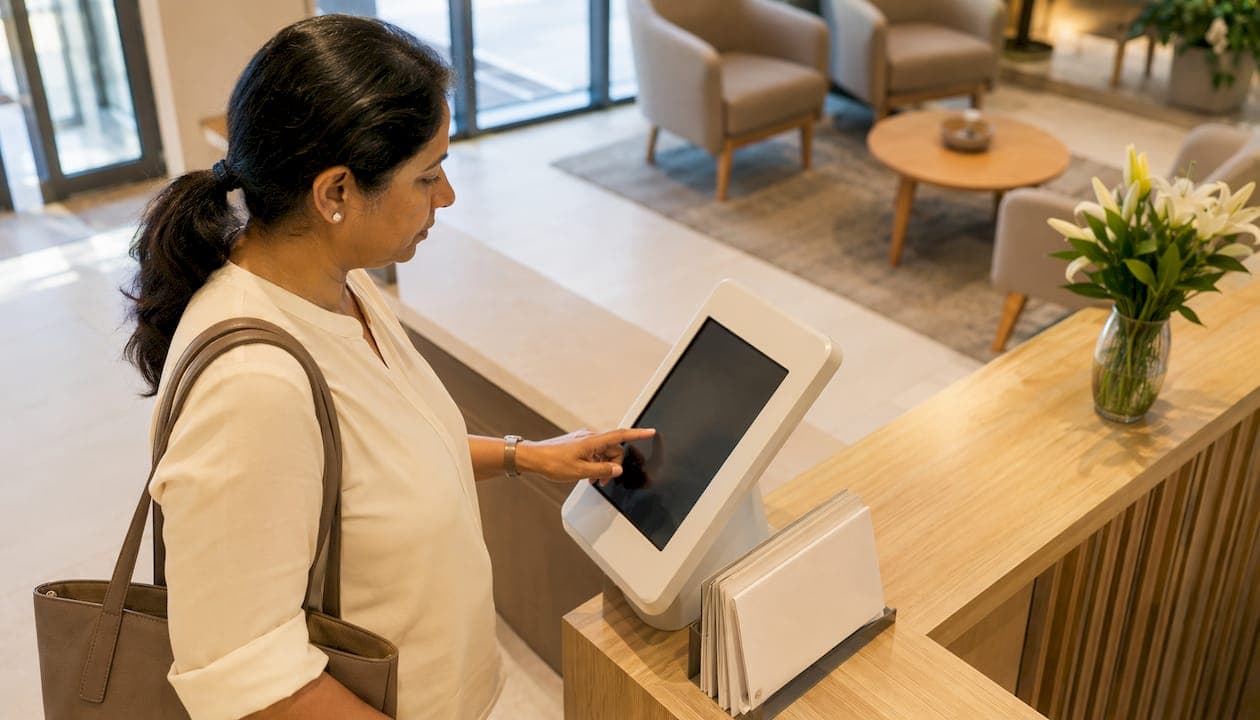
A browser-first virtual queue combined with on-site kiosks and a centralized staff dashboard is the most practical starting point for any clinic serious about cutting wait times and reducing walkaways. The Institute for Healthcare Improvement (IHI), the American Hospital Association (AHA), and HIPAA compliance requirements all point toward the same conclusion: patient flow problems are system problems, not just scheduling problems. The right queue management software addresses both. Ezseat offers a free two-month trial, which is the fastest way to validate that claim against your own clinic's numbers.
What a well-configured system delivers:
- Predictable waits: Patients see estimated wait times in real time, which reduces anxiety and walkaway rates.
- Fewer LWBS (left without being seen) events: Virtual check-in keeps patients engaged even when the waiting room is full.
- Improved throughput: Staff work from a live dashboard instead of managing a physical line, freeing time for clinical tasks.
- HIPAA-aligned design: Browser-based entry and SMS tokenization avoid the most common PHI exposure risks.
Table of Contents
- Why does clinic queue management matter right now?
- What features should a patient queue management system include?
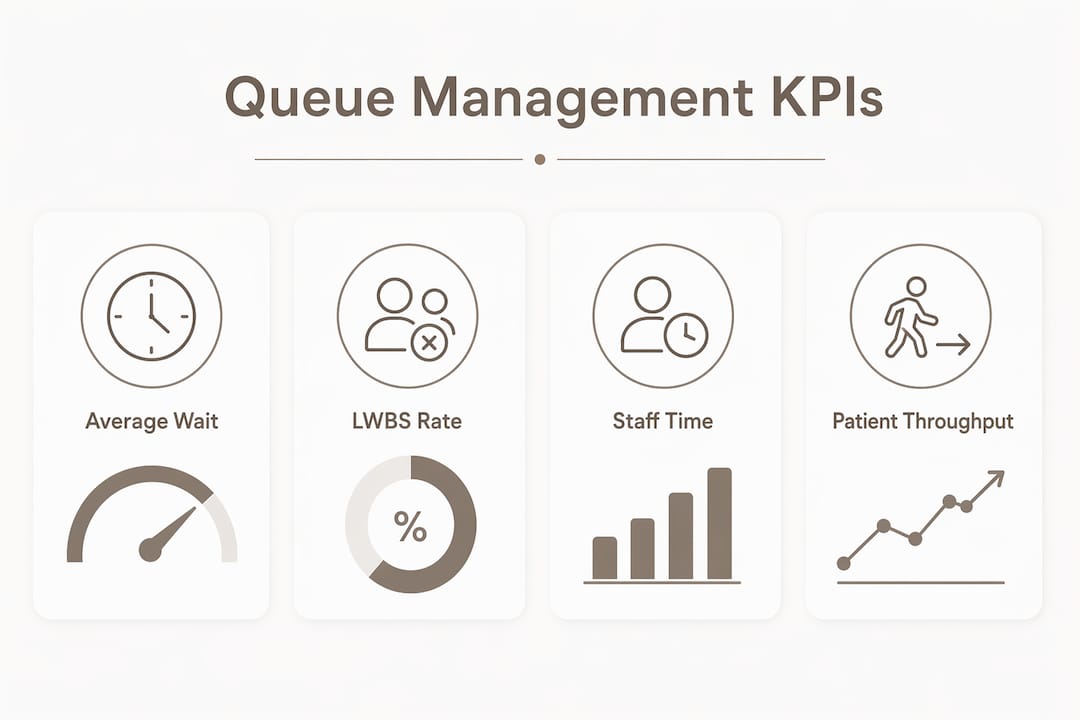
- What outcomes and KPIs should you track?
- How do you implement a queue system in your clinic?
- What do you need to know about integrations, hardware, and HIPAA?
- What does the research say about patient flow best practices?
- How does Ezseat address clinic queue management needs?
- Key Takeaways
- What clinics usually underestimate about queue system deployments
- Start your Ezseat pilot with a free two-month trial
- Useful sources for further reading
Why does clinic queue management matter right now?
The core problem is a capacity mismatch. Clinics schedule appointments in fixed blocks, but patients arrive unevenly, no-shows create gaps, and walk-ins spike unpredictably. The result is a waiting room that swings between overcrowded and underutilized within the same morning session.
That mismatch has real consequences. Patients who wait too long simply leave. LWBS events represent lost revenue, missed care, and a measurable patient safety risk, particularly for urgent presentations. High no-show rates compound the problem by leaving clinical capacity idle while other patients wait.
Staff bear the operational weight of all of this. A grounded-theory study of emergency nurses identified five cognitively demanding tasks that define patient flow work: information gathering, continuous triage, resource management, throughput management, and care oversight. Every minute a front-desk coordinator spends managing a physical line is a minute not spent on any of those tasks.
Throughput variability is the metric most administrators underestimate. A clinic that sees 80 patients on Monday and 55 on Tuesday has not just a scheduling problem. It has a demand-shaping problem, and queue management software is the first tool that makes that variability visible.
What features should a patient queue management system include?
Virtual queue software for clinics typically organizes features into three layers: patient-facing, staff-facing, and infrastructure.
Patient-facing features:
- Remote check-in via browser (no app download required)
- Real-time estimated wait time display
- SMS or call notifications when the patient's turn approaches
- Queue position updates throughout the wait
Staff-facing features:
- Live dashboard showing all active queues and patient positions
- Multi-queue management for different service types (triage, lab, pharmacy)
- Configurable triage rules that route patients by acuity or appointment type
- Custom intake fields to capture reason for visit or insurance information
Infrastructure and integration:
- Reception kiosks and public display screens for on-site patients
- API connections to EHR and appointment scheduling systems
- Multi-site visibility for clinic networks
- Analytics and reporting on wait times, throughput, and abandonment
Browser-based queue entry removes the single biggest friction point in patient adoption: the requirement to download an app. Walk-in patients can join a queue from any smartphone without creating an account, which matters most during high-volume hours when staff have no time to troubleshoot technology.
Integration priorities worth confirming before procurement: bi-directional EHR sync (or at minimum read access to scheduled appointments), SMS gateway configuration, and single sign-on for staff accounts.
What outcomes and KPIs should you track?
The primary outcomes clinics report after deploying patient flow management software are reduced average wait times, lower LWBS rates, higher patient satisfaction scores, and improved throughput per clinician per session. Staff productivity gains are real but harder to quantify without a baseline.
| KPI | How to Measure | Target Direction |
|---|---|---|
| Average wait time | Queue system timestamp: check-in to service start | Decrease |
| Time-to-service | Clock from arrival to first clinical contact | Decrease |
| LWBS rate | Patients who left queue before service / total check-ins | Decrease |
| No-show rate | Scheduled appointments with no check-in / total scheduled | Decrease |
| Throughput per clinician | Patients seen per provider per session | Increase |
| Patient satisfaction score | Post-visit survey (NPS or Press Ganey equivalent) | Increase |
| Queue abandonment rate | Patients who joined queue but left before being called | Decrease |
A simple ROI framework has three components: staff time recovered from manual queue management, revenue recovered from LWBS and no-show reduction, and improved room utilization from more predictable scheduling. You do not need precise figures to build the business case. You need a four-week baseline and a four-week pilot to compare.
Pro Tip: Collect baseline KPIs for at least two weeks before going live with any new system. Without a pre-pilot baseline, you cannot attribute improvements to the software rather than seasonal variation or staffing changes.
How do you implement a queue system in your clinic?
Implementation works best as a phased pilot rather than a clinic-wide rollout. The IHI framework for patient flow improvement emphasizes matching capacity to demand and redesigning systems rather than patching individual steps. A pilot lets you do that redesign in a controlled environment before scaling.
Recommended pilot timeline:
- Planning (1–2 weeks): Define objectives, select the pilot site or clinic session type, agree on KPIs, and assign stakeholder roles. Clinical leadership, front-desk staff, IT, and compliance all need a seat at the table from day one.
- Configuration and integration (1–3 weeks): Set up queue rules, configure triage logic, connect to scheduling or EHR systems, and test SMS flows. This is where most delays happen, so build buffer time.
- Pilot run (4–8 weeks): Run the system live on the selected sessions. Collect KPI data weekly. Flag issues in a shared log so the vendor success manager can respond quickly.
- Evaluate and iterate (1–2 weeks): Compare pilot KPIs to baseline, identify the highest-impact changes, and decide whether to expand scope or adjust configuration before scaling.
Costs and procurement factors to budget:
- Subscription tier (monthly or annual, based on queue volume and feature set)
- Hardware: kiosk devices, public display screens, and any tablet reception setups
- Integration effort: IT hours for EHR API connections and SSO configuration
- Staff training time: front-desk and clinical coordinator onboarding
- Change management: communication materials and workflow documentation
Stakeholder map: Clinical leadership owns the clinical workflow decisions. Front-desk staff are the daily operators and the most important group to involve early. IT manages integration and security. Compliance reviews HIPAA implications. The vendor success manager handles configuration and troubleshooting.
Pro Tip: Start the pilot during your highest-variability clinic sessions, not your most predictable ones. High-variability hours expose the system's real strengths and weaknesses faster than a controlled low-volume test.

What do you need to know about integrations, hardware, and HIPAA?
EHR and scheduling integration:
- Read-only EHR access lets the queue system display appointment data without writing back to the clinical record, which is the lowest-risk starting point.
- Bi-directional sync allows the queue system to update appointment status in real time, which reduces duplicate data entry but requires more integration effort and security review.
- Common pitfalls: mismatched patient identifiers between systems, timezone handling errors in appointment timestamps, and SSO configuration delays.
Hardware choices:
- Kiosks work well for high-volume walk-in clinics where staff cannot manage every check-in manually.
- Tablet reception setups are more flexible and lower cost, suitable for smaller clinics or pilot phases.
- Public display screens show queue positions to waiting patients and reduce the number of "how much longer?" interruptions staff handle.
HIPAA and privacy:
- SMS notifications must never include protected health information (PHI) such as diagnosis, appointment type, or provider name in the message body.
- Require a Business Associate Agreement (BAA) from any vendor before going live. No BAA means no deployment.
- SMS tokenization and opt-in consent flows are the standard approach for compliant patient notifications. Confirm your vendor supports both before signing.
- Data retention policies, audit logging, and encrypted data transit and storage are non-negotiable requirements to verify during procurement.
Pro Tip: Ask vendors for a sample BAA and their SOC 2 Type II report before the procurement decision. Both documents tell you more about a vendor's compliance posture than any sales conversation.
What does the research say about patient flow best practices?
The IHI's framework for hospital-wide patient flow makes one point that most queue management conversations miss: flow improvement requires system redesign, not just queue optimization. Matching capacity to demand and standardizing processes across units produces durable results. A queue system is the tool that makes that redesign visible and measurable.

The AHA's analysis of hospital command centers found that real-time capacity dashboards, some refreshing as frequently as every 3–5 seconds, allow teams to detect bottlenecks early and reallocate resources before surges become crises. That principle scales down to clinic-level dashboards: the faster your staff can see a queue building, the faster they can respond.
The ScienceDirect emergency nursing study reinforces why automation of administrative tasks matters. When nurses and coordinators spend cognitive energy on information gathering and manual throughput tracking, they have less capacity for clinical judgment. Queue software that automates position updates, wait-time estimates, and intake data collection directly reduces that burden.
Enterprise EHR platforms like Epic's Grand Central demonstrate what centralized capacity visibility looks like at scale: transparent bed status, transfer coordination, and real-time operational dashboards. Clinic-level queue systems apply the same principle at a smaller scope.
Pro Tip: Design your staff dashboard for one-screen situational awareness. A dashboard that requires clicking through multiple views to understand current queue status defeats the purpose of real-time data. The best setups show queue depth, estimated wait times, and flagged delays on a single screen.
How does Ezseat address clinic queue management needs?
Ezseat maps directly to the feature checklist above. Patients join the queue through a web browser with no app download required, which removes the single biggest adoption barrier for walk-in clinic populations. On-site kiosks handle patients who arrive without a smartphone. SMS and call notifications alert patients when their turn approaches, so they can wait outside the physical waiting room.
Feature-to-need mapping:
- Browser-based queue entry: covers walk-ins and reduces on-site crowding
- Reception kiosk support: handles patients who need on-site check-in assistance
- SMS and call notifications: keeps patients informed without requiring them to stay in the waiting room
- Staff dashboard: gives coordinators live queue visibility across multiple service types
- Multi-queue support: separates triage, lab, pharmacy, and other service lines
- Custom intake fields: captures reason for visit, insurance, or other clinic-specific data at check-in
- Flexible subscription plans: scales with clinic volume without locking you into enterprise pricing
Onboarding steps for a typical Ezseat trial:
- Configure your queue types and triage rules in the admin dashboard.
- Set up and test the kiosk and SMS notification flows before going live.
- Train front-desk staff on the dashboard and patient communication workflows.
- Collect baseline KPIs during the first two weeks of the trial.
- Run the pilot for the full trial period and log issues weekly.
- Review results with the Ezseat success team before deciding on a paid plan.
Ezseat's free two-month trial gives you enough time to run a complete pilot cycle, collect meaningful KPI data, and make a procurement decision based on real clinic performance rather than a vendor demo.
Key Takeaways
Effective clinic queue management requires a browser-first virtual queue, a live staff dashboard, HIPAA-compliant SMS notifications, and a structured 4–8 week pilot to validate KPI improvements before scaling.
| Point | Details |
|---|---|
| System-level thinking | Queue software works best when paired with demand-shaping and capacity redesign, not as a standalone fix. |
| KPIs to track | Monitor average wait time, LWBS rate, throughput per clinician, no-show rate, and patient satisfaction scores. |
| Pilot structure | Plan a 4–8 week live pilot with a two-week baseline period and weekly KPI reviews to isolate real improvements. |
| HIPAA non-negotiables | Require a BAA, SMS tokenization, encrypted data transit, and audit logging from any vendor before deployment. |
| Ezseat trial | Ezseat's free two-month trial covers a full pilot cycle with browser-based check-in, kiosks, SMS notifications, and a staff dashboard. |
What clinics usually underestimate about queue system deployments
The technology is rarely the hard part. Most clinic deployments that stall do so because of three things: no pre-pilot baseline, underestimated integration testing time, and front-desk staff who were not involved in the configuration decisions.
The baseline problem is the most fixable. Two weeks of manual data collection before go-live, tracking wait times and LWBS events, gives you the comparison point that makes the pilot results credible to clinical leadership and finance. Without it, you are arguing from anecdote.
Integration testing consistently takes longer than IT estimates. Build two to three extra weeks into the configuration phase, especially if you are connecting to an EHR system. The queue software itself is usually ready in days. The EHR side is where delays accumulate.
Front-desk scripting matters more than most administrators expect. Staff who know exactly what to say when a patient asks "how do I check in?" will drive adoption faster than any training session. Write the script before go-live, not after the first confused patient interaction.
Start your Ezseat pilot with a free two-month trial
Clinics that spend months evaluating queue management software in demos rarely learn what a four-week live pilot reveals in the first week. Ezseat's free two-month trial is built for exactly that: a real pilot with real patients, real KPI data, and a success team that helps you configure and troubleshoot before you commit to a paid plan.

During the trial, you get browser-based patient check-in, kiosk and SMS notification setup, a live staff dashboard, multi-queue configuration, and access to the Ezseat success team for onboarding support. No app download required for patients. No long-term contract required from you.
The next step is straightforward: visit ezseat.app to start your free trial or schedule a walkthrough with the Ezseat team to configure your first queue before your pilot launch date.
Useful sources for further reading
- IHI: Achieving Hospital-Wide Patient Flow — The foundational framework for system-level flow improvement. Read this before designing your KPI set or pilot scope.
- AHA: How Hospital Command Centers Streamline Patient Flow — Covers real-time dashboard design and capacity management strategies that apply at the clinic level.
- ScienceDirect: The Work of Patient Flow Management — The grounded-theory study on emergency nursing that explains why automating administrative tasks directly improves clinical capacity.
- Epic: Hospital Patient Flow — Useful reference for understanding what EHR-integrated capacity management looks like at scale, particularly if your clinic runs on Epic.
- TSB Healthcare: Patient Queue Management Software — A practical product brief describing standard virtual queue features and how they reduce in-clinic waiting time.