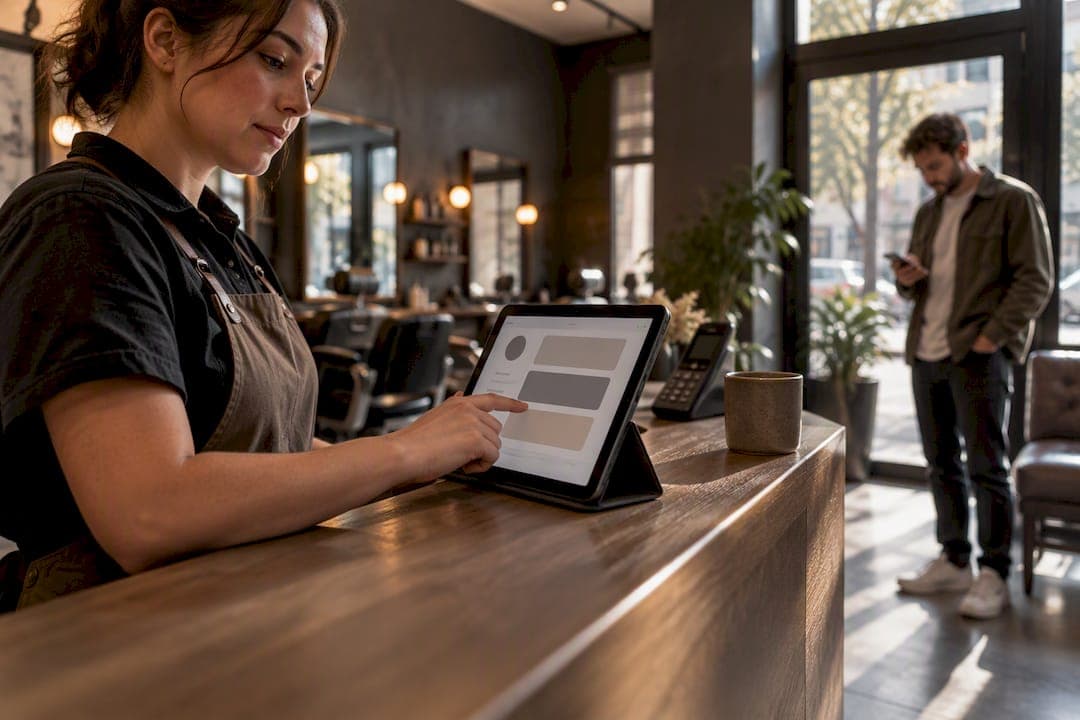
A multi-device queue is a customer-facing system where staff phones, tablets, kiosks, and public screens all pull from the same live queue, while customers join through a web browser instead of an app. For most restaurants, clinics, food trucks, and barbershops, the fastest path to lower crowding and shorter perceived wait is a web-based system with no app download required. That combination, rather than extra hardware, is what actually moves the needle during peak hours.
TL;DR:
- A web-based multi-device queue system enables all staff devices and public displays to synchronize in real time, reducing errors and enhancing customer perception of wait times.
- The most effective setup involves a single primary caller device during each shift, with other devices acting as assist-only to prevent double-calling failures.
- Reliable Wi-Fi and standardized browsers are crucial; a fallback such as mobile data or refresh procedures should be in place to avoid synchronization delays during peak hours.
- Customer data stored across devices should be protected with device locks and encrypted transmission, with minimal retention and limited visibility to preserve privacy.
- A simple, browser-based entry process with clear roles, minimal custom fields, and public position visibility improves patient and customer satisfaction efficiently.
Table of Contents
- What Is a Multi-Device Queue and Why Does It Matter for Small Venues?
- How Do Multi-Device Queues Actually Work?
- Setting Up Your Multi-Device Queue: A Step-by-Step Checklist
- Running a Shared Queue Without Staff Stepping on Each Other
- How Secure Is Customer Data in a Multi-Device Queue?
- What Goes Wrong With Multi-Device Queues, and How to Fix It
- Connecting Your Queue to POS and CRM Systems
- How Multi-Device Queues Improve the Customer Experience
- Ezseat's Perspective: Why We Build Web-First for SMBs
- Try Ezseat's Web-First Queue System
- Sources
- FAQ
What Is a Multi-Device Queue and Why Does It Matter for Small Venues?
A multi-device queue setup means every device your staff carries, plus any screen customers can see, reads from one shared list in real time. A host stand tablet, a manager's phone, a public display near the door, and a customer's own browser all show the same queue state at the same moment. Nobody is updating a paper list or yelling a number across a dining room.
The touchpoints usually break down into a few categories:
- Staff devices: phones or tablets used to call, skip, or reassign customers
- Public screens: TVs or monitors showing ticket numbers or estimated wait
- Kiosks: stationary check-in points for walk-ins
- Browser entry: customers join via QR code or a link, no app installed
The value here isn't theoretical. A randomized controlled trial in an emergency department found that patients in a queue-managed group experienced actual wait times of 15.5 minutes on average versus 27.03 minutes in the control group, and their perceived wait dropped even more sharply, from roughly 32.8 minutes down to 11.9 minutes, with satisfaction scores rising significantly. That gap between perceived and actual wait is the whole game. Customers who can see their position in line, even on a public screen, tend to feel like the wait is shorter even when the clock says otherwise.
Picture a restaurant on a Friday night: the host adds a party of four from the front tablet, the manager's phone shows the same entry a second later, and the couple waiting outside checks their spot from their own phone without ever opening an app. A clinic uses the same setup for triage, sorting walk-ins from scheduled appointments on one screen. A food truck runs it from a single phone clipped to the counter, with a QR code taped to the window doing the rest of the work.
How Do Multi-Device Queues Actually Work?
The mechanics behind cross-device queuing come down to three things: sync speed, notification method, and how you configure the queue itself.
Real-time sync means every device reflects the same queue state within a second or two of a change. Test this before you rely on it. Add a customer from one device and confirm it appears instantly on the public screen and every staff phone. A delay of even 10 to 15 seconds during a rush can cause a staff member to call a name that's already been served.
Notifications come in three flavors, each with tradeoffs:
- SMS or call alerts, which reach customers wherever they are but usually carry a per-message cost
- In-browser notifications, free and instant but only work if the customer's browser tab stays open
- Public screen calls, zero cost and simple, but require customers to stay within sight of the display
Configuration choices matter more than most operators expect. Decide early whether you need one queue or several (say, separate lines for takeout and dine-in), and keep custom fields lean.
A web-based prototype tested in outpatient clinics, QKlinik, scored an average usability rating of 4.78 out of 5 in simulated testing, which suggests browser-first systems can hold up even in higher-stakes settings like medical offices, not just retail lines.
Pro Tip: Assign one device as the "primary caller" during each shift and have every other device set to assist-only. This single rule eliminates most double-calling errors before they happen.
For hardware, a public display plus one or two staff phones is enough for most SMBs. Kiosks add convenience for high-volume walk-in traffic but aren't essential if a staff member is already stationed at the door.
Setting Up Your Multi-Device Queue: A Step-by-Step Checklist
Getting a multi-platform queue system running well takes less time than most owners assume, usually under a week if you follow a clear sequence.
- Plan: Map your busiest windows (lunch rush, Saturday morning appointments, festival hours) and decide which devices staff will actually carry.
- Configure: Build your queue or queues, set up notification rules, and design the public screen layout so it's readable from across the room.
- Test: Run a sync test with two or three staff devices and the public display at once. Simulate a peak minute with several calls happening back to back.
- Train and go live: Give staff a short script ("check your tab before calling"), place QR code signage where customers naturally look, and set a manual fallback for if Wi-Fi drops.
- Measure the first month: Track perceived wait (ask customers directly), actual wait, calls-to-serve accuracy, and how quickly staff adopted the new habit.
A few things worth double-checking before launch:
- Confirm your Wi-Fi signal reaches the public screen location, not just the host stand
- Print backup QR codes in case a screen goes dark mid-shift
- Test on at least two different phone browsers, since not every staff member uses the same device
A QR-code and kiosk simulation study at a food venue found that QR-based ordering was the most cost-effective model tested, cutting both mean wait time and queue length compared to adding staff. That's a useful benchmark if you're weighing whether to invest in a kiosk versus just putting a QR code on the counter.
Running a Shared Queue Without Staff Stepping on Each Other
The most common failure mode in queue management for devices isn't the technology. It's coordination. Two staff members call the same customer thirty seconds apart, or nobody calls anyone because everyone assumed someone else would.
Fix this with a clear role split. One person "owns" the calling function during a given shift; everyone else can view and update but doesn't initiate calls unless the primary caller is away from their device. Public screens do a lot of the heavy lifting here too. Letting customers see their live position, even without any personal notification, tends to lower how long the wait feels, and it means people can step away and check a phone from across the room instead of hovering at the counter.
Notification frequency needs a light touch. Pinging a customer every time their position moves up one spot gets annoying fast. One "you're next" alert and one "please come in" alert is plenty for most venues.
A few more habits worth building in early:
- Set simple priority rules upfront, such as scheduled appointments jumping ahead of walk-ins by a fixed amount, rather than deciding case by case
- Resist adding more than two or three custom queue fields, since every extra field is one more thing staff forget to fill in during a rush
- If your Wi-Fi is spotty, designate one device on mobile data as a fallback caller so the queue doesn't stall entirely
Pro Tip: Write your role-split rule into a single line on a laminated card at the host stand. "Phone A calls, Phone B assists" takes ten seconds to read and prevents the most common queue mistake there is.
How Secure Is Customer Data in a Multi-Device Queue?
Queue data usually looks harmless, a name, a phone number, maybe a party size, but it's still personal information sitting across multiple devices at once, which slightly raises the stakes compared to a single point-of-sale terminal.
The biggest practical risk isn't a hacker. It's an unattended staff phone left logged into the queue dashboard where a customer could scroll through other guests' names and numbers. Set device-level screen locks and make sure the queue platform itself requires a login, not just an open browser tab, so a lost or borrowed phone doesn't expose the whole list.

Ask any vendor how long customer data is retained after a visit and whether it's encrypted in transit between devices, since that's the layer most operators never think to ask about. A system that only stores queue entries temporarily and clears them after service reduces your exposure automatically, without you having to manage a deletion policy by hand.
For clinics specifically, treat queue data with the same care as any other patient-facing information, even if it's just a name and appointment type showing on a public screen. Consider whether a first name only, rather than a full name, is enough for the display to function. It usually is, and it cuts your privacy exposure without hurting usability at all.
If you operate across multiple locations, check whether staff accounts are scoped to their own venue's queue. A device compatibility queue system that lets any staff login see every location's customer list is a bigger risk than most owners realize until something goes wrong.
What Goes Wrong With Multi-Device Queues, and How to Fix It
Most technical problems with an integrated device queue solution trace back to one of three causes: weak Wi-Fi, browser inconsistency, or a device that fell out of sync.

Weak Wi-Fi is the most common culprit. If the public screen sits far from the router, or if your venue has thick walls or a lot of metal equipment (common in food service), signal drops happen right when you need reliability most. The fix is boring but effective: a dedicated Wi-Fi extender near the display, or a mobile-data fallback on at least one staff device.
Browser inconsistency shows up when one staff member's phone renders the queue dashboard differently than another's, usually because of an outdated browser or aggressive battery-saving settings that pause background tabs. Standardize on a couple of supported browsers and ask staff to keep the queue tab active rather than backgrounded.
Sync lag is the scariest-looking problem but usually the easiest to diagnose. If one device seems a step behind the others, the fix is almost always a simple refresh or logout and back in, rather than anything deeper. Build this into your staff script: "if your screen looks stale, refresh it" saves a lot of confused troubleshooting mid-shift.
A smaller but real issue is device battery life. A tablet at 8% charge during a dinner rush is a self-inflicted outage. Keep charging cables at every station where a device lives, and treat a full charge as part of opening checklist, not an afterthought.
Connecting Your Queue to POS and CRM Systems
Most SMBs run a point-of-sale system already, and the natural question is whether a multi platform queue system needs to talk to it directly.
For many restaurants and barbershops, the honest answer is: not necessarily, at least not at first. A queue system that runs alongside your POS, rather than fused into it, is simpler to set up and less likely to break when either system updates. What matters more is that your queue captures the data you'd want to reference later, service type, party size, appointment versus walk-in, so you can pull patterns manually if you want them.
Clinics and appointment-based businesses tend to get more value from a tighter connection, since matching a queue entry to an existing patient or client record in a CRM avoids duplicate data entry. If your CRM supports API access or webhook triggers, ask your queue provider whether it can push a "customer seated" or "service complete" event automatically.
The practical starting point for most small operators is to keep the two systems separate but consistent: same naming conventions, same service categories, so that if you do decide to connect them later, the data lines up cleanly instead of needing a cleanup project first.
How Multi-Device Queues Improve the Customer Experience
The features that matter most to customers aren't the ones operators usually focus on first. It's not the dashboard. It's whether they can see how long they'll actually wait.
An estimated wait time, even a rough one, changes behavior. Customers who see "approximately 12 minutes" on a screen or their phone are far more likely to stay nearby and less likely to walk out, compared to a queue with no visible information at all. Live position updates work the same way: watching your spot move from 8th to 5th to 2nd gives a sense of progress that a static "please wait" never does.
Virtual queuing, meaning the customer can join from their phone before even walking in, extends this further. A prototype system built for outpatient clinics used QR-code check-in paired with timed reminders, letting patients wait somewhere other than a crowded lobby and get notified roughly ten minutes before their turn. That same pattern works for a food hall table or a barbershop customer who'd rather grab coffee across the street than sit in a waiting area.
The common thread across all of it: transparency reduces anxiety even when it doesn't reduce actual time. A customer who can see the line is different from a customer left guessing.
Ezseat's Perspective: Why We Build Web-First for SMBs
We've watched enough peak-hour rushes to know the biggest adoption barrier isn't the technology itself, it's asking a customer to download something. Web-first entry removes that friction entirely, and it's the reason smaller venues see staff and customers adopt a new queue habit within days rather than weeks. That said, a browser-based, multi-vendor queue setup isn't the answer for every situation. A large hospital network or a stadium with deeply integrated ticketing infrastructure may need a more custom enterprise build. For most restaurants, clinics, food trucks, and barbershops, lightweight and browser-based solutions tend to win.
— Ezseat
Try Ezseat's Web-First Queue System
Ezseat is an alternative to app-based queue tools for businesses needing a cross-device queuing setup without asking customers to download anything. Customers join through a web browser, staff manage the flow from phones or tablets, and public screens display live ticket numbers without extra hardware costs.

The setup covers browser-based entry, real-time staff-device sync, public display screens, and SMS or call notifications, all configurable from one dashboard. You can see how this plays out in practice through Ezseat's phone-based queue management examples for restaurants and clinics already running it. Ezseat offers a free two-month trial before moving to a paid tier: the Light plan runs $3.90 per month or $39.00 per year, and the Pro plan runs $14.90 per month or $149.00 per year, both available on the pricing page. If your line out the door is costing you customers, start the free trial today and have your first queue running before your next shift.
Sources
- Effect of Queue Management System on Patient Satisfaction in Emergency Department; a Randomized Controlled Trial.
- DESIGN AND EVALUATION OF QKLINIK: A WEB-BASED QUEUE MANAGEMENT SYSTEM FOR OUTPATIENT CLINICS
- Proposed Solutions for Improving Queue Management Efficiency at Bebeke Om Aris (simulation study)
- Smart management waiting system for outpatient clinics (AppGyver + Backendless)
FAQ
What Is a Multi-Device Queue System?
A multi-device queue system lets several staff devices, phones, tablets, kiosks, and public screens, access and update the same customer queue at once. Customers typically join through a web browser rather than a downloaded app, which speeds up adoption for both staff and guests.
Do Customers Need to Download an App?
No, not with a web-first system like Ezseat. Customers join by scanning a QR code or clicking a link that opens directly in their phone's browser, removing the biggest barrier to queue adoption.
How Much Does Ezseat Cost?
Ezseat offers a free two-month trial, after which the Light plan costs $3.90 per month or $39.00 per year, and the Pro plan costs $14.90 per month or $149.00 per year, both listed on the Ezseat pricing page.
Can a Multi-Device Queue Handle Both Appointments and Walk-Ins?
Yes, most systems support priority rules that let scheduled appointments move ahead of walk-ins by a set amount rather than requiring staff to decide manually each time. This is especially useful for clinics and barbershops managing mixed customer flows.
What Happens if Wi-Fi Goes Down During a Rush?
A reliable fallback is designating one staff device on mobile data as a backup caller so the queue doesn't stall completely. Testing this scenario in advance, along with public-screen reliability during simulated peak minutes, prevents most connectivity surprises before they hit a live shift.