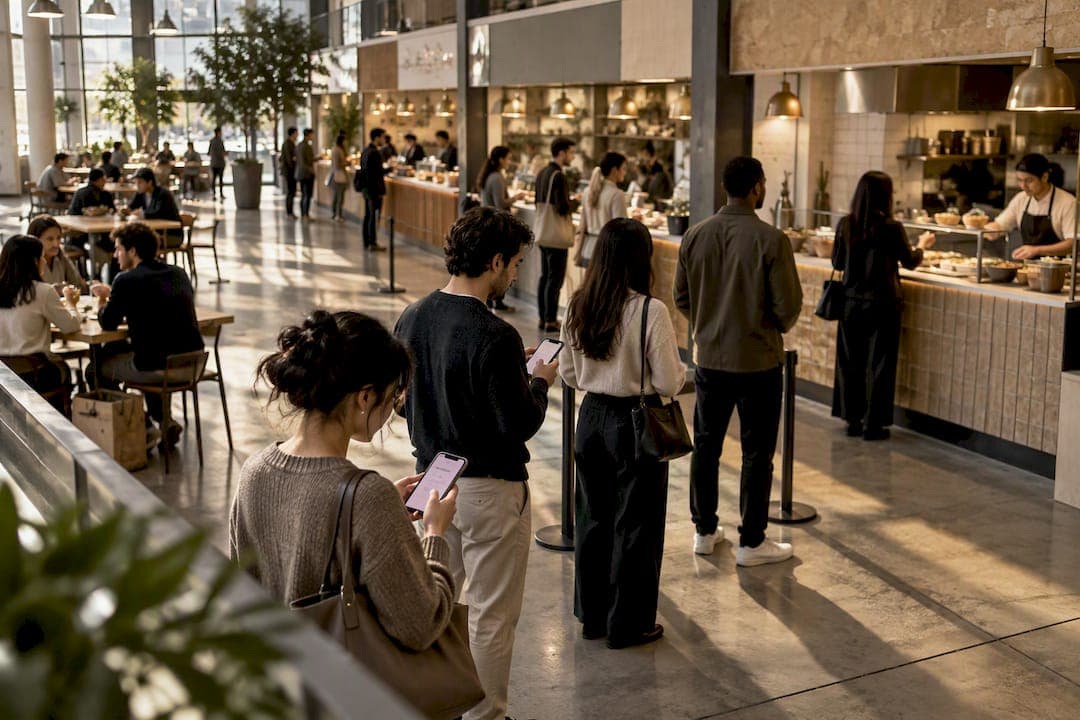
A multi vendor queue is a browser-based system that routes customers to the correct counter, clinic room, or pickup point across several service providers in one venue, using a QR code instead of an app download. The recommended approach is simple: let people join through their phone's browser, keep routing rules deliberately simple at first, and run a staged pilot before rolling out venue-wide. Done right, it cuts physical crowding, gives every vendor a clear queue of their own, and gives you numbers to prove it worked.
TL;DR:
- Most venues should start with a staged pilot during a single peak period, like a lunch rush, to gather accurate vendor-level data before scaling up.
- Tracking vendor-specific metrics such as arrival-to-service time, abandonment rate, and throughput reveals issues hidden by venue-average numbers and guides targeted improvements.
- Shared routing works well for similar vendors or common pickup points, while separate or hybrid routing better fits venues with diverse service types or variable wait times.
- QR code browser-based systems eliminate app download friction, but it's essential to test connectivity, notification delivery, and fallback options on the actual phones and networks used by customers.
- Clear ownership policies and staff training on exception handling are crucial, as most system failures stem from confusion over ticket disputes or untracked issues, not technical faults.
Table of Contents
- What A Multi Vendor Queue Is And Why Browser-First Matters
- The Real Benefits Of Managing Multiple Vendor Lines Together
- [What Metrics to track beyond average wait time?](#what-metrics-to-track-beyond-average-wait-timehttpscloudsproutcaai-automation)
- Shared, Separate, Or Hybrid Routing: Which Fits Your Venue?
- How Do You Roll Out A Multi Vendor Queue Step By Step?
- What Notification Method Works Best For App-Free Queues?
- How Do You Know If The Pilot Actually Worked?
- Who Owns Exceptions When Something Goes Wrong?
- What Operators Get Wrong About Multi Vendor Queues
- Try A Browser-First Queue System Built For Multi-Vendor Venues
- Sources
- FAQ
What A Multi Vendor Queue Is And Why Browser-First Matters
A multi vendor queue is not a marketplace where separate sellers list products for checkout. It's venue-level infrastructure: one system that tracks multiple service counters, kitchens, exam rooms, or booths, and routes each customer to the right one without anyone standing in a physical line. Think food halls with six kitchens, farmers markets with a dozen stalls, or clinics running three providers at once.
App-free, browser-first design matters because friction kills adoption. A customer who has to download an app before joining a line will often just leave. QR code queue systems let someone scan a code, land on a web form, and join instantly.
- Food halls and markets with multiple independent kitchens or stalls
- Clinics running several providers or departments in parallel
- Event venues with concessions, registration, and multiple check-in points
- Food trucks and barbershops clustering at the same location or festival
The Real Benefits Of Managing Multiple Vendor Lines Together
Coordinating vendor queues from one system pays off in ways that go beyond "shorter lines." Crowding drops immediately once people aren't physically clustering around a popular counter waiting to be called by name. That alone reduces walkaways, especially during lunch rushes when a five-minute wait can feel like ten.
- Workload balances across vendors instead of one counter drowning while another sits idle
- Pickup flow gets clearer because customers know exactly where to stand and when
- Perceived wait improves when people see honest status updates instead of guessing
- Staff stop interrupting service to shout names or numbers across a noisy hall
The gains aren't just about speed. Sharing delay information with customers changes their behavior, and honest, visible status often does more for satisfaction than shaving a minute off the actual wait.
Pro Tip: Rotate which vendor gets highlighted on public status screens during a slow period. It spreads demand naturally without anyone feeling singled out.
What Metrics to track beyond average wait time?
Average wait time hides more than it reveals. A venue can post a great average while one vendor quietly drives away half its walk-ins. Real visibility means tracking metrics at the vendor level, not just the venue level.
- Arrival-to-service time, measured per vendor, not blended across the venue
- Perceived wait and satisfaction, gathered through a short post-service prompt
- Abandonment and no-show rate, which flags vendors losing customers silently
- Service time by vendor, to catch bottlenecks before they cascade
- Queue length by time interval, to spot predictable rush windows
- Throughput per counter, comparing tickets served per hour across vendors
- Notification delivery rates, since a missed SMS looks identical to a no-show
Actual and perceived waiting aren't the same thing, and averages blur the vendor-level detail that actually tells you what to fix. Before rollout, collect two weeks of baseline numbers by vendor and interval if you can. Without a baseline, you're guessing whether the new system helped or just moved the problem somewhere less visible.
Shared, Separate, Or Hybrid Routing: Which Fits Your Venue?
Picking the right routing model is the single decision that determines whether your rollout feels smooth or chaotic. Three patterns cover almost every multi-vendor venue.
- Shared routing: one central queue dynamically dispatches customers to the next available counter. Works well when vendors sell similar products or share a pickup counter.
- Separate routing: each vendor runs its own independent queue. Fits venues where menus, service times, or specialties differ enough that mixing them creates confusion.
- Hybrid routing: a venue-level queue handles entry or seating, then customers move into vendor-specific pickup queues. This prevents a misleading venue-wide ETA when one vendor is backed up and another is empty.
Threshold-based routing between primary and secondary queues needs careful tuning. Set the switch point too aggressively and customers start flocking toward whichever line looks shortest, which just creates a new bottleneck somewhere else. Hybrid setups also take more staffing coordination since two queue layers mean two sets of rules to enforce. A multi-queue configuration guide helps when you're deciding how many queues actually make sense for your layout.
How Do You Roll Out A Multi Vendor Queue Step By Step?
Skipping steps here is where most rollouts go sideways. A staged approach keeps the risk small and the fixes fast.
- Map the physical flow first: entry points, vendor counters, pickup zones, and where people naturally bottleneck
- Choose your routing model (shared, separate, or hybrid) based on that map, not on convenience
- Configure vendor names, custom ticket fields, notification templates, and who gets escalated when something breaks
- Place QR anchors at entry points and each vendor counter, with a printed fallback for anyone without a working phone
- Test the entire flow on ordinary phones over weak Wi-Fi or spotty cell signal, not just your office network
- Assign ownership rules and train vendors and staff before going live
- Run a short pilot during a single peak period, not a full week
- Compare vendor-level metrics against your baseline and adjust staffing or routing before scaling further
National Restaurant Association guidance points to unclear ownership and untested connectivity as the two most common failure points in service technology rollouts. Test on the phones your actual customers carry, on the network conditions they'll actually have. A QR waitlist setup guide walks through anchor placement and fallback scripting in more detail.
Pro Tip: Run your pilot on a Tuesday lunch rush, not a Saturday. You'll get real data without betting your busiest day of the week on an untested system.
What Notification Method Works Best For App-Free Queues?
Getting someone into the queue is only half the job. Getting them back to the right counter at the right moment is where most of the customer frustration actually lives.
- QR-to-browser works best for walk-in venues where customers are already on-site and scanning
- SMS-first fits venues with wider physical footprints, like markets or outdoor events, where people wander
- In-browser notifications should be the default, with SMS as a fallback when a phone screen locks or the tab closes
- Public display screens catch people who missed a phone notification entirely
- Simple printed instructions at the counter cover anyone without a smartphone at all
Honesty matters more than precision early on. Show queue position or a broad status like "3 ahead of you" before you attempt a specific ETA. Precise wait estimates before you've measured local service times tend to backfire, since a wrong number damages trust faster than an honest range ever would.
How Do You Know If The Pilot Actually Worked?
A pilot only proves something if you compare the right numbers, at the right level, before and after.
- Pull vendor-level and interval-level metrics from your baseline period
- Run the pilot during one real peak period, ideally lasting a single shift or event day
- Compare the same metrics, vendor by vendor, not just the venue average
- Watch specifically for shifted congestion: a venue average that improves while one popular vendor actually gets worse
- Adjust notification wording, routing thresholds, or staffing based on what the data shows, not on gut feel
- Scale to full rollout only once vendor-level numbers hold steady across two or more pilot sessions
A smart queuing deployment evaluated against ISO/IEC 25010 and the Technology Acceptance Model found strong usability and reliability scores when walk-in and appointment flows were integrated carefully. That framework is worth borrowing even informally: rate your own pilot on whether it actually worked (reliability) and whether vendors and customers wanted to keep using it (acceptance), not just whether it technically ran.
Who Owns Exceptions When Something Goes Wrong?
Governance is the part most rollouts skip, and it's usually the part that breaks trust fastest. Technology should give staff more time for actual hospitality, not replace their judgment when a ticket gets disputed or a customer misses their call.
- Name one human owner per shift who resolves exceptions and disputed tickets
- Define exactly who can call, pause, or override a ticket, and log every change
- Post a short queue policy at the entry point and on the join page itself, so expectations are set before anyone joins
- Train staff specifically on missed-call recovery: what happens when someone doesn't show up in time
Both venue staff and vendors trying to edit the same tickets is one of the fastest ways to break confidence in the whole system. Copy-ready queue policy examples give you a starting template instead of writing rules from scratch.
Pro Tip: *Write your missed-call recovery script before launch, not after the first angry customer.
What Operators Get Wrong About Multi Vendor Queues
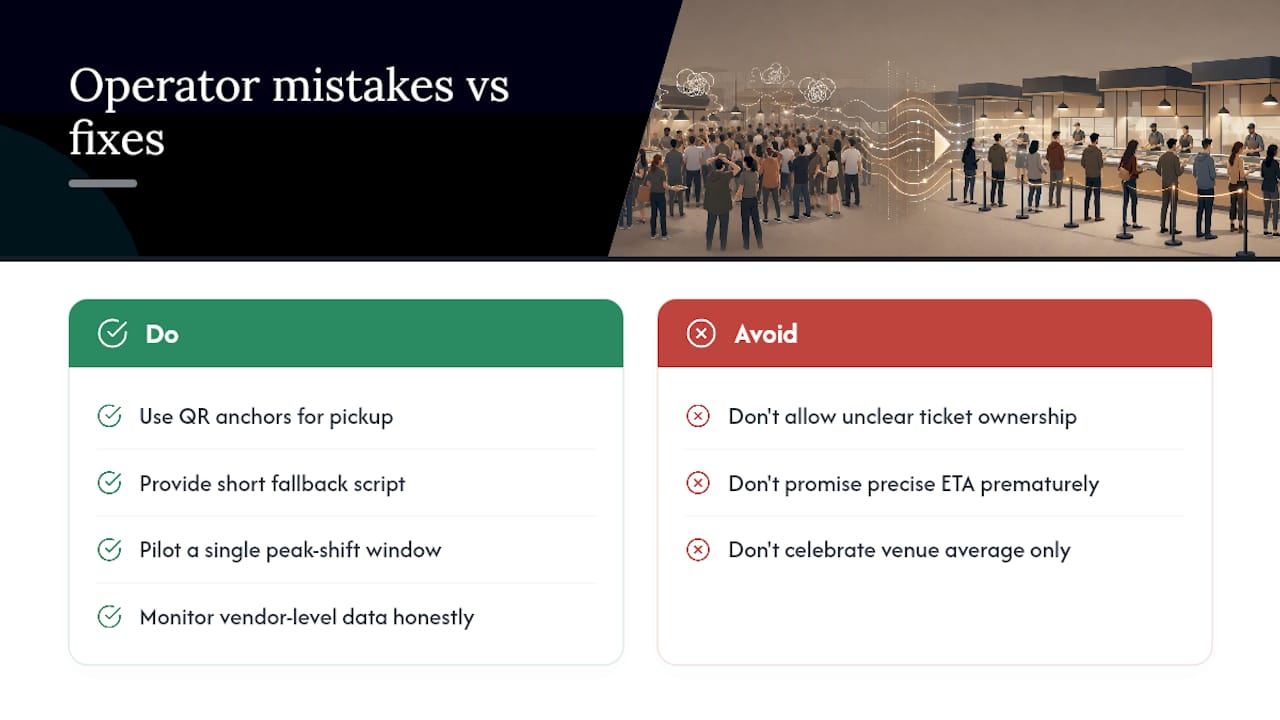
The most common failure isn't technical. It's unclear ownership: two vendors, or a vendor and venue staff, both editing the same ticket, and nobody sure who has final say. The second most common mistake is promising a precise ETA before anyone has measured actual service times, which erodes trust the first time the number is wrong.
QR anchors, a short fallback script for non-smartphone customers, and a pilot window under a single peak shift solve most of what goes wrong on day one. The rest comes down to watching vendor-level data honestly instead of celebrating a flattering venue average.
— Ezseat
Try A Browser-First Queue System Built For Multi-Vendor Venues
A suitable app-free queue system follows the playbook covered above. Customers join through a browser, no download required, which removes the single biggest source of drop-off in queue adoption. Operators manage vendor lines from their devices, with support for QR-based joins, public ticket-number screens, notifications, and custom fields, all from one admin view.

During a trial, test the things that actually matter: scan a QR code on an ordinary phone over weak Wi-Fi, send a test notification and confirm it lands, and try switching between shared and separate routing to see which fits your layout. Ezseat offers a free two-month trial before you commit to a paid plan, with Light starting at $3.90 per month or $39.00 per year and Pro at $14.90 per month or $149.00 per year for venues running more vendors or higher volume. There's no per-message cost and no extra hardware to buy. Head to the Ezseat landing page to start the trial and run your own pilot this week.
Sources
For deeper background on the research behind this playbook, the literature survey on sharing delay information covers queueing theory and how status announcements shift customer behavior. The National Restaurant Association's resource library offers practical guidance on dining technology. A case study on smart queuing and appointment systems documents a real academic deployment measured against usability standards.
- Sharing delay information in service systems: a literature survey | Queueing Systems | Springer Nature Link
- Create QR Code Queue System for Free | Panggawé Kode QR
FAQ
What Is A Multi Vendor Queue System?
A multi vendor queue system is browser-based software that routes customers to the correct counter, room, or pickup point among several service providers in one venue. It replaces physical lines and name-calling with QR-based joins and phone notifications, and it's distinct from a marketplace platform where separate sellers process their own checkouts.
How Much Does Ezseat Cost?
Ezseat offers a Light plan at $3.90 per month or $39.00 per year, and a Pro plan at $14.90 per month or $149.00 per year for venues needing more capacity. Both come after a free two-month trial with no hardware or per-message costs.
Do Customers Need To Download An App To Join A Queue?
No. Browser-first systems let customers scan a QR code and join directly through their phone's web browser. This removes the download step that causes many customers to abandon a queue before ever joining it.
What's The Difference Between Shared And Separate Vendor Routing?
Shared routing sends customers to the next available counter from one central queue, which works well when vendors offer similar products. Separate routing gives each vendor its own independent queue, better suited to venues where service times or menus differ significantly between vendors.
How Long Should A Pilot Run Before Scaling Up?
A single peak period, such as one lunch rush or one event shift, is usually enough to gather meaningful vendor-level data. Compare that data against a baseline collected before rollout, and only scale once the numbers hold steady across two or more pilot sessions.