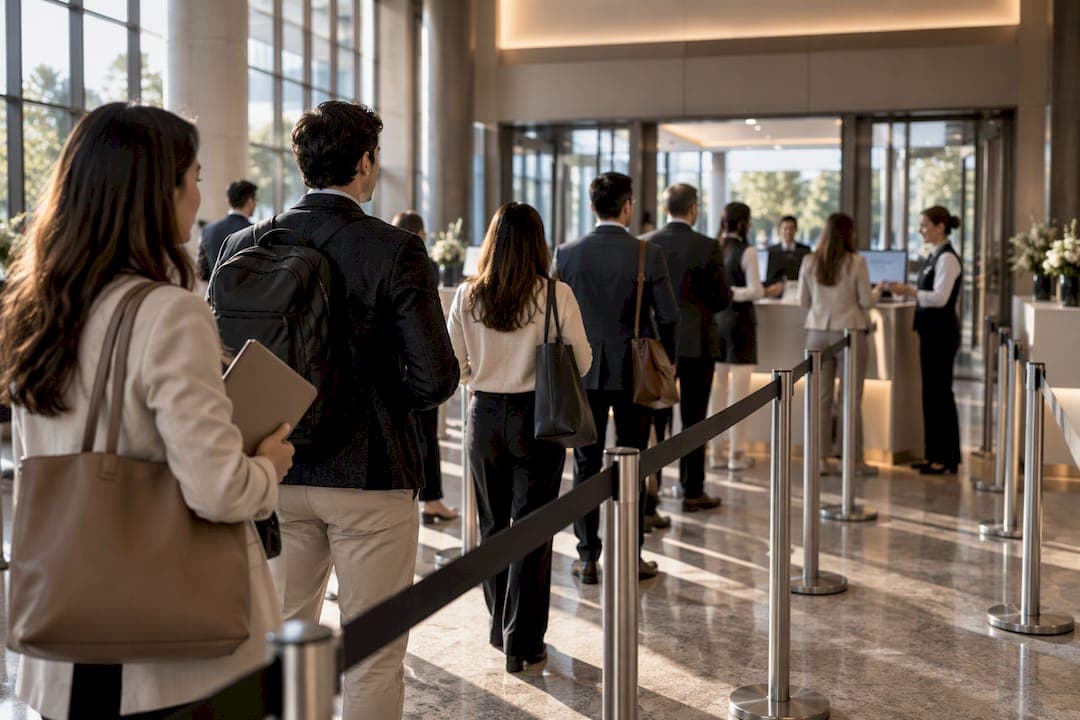
The fastest way to stop a conference check-in queue is to combine scan-and-go QR pickup with a dedicated exception desk and lane counts sized to your peak arrival window, not your total attendance. Median events pack roughly 51% of opening-day check-ins into a single 60-minute window, so a plan built on that peak, paired with a browser-first tool like Ezseat, clears lines faster than adding staff alone.
TL;DR:
- Check-in peak density often reaches around 51% of attendees within a single hour, so lane planning should target this window with 25-30% extra capacity.
- A dedicated exception desk and separate lanes for problem solving prevent delays from stalls or technical issues, especially during peak arrivals.
- Using pre-printed badges for those registered at least 24 to 48 hours before reduces check-in time, while on-demand printing handles late registrations smoothly.
- Staffing should follow the rule of one floater for every two to three lanes, with a supervisor overseeing the entire check-in area for optimal flow.
- Browser-based systems like Ezseat offer a reliable, app-free alternative that supports offline scanning and multiple devices, easing peak-hour pressures.
Table of Contents
- Priority checklist for planning and day-of execution
- How to calculate lanes and staffing from your peak-window estimate
- Badge and technology trade-offs by event size
- Physical layout: lane design, signage, and sightlines
- Time-ordered pre-doors checklist and device tests
- On-site roles, scripts, and shift planning
- Contingency plans for outages and edge cases
- Accessibility considerations for attendees with disabilities
- Communication strategies to manage attendee expectations in queue
- Data privacy and security in handling attendee check-in information
- Ezseat perspective: browser-first queue management for conferences
- Ezseat as the recommended solution for your next event
- Sources
- FAQ
Priority checklist for planning and day-of execution
Most check-in delays trace back to two failures: too much volume hitting the door at once, and no separate lane for problems. Fix both before you worry about anything else.
- Send QR codes and mobile passes to attendees at least a week out so scanning replaces manual lookup.
- Offer early or day-before badge pickup to pull volume out of the peak window.
- Pre-print badges for anyone registered by your cutoff date.
- Set your lane count using peak-window math, not total headcount.
- Staff a separate exception desk so one problem never stalls a whole lane.
- Test every device, printer, and hotspot the morning of the event, not the night before.
Beyond that sequence, six items make or break the physical setup: stanchions to define lanes, greeters to direct traffic before attendees guess, floaters to cover slow stations, backup printers, a paper list as a break-glass fallback, and signage visible from the venue entrance. Skip any one of these and the queue will find the weak point.
How to calculate lanes and staffing from your peak-window estimate
Lane counts should come from your busiest window, not your guest list total. VenueSight recommends estimating arrivals over the busiest 30 to 60 minutes and building capacity against that figure, adding a 25 to 30% buffer for real-world friction like slow scans and questions.
Throughput varies a lot by method:
- QR scan-and-go: roughly 5 to 8 attendees per minute per scanner, or 300 to 480 per hour.
- Kiosk or self-serve pickup: around 4 to 6 per minute when the list is preloaded.
- Paper list lookup: about 1 to 2 attendees per minute, the slowest method by a wide margin.
Worked example: say your conference expects 1,000 attendees and, following the peak concentration pattern PheedLoop documents, roughly half arrive within one hour. That is about 500 people in 60 minutes. At 6 scans per minute per QR lane, one lane processes 360 people an hour. Three lanes cover the peak with room for the recommended buffer, plus a fourth as backup or overflow.
Staff to match: Bizzabo's staffing model calls for a floater covering every 2 to 3 lanes, one supervisor overseeing the bank of lanes, and a dedicated troubleshooter who never touches a scanner during peak hours.
Statistic callout: Half of opening-day check-ins land in one hour. PheedLoop's analysis found median events concentrate about 51% of check-ins into a single 60-minute window and about 32% into a single 30-minute window, which means the window you plan for matters more than the number you print on the badge count.

Badge and technology trade-offs by event size
Pre-printed badges move fast because there is no printing step at the table, just a scan and a handoff. VenueSight notes this works best with a firm cutoff, typically 24 to 48 hours before doors open, so the print run can happen without chasing late registrations.
On-demand printing and kiosks solve the problem pre-print creates: anyone who registers after the cutoff, or shows up with a name typo, still needs a path through the door. The practical standard for events above roughly 500 attendees is a hybrid: pre-printed badges for the bulk of registrants, plus one or two on-demand lanes for exceptions.
- Pre-print for anyone registered before your cutoff to maximize scan-and-go speed.
- Run on-demand or kiosk printing for late registrants, walk-ups, and name corrections.
- Require offline-capable scanning apps so a dropped connection does not stop a lane.
- Carry at least two carrier hotspots as backup, since venue Wi-Fi fails more often than it should.
- Keep a spare printer and a full roll of badge stock at the exception desk, not just at the main table.
Pro Tip: Load the full attendee list onto every device before doors open, even the backup tablets, so a single dead connection never means a dead lane.
Physical layout: lane design, signage, and sightlines
Several short, independently staffed lanes almost always beat one long line feeding multiple tables. When attendees pick their own lane and it stalls, the perceived wait feels shorter than the same wait spent standing in a single mass queue with no visible end, which is why serpentine setups with clear lane numbers work better than an open scrum.
Signage and greeters matter before attendees ever reach a scanner. A greeter posted at the entrance who sorts people by last name range, ticket type, or QR versus paper reduces the guesswork that causes lane-switching and re-crowding.
- Number each lane clearly and post signage attendees can read from 20 feet away.
- Place a greeter ahead of the lanes to sort attendees before they commit to one.
- Keep sightlines open so staff can spot a stalled lane and redirect a floater immediately.
- Plan an overflow area away from fire exits and building egress paths.
- Cap visible queue length by opening a new lane before the line backs up past your planned footprint.
Wayfinding signage, from lobby banners to floor decals, does a lot of this sorting work before a greeter ever has to speak, with solutions available from CrispLobby.
Time-ordered pre-doors checklist and device tests
Run this sequence starting 90 minutes before doors open:
- T-90: Charge every device fully and confirm attendee list sync across all scanners.
- T-75: Test each hotspot and confirm carrier diversity across backup devices.
- T-60: Run a positive test scan and a duplicate-scan test at every single lane.
- T-45: Check printer supplies and stage a spare printer at the exception desk.
- T-30: Place break-glass paper lists at each lane, sorted alphabetically, for outages.
- T-15: Confirm signage placement matches the final lane layout.
- T-8 to T-5: Brief staff on roles, the exception rule, and where the troubleshooter sits.
The duplicate-scan test matters more than it sounds: it confirms your system correctly flags a second scan of the same badge instead of silently letting someone through twice or throwing an error that stalls the lane.
If any device goes down after doors open, staff reconcile the paper list against the digital log once the outage clears rather than trying to merge them live.
Pro Tip: Assign one person, not a group, to own the break-glass paper list so reconciliation after doors open doesn't turn into a debate about whose count is right.
On-site roles, scripts, and shift planning
Clear roles keep lanes moving without staff second-guessing each other. Bizzabo's staffing model breaks the job into a small set of defined positions: greeter, scanner, floater, troubleshooter, a separate VIP or sponsor desk, and a supervisor watching the whole bank of lanes.
- Greeters sort attendees and answer quick questions before they reach a scanner.
- Scanners handle the scan and handoff only, nothing else, to keep transactions under a few seconds.
- Floaters cover any lane that stalls and step in when a scanner needs a break.
- The troubleshooter handles every exception, freeing scanners to keep moving.
The 20-second exception rule is simple: if a problem takes longer than 20 seconds to resolve at the lane, the scanner waves the attendee to the exception desk and moves to the next person immediately. Rotate staff breaks in shifts so no lane loses its scanner during the peak window, and keep scripts short: "Name or QR code, please" moves faster than an open-ended greeting.
Contingency plans for outages and edge cases
A single stalled lane should never become a stalled event. Build these fallbacks in advance:
- If a device or connection fails, switch that lane to offline mode or the local paper list immediately, don't wait for IT.
- Route anyone without a badge or registration record to a separate walk-up queue or kiosk, never back into the main line.
- Send exhibitors and groups to a dedicated pickup point away from general attendee lanes, since their badge logic often differs.
- Set a trigger point, such as a line stretching past a marked floor point, for opening an extra lane or diverting traffic to overflow.
Carrying two carrier hotspots as backups and a fully synced spare device covers most connectivity failures before they become visible to attendees.
Accessibility considerations for attendees with disabilities
Queue design that only works for able-bodied attendees standing for 20 minutes will fail a meaningful share of your audience. Reserve at least one lane with a shorter wait or priority access for attendees who cannot stand in a long line, and mark it clearly with signage rather than making people ask.
Make sure lane widths and stanchion spacing accommodate wheelchairs and mobility aids without forcing a detour around the whole setup. Position a low counter or seated check-in option near the main lanes so attendees who use wheelchairs are not routed to a separate, harder-to-find station.

Train greeters to offer the accessible lane proactively instead of waiting for someone to request it, since many attendees will not ask in front of a crowd. Captioned or high-contrast signage helps attendees with low vision or hearing differences navigate the layout without relying on verbal directions alone. If your event uses a public queue display screen, make sure the type size and contrast work for attendees viewing it from a distance or with limited vision.
Building accessibility into the base layout, rather than bolting on a separate process later, tends to move faster for everyone, since a wider lane and a clear sign benefit every attendee juggling a bag, a stroller, or a coffee.
Communication strategies to manage attendee expectations in queue
A line that moves predictably feels shorter than a line that moves fast but unpredictably. Post an estimated wait time near the entrance and update it if conditions change, rather than leaving attendees to guess how long they will stand there.
Signage that explains what to have ready, a QR code pulled up, a name spelled correctly, a confirmation email open, cuts transaction time before attendees even reach a scanner. A public queue display showing lane numbers or ticket status gives attendees something concrete to watch instead of just the back of the person ahead of them.
If a lane goes down or the line backs up past normal, a quick, visible announcement, whether from a staff member with a megaphone or a message on the display screen, keeps frustration from compounding. Attendees tolerate a slow line far better than a silent one where nobody explains what is happening.
Setting expectations before the event matters too: an email the week before that says "bring your QR code, badges printed on-site take a bit longer" shifts behavior toward the faster path without anyone standing in line reading a sign for the first time.
Data privacy and security in handling attendee check-in information
Check-in systems collect names, contact details, and sometimes payment or health-adjacent information, all of which need handling that matches the sensitivity of the data. Limit what displays on public screens to a first name or confirmation code, never a full name paired with personal details visible to everyone in line.
Restrict access to the full attendee database to staff who need it for that shift, and revoke device access once the event ends rather than leaving credentials active indefinitely. Any offline or local backup list should live on a device that gets wiped or securely stored after reconciliation, not left on a random staff laptop.
If your event handles health-related check-in details, such as for a medical or clinical conference, verify the platform's privacy practices against the standards your event needs to meet before the event, not during a data request afterward. Ask any vendor directly how attendee data is stored, who can access it, and how long it is retained after the event closes.
Ezseat perspective: browser-first queue management for conferences
Ezseat is a web-based queue management system built to let operators manage attendee flow from a phone or tablet, with no app install required on either side. That browser-first design removes a common failure point during peak windows: attendees fumbling with an app store download while a line builds behind them.
When evaluating any vendor for conference check-in, ask about offline scanning support, multi-queue and multi-device setup, public display capability, and how attendee data is stored and audited after the event. Those four questions separate a tool built for real peak-hour pressure from one that only looks good in a demo.
— Ezseat
Ezseat as the recommended solution for your next event

If your team is choosing between a heavy check-in app and a paper list, there is a third path: Ezseat runs entirely in a browser, so attendees join a queue or check in without downloading anything, and your staff manage the whole flow from a phone. That matters most during the peak window this article walks through, when every extra tap or app-store delay adds seconds a scanner lane can't afford. Setup guides like the QR code waitlist walkthrough and the queue display screen guide cover the practical side of getting a lane running.
Ezseat offers flexible plans suitable for both small and growing multi-day events, without hardware costs or per-message fees. Current pricing details and trial information are available on their website. Check current plan details and start your trial at Ezseat.
Sources
Figures and staffing formulas in this piece draw from the Eventist check-in operations playbook, VenueSight's station math analysis, PheedLoop's arrival-window data, and Bizzabo's staffing formulas. Ezseat's own QR waitlist setup guide and capacity management post cover the setup side in more depth.
- Event check-in operations playbook
- Check-In Planning for Conferences With 100+ Exhibitors | VenueSight
- Event Data Lab Report #07: Half of Onsite Check-Ins Arrive Within a Single Hour
- Event check-in staffing: formulas, roles, and real scenarios
FAQ
How many check-in lanes does a conference need?
Base your lane count on your peak arrival window, not total attendance: PheedLoop's data shows median events see about 51% of check-ins in a single hour. Divide expected peak-hour arrivals by your per-lane throughput, then add the 25 to 30% buffer recommended for real-world friction.
What is the cutoff for pre-printing conference badges?
A typical cutoff is 24 to 48 hours before doors open, which gives staff time to print without chasing late registrations. Anyone who registers after that point gets routed to an on-demand printing lane instead of the main pre-print line.
Is QR check-in faster than a printed attendee list?
Yes: QR scanning processes roughly 5 to 8 attendees per minute per scanner compared to about 1 to 2 per minute for manual paper list lookup. That gap widens further during peak windows when every extra second in a lane compounds down the line.
What staffing ratio do conferences use for check-in?
A common model assigns one floater to cover every 2 to 3 lanes, plus a dedicated troubleshooter and a single supervisor overseeing the full bank of lanes. This ratio holds up better than staffing purely by total registrant count.
Can a browser-based tool like Ezseat handle conference check-in?
Ezseat manages queues and attendee flow entirely through a web browser, so neither staff nor attendees need to install an app. It fits conferences looking for a lower-cost, no-hardware alternative to dedicated check-in apps, with plans available after a free trial period.