
A web-based queue (the industry term is "virtual queue system") is a browser-accessible waiting room that holds a customer's position without requiring any app download. Scan a QR code or open a link, and you're in line. That's the whole entry experience. For restaurants, clinics, food trucks, and events, this is the fastest path to controlled, measurable customer flow. Ezseat is the recommended production-ready option for operators who need browser-first entry, public display support, and multi-queue management without heavy IT overhead.
TL;DR:
- Reduce physical crowding by moving the wait off the floor and onto customers' phones
- Maintain sales and throughput during peaks by controlling the rate customers re-enter service
- Get measurable wait metrics (average wait time, abandonment rate, throughput per hour) from day one
Pro Tip: Virtual queues ordered by FIFO (first-in, first-out) work well for walk-in service; randomized position assignment suits scheduled event drops where fairness at release time matters more than arrival order.
Table of Contents
- What exactly is a web-based queue, and how does it differ from a virtual waiting room?
- How a browser-based virtual queue works, step by step
- What types of queue systems exist, and when does web-based win?
- What features should you look for in a web-based queue system?
- How much does a web-based queue system typically cost?
- How to set up a web-based queue quickly: a practical checklist
- Where web-based queues work best: use cases by industry
- Which KPIs actually tell you if your queue is working?
- How Ezseat handles web-based queues for operators
- How to protect user data in a virtual queue system
- Regulatory compliance for web-based queue systems
- Strategies for handling high-volume and peak-traffic situations
- Key Takeaways
- The case for starting smaller than you think you need
- No-app queue management that works in hours, not weeks
- Further reading and sources
What exactly is a web-based queue, and how does it differ from a virtual waiting room?
A web-based queue is any queue system where customers join and hold their position through a standard web browser, with no native app required. A virtual queue is the broader category: any system that replaces a physical line with a digital one, whether that's an app, a kiosk, or a browser link.

Within that broader category, two practical types matter for most operators:
Type A: In-person QR/browser queues. A customer at your restaurant, clinic, or event scans a QR code posted at the entrance. Their phone opens a webpage, they submit their name (and any custom fields you configure), and they receive a position number plus an estimated wait time. They can wait anywhere, not just in a crowded lobby.
Type B: Virtual waiting rooms for website traffic. When a product launch or ticket sale drives more visitors than your server can handle, a virtual waiting room intercepts the surge. Visitors are redirected to a holding page and released back to the site at a controlled rate, preventing crashes and overselling.
The operational difference is significant. Type A is a customer-service tool: it improves the experience of people already at your location. Type B is an infrastructure protection tool: it keeps your website functional when demand spikes far beyond normal capacity.
Pro Tip: Treat a Type B virtual waiting room like an access control layer. Place it specifically on high-stakes pages — checkout, login, or "Add to Cart" — rather than your entire site. Protecting only the critical bottleneck flows keeps the queue short and the experience less frustrating for visitors who don't need to wait.
How a browser-based virtual queue works, step by step
The full flow from customer arrival to service takes about 60–90 seconds of active interaction, with the rest being passive waiting.
- Discovery. The customer sees a QR code on signage, a table tent, or a link shared via text or social. One scan opens the queue page in their browser.
- Join. They enter their name and any required fields (party size, service type, phone number). No account creation, no download.
- Position assignment. The system assigns a queue number using FIFO or, for scheduled events, a randomized position at release time.
- ETA display. The browser page shows their current position and an estimated wait time, updating in real time.
- Notifications. When their turn approaches, the system sends an SMS or email alert. No one needs to watch the screen constantly.
- Release to service. The operator calls them forward via the dashboard, or the system automatically advances the queue based on configured flow rates.
- Operator monitoring. The dashboard shows inflow per minute, average wait time, number currently waiting, and when the queue activated — all in real time.
For website-traffic virtual waiting rooms, the technical mechanism is an HTTP 302 redirect that sends incoming visitors to the holding page. A cookie or session token tracks their position so they return to the correct place in the queue when released.
Basic setups go live in a few hours. Integrations with POS systems, calendar tools, or custom APIs typically take one to two weeks.
What types of queue systems exist, and when does web-based win?
| Queue Type | Deployment Speed | User Friction | Upfront Cost | Best For |
|---|---|---|---|---|
| Physical line | Instant | High (standing, crowding) | None | Very low volume, no tech budget |
| Hardware kiosk/display | Days to weeks | Medium (must walk to kiosk) | High ($500+) | High-volume retail, airports, hospitals |
| Native app queue | Weeks | High (download required) | High (dev + maintenance) | Loyalty programs, repeat customers |
| QR/browser web-based | Hours | Low (scan or click) | Low (SaaS subscription) | Events, restaurants, clinics, web launches |
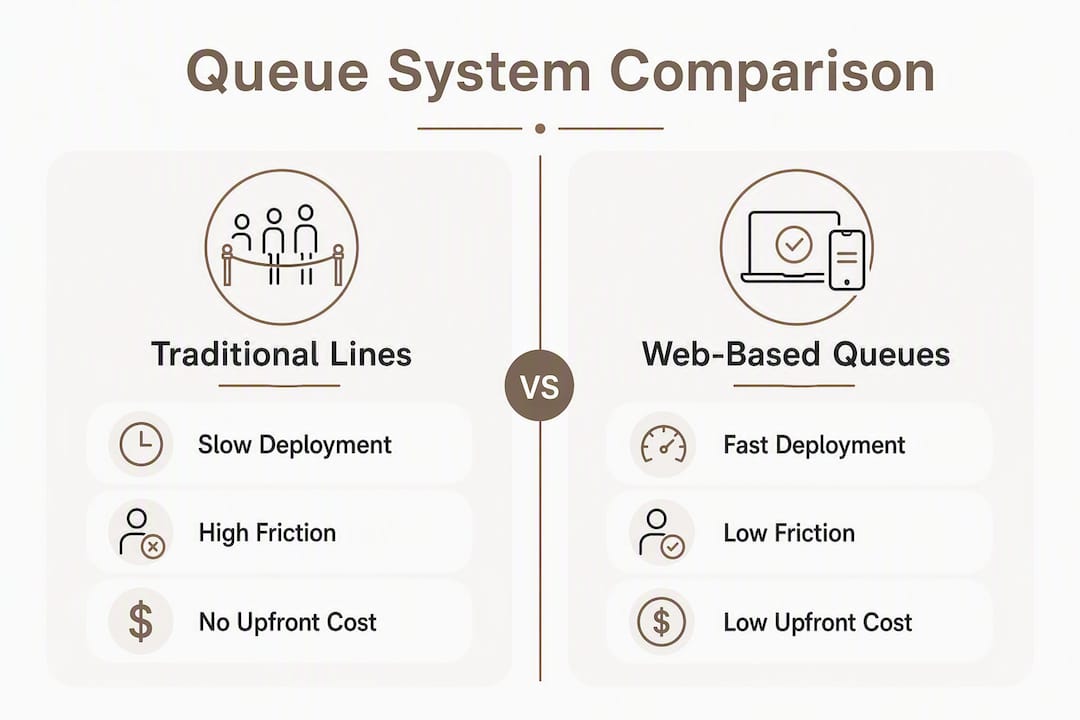
Web-based queues win on three axes: speed to deploy, low friction for first-time users, and cost. A food truck operator can have a working queue before the lunch rush. A clinic can go live without asking patients to install anything. For one-time events, where attendees will never use your app again, browser entry is the only friction-free option.
Hardware kiosks make sense when you need a fixed physical touchpoint and have the budget. Native apps make sense when you have a loyal, repeat customer base who will actually install them. For everyone else, browser-based is the practical default.
What features should you look for in a web-based queue system?
Start with the features that directly affect daily operations. Everything else is secondary.
Must-have features:
- Browser/QR entry with no app required for customers
- SMS and email notifications with configurable trigger points (e.g., "3 positions away")
- Real-time operator dashboard with live queue metrics
- Public display or kiosk support for lobby screens
- Multi-queue management (separate lines for different services or locations)
- Basic analytics: average wait time, abandonment rate, throughput
Nice-to-have features:
- POS or calendar integrations
- API/SDK connectors for custom stacks
- White-label branding
- Configurable activation modes (always-on vs. peak-triggered)
- Custom queue fields (collecting service type, party size, notes)
- Two-way SMS (customers can reply to update their status)
| Feature | Must-Have | Nice-to-Have |
|---|---|---|
| Browser/QR entry | ✓ | |
| SMS/email notifications | ✓ | |
| Operator dashboard | ✓ | |
| Public display support | ✓ | |
| Multi-queue management | ✓ | |
| Analytics/reporting | ✓ | |
| POS/calendar integrations | ✓ | |
| API/SDK connectors | ✓ | |
| White-label branding | ✓ | |
| Custom queue fields | ✓ |
Also check: free trial availability, documented SLA/uptime commitments, and clear data handling policies. A vendor who won't publish these is one to avoid.
Pro Tip: Before signing a contract, run the system during a real (but non-critical) busy period. SMS delivery rates and notification timing are where budget systems fail under load — you won't see that in a demo.
How much does a web-based queue system typically cost?
Most platforms use one of two models: a subscription tier (monthly or annual, priced by features or queue count) or usage-based fees (per SMS sent, per concurrent session, or per peak-traffic event). Many combine both.
What drives the price up:
- Number of active queues or locations
- SMS notification volume (costs add up fast at scale)
- Concurrent session limits during peak events
- SLA/uptime guarantees above 99.9%
- White-label or custom branding
- Premium integrations (POS, EHR, ticketing platforms)
What to expect at different tiers:
- Entry-level plans: basic queue management for one or two locations, limited SMS, no integrations
- Mid-tier plans: multi-queue, SMS included up to a monthly cap, dashboard analytics, display support
- Enterprise plans: unlimited queues, dedicated support, custom integrations, SLA guarantees
Ezseat offers a free trial period before billing begins, with Light and Pro plan tiers available after the trial period. That's enough runway to test under real operating conditions and know your actual SMS volume before committing to a paid tier.
Pro Tip: During your trial, run the queue on your busiest day and export the SMS log. Multiply that volume by 12 to estimate annual notification costs. Some operators are surprised to find SMS is their largest recurring line item.
How to set up a web-based queue quickly: a practical checklist
One sentence first: a basic setup takes a few hours; integrations with external systems take one to two weeks.
- Sign up and configure your first queue (30–60 minutes). Name the queue, set service types, add custom fields if needed, and configure notification triggers.
- Set activation rules (15 minutes). Decide whether the queue runs always-on or activates only when wait time exceeds a threshold.
- Create signage and QR codes (30–60 minutes). Print table tents, door signs, or A-frames. For web queues, generate the shareable link.
- Test the full customer flow (30 minutes). Have a staff member join the queue as a customer, verify notifications arrive, and confirm the dashboard updates correctly.
- Train staff on the operator dashboard (30–60 minutes). Focus on: calling customers forward, adjusting flow rate, and reading live metrics.
- Go live and monitor (ongoing). Watch inflow per minute and average wait time during the first busy period. Adjust flow rate if wait times spike.
Quick troubleshooting:
- Notifications not arriving: check SMS credit balance, verify phone number format, and confirm the customer's carrier isn't blocking short codes
- Display not syncing: refresh the public display page; most sync issues resolve with a hard reload
- Session expiry complaints: extend the session token duration in settings, or add a "still waiting?" confirmation prompt
- Queue not activating: confirm the inflow threshold is set correctly if using peak-triggered mode
Where web-based queues work best: use cases by industry
Restaurants and food service. A customer scans a QR code at the host stand, joins the waitlist, and gets a text when their table is ready. They can wait at the bar or outside instead of crowding the entrance. The primary metric to watch: reduction in walk-aways during peak hours.

Events and check-in lines. Festival entry, conference registration, and venue check-in all create predictable surge moments. A browser-based queue absorbs the arrival spike without requiring attendees to download anything. Watch throughput per hour: how many people move from queue to service in a given window.
Clinics and healthcare. Patients join a virtual queue from the parking lot or waiting area, reducing lobby crowding. Queuing theory applied to healthcare shows that managing perceived wait time is as important as actual wait time. The metric here is patient satisfaction scores alongside actual wait duration.
Retail product drops. Limited-edition releases and flash sales send traffic spikes that can crash checkout systems. A virtual waiting room releases customers at a controlled rate, protecting inventory accuracy and preventing overselling. Conversion rate retention during the drop is the key metric.
Web traffic surge protection. Software launches, ticket sales, and government benefit portals all face the same problem: too many simultaneous users. A virtual waiting room is less resource-intensive than scaling infrastructure to absorb the full load.
Which KPIs actually tell you if your queue is working?
The top-line benefits are real: less physical crowding, higher customer satisfaction, steadier throughput, and less pressure on front-line staff. But you need specific numbers to know whether the system is delivering.
KPIs to track from day one:
- Average wait time: baseline it in week one, then track week-over-week
- Abandonment rate: customers who join but leave before being served; high abandonment usually means wait times are too long or notifications are failing
- Throughput per hour: how many customers move through service in a given period
- Conversion rate during peak: for web queues, the percentage of queued visitors who complete a purchase or registration
- SMS delivery rate: anything below 95% signals a configuration or carrier issue
- Queue activation time: how quickly the system engages when inflow spikes
Operator dashboards surface most of these in real time. For deeper analysis, export the session logs and cross-reference with your POS or booking system. Real-time dashboards let operators adjust flow rates mid-event, which is where the operational value actually shows up.
A note on targets: abandonment rate benchmarks vary widely by industry and wait time. A 10-minute wait at a barbershop reads differently than a 10-minute wait at an emergency clinic. Set your baseline first, then aim for consistent improvement rather than hitting an industry average that may not apply to your context.
How Ezseat handles web-based queues for operators
Ezseat is a browser-first virtual queue system built specifically for restaurants, clinics, food trucks, barbershops, and events. Customers join by scanning a QR code or opening a link — no app, no account.
Core features:
- Browser/QR entry with no download required
- SMS and call notifications when a customer's turn approaches
- Public display screens showing current ticket numbers (for lobby or entrance screens)
- Reception kiosk mode for staff-assisted check-in
- Multi-queue setup for businesses with multiple service lines or locations
- Custom queue fields to collect party size, service type, or other intake information
- Operator dashboard accessible from any phone or tablet
- Light and Pro subscription tiers, with a free two-month trial before any billing
Deployment timeline: basic setup takes a few hours. Connecting Ezseat to external systems (POS, calendar, or booking tools) typically takes one to two weeks depending on your stack.
Pro Tip: Start with a single queue for your highest-traffic service. Get comfortable with the dashboard and notification flow before adding additional queues or locations. Operators who try to configure everything on day one tend to miss small setup errors that only show up under real load.
How to protect user data in a virtual queue system
Every web-based queue collects personal data: at minimum, a name and phone number. That creates real obligations.
Collect only what you need. If your queue works with a first name and phone number, don't add fields for email, address, or date of birth unless the service genuinely requires them. Minimal data collection is the single most effective privacy practice.
Encrypt data in transit and at rest. All queue data should travel over HTTPS. Confirm your vendor uses encryption at rest for stored session and contact data.
Set data retention limits. Queue session data (names, phone numbers, wait times) should be purged after a defined period. Thirty to ninety days is a reasonable default for most businesses; healthcare operators may need longer for audit purposes.
Limit staff access. Operators should see only the data they need to manage the queue. Avoid configurations where all staff have access to full contact records.
Audit your SMS provider. SMS notifications route through third-party carriers and aggregators. Confirm your vendor's SMS partner has its own data handling commitments and doesn't retain message content beyond delivery.
Regulatory compliance for web-based queue systems
GDPR (EU). If any of your customers are EU residents, GDPR applies to the personal data you collect in the queue. You need a lawful basis for processing (typically legitimate interest or consent), a privacy notice, and a process for handling data deletion requests. Queue data counts as personal data under GDPR.
HIPAA (US healthcare). Clinics and healthcare providers using a virtual queue to collect patient names and appointment context are handling protected health information (PHI). Your queue vendor must sign a Business Associate Agreement (BAA) before you share any PHI through their system. Confirm BAA availability before selecting a vendor for a clinical setting.
TCPA (US SMS). Sending SMS notifications to customers in the United States requires compliance with the Telephone Consumer Protection Act. Customers must opt in to receive texts, and you must provide a clear opt-out mechanism. Pre-checked consent boxes don't satisfy TCPA requirements.
ADA accessibility. Queue entry pages should meet WCAG 2.1 AA standards so customers with disabilities can join without assistance. This includes screen reader compatibility, sufficient color contrast, and keyboard navigation support.
This is general information, not legal advice. Confirm your specific compliance obligations with a qualified attorney or your relevant regulatory authority.
Strategies for handling high-volume and peak-traffic situations
Peak traffic is where most queue systems either prove their value or expose their limits. A few strategies make the difference.
Configure threshold-based activation. Rather than running the queue constantly, set it to activate only when inflow exceeds a defined threshold. This keeps the experience frictionless during normal periods and engages protection exactly when you need it.
Pre-queue for scheduled events. For known high-demand moments (ticket sales, product drops, event check-in), open the queue before the event starts. Visitors who arrive early get a position; when the event opens, the system releases them in order. This prevents the first-second crush that crashes most systems.
Adjust flow rate in real time. Operator dashboards show inflow per minute and current queue depth. If wait times are climbing faster than expected, reduce the release rate to protect downstream systems. If the queue is clearing faster than anticipated, increase it to keep customers moving.
Test under load before the real event. Run a simulated peak during a low-stakes period. Invite staff to join the queue simultaneously and confirm that notifications, display updates, and dashboard metrics all behave correctly at volume.
Have a fallback plan. Even well-configured systems can face unexpected failures (SMS carrier outages, network issues at the venue). A simple paper backup — numbered tickets and a visible display — keeps service moving if the digital system goes down.
Key Takeaways
A web-based queue is the fastest, lowest-friction way for most businesses to replace physical lines with a controlled, measurable digital flow.
| Point | Details |
|---|---|
| Browser entry removes the biggest barrier | Customers join via QR code or link — no app, no account, no friction at the door. |
| Two distinct use cases | In-person QR queues serve physical flow; virtual waiting rooms protect websites during traffic spikes. |
| KPIs from day one | Track average wait time, abandonment rate, and throughput per hour starting in week one. |
| Compliance is non-negotiable | Healthcare operators need a BAA; US SMS requires TCPA opt-in; EU customers trigger GDPR obligations. |
| Ezseat for operators | Ezseat offers browser-first queue management with a free two-month trial, public displays, SMS notifications, and multi-queue support. |
The case for starting smaller than you think you need
Most operators who struggle with virtual queues didn't pick the wrong software. They configured too much at once.
The instinct to launch with every feature enabled — multi-queue, custom fields, POS integration, white-label branding — is understandable. You want the system to look finished. But a queue with five fields to fill out and a 30-second load time will get abandoned faster than a physical line. The friction you're trying to eliminate can come right back through over-engineered setup.
The operators who get the most out of web-based queues start with one queue, one notification trigger, and one metric they care about. They run it for two weeks, see what breaks, fix it, and then add complexity. That's not a workaround — it's the actual best practice.
There's also a staffing reality that most vendor guides skip: the system is only as good as the person watching the dashboard. If your front-of-house team doesn't understand how to adjust flow rate or call customers forward, the queue backs up regardless of how well the software is configured. Train staff on the dashboard before you go live, not after the first busy shift.
For events specifically, the signage placement matters more than almost any software setting. A QR code that's hard to find, poorly lit, or positioned after the natural entry point will get ignored. Customers will form a physical line anyway, and you'll have two queues running simultaneously. Put the QR code at the first decision point — the door, the entrance gate, the host stand — and make it large enough to scan from three feet away.
The technology is genuinely good. The gap between a smooth rollout and a frustrating one is almost always operational, not technical.
No-app queue management that works in hours, not weeks
Running a restaurant, clinic, or event without a working queue system means shouting names, crowded lobbies, and customers who leave before you can serve them. Ezseat fixes that without asking anyone to download an app.

Customers scan a QR code, join the queue in their browser, and get a text when it's their turn. You manage everything from your phone. Public screens show current ticket numbers. Custom fields collect what you need at intake. Multiple queues run simultaneously if your operation needs them.
The free two-month trial gives you enough time to run Ezseat through your busiest periods before you pay anything. Setup takes a few hours for a basic configuration.
Get started at ezseat.app: sign up, configure one queue, print your QR signage, and you're live. No app required for your customers, no IT team required for you.
Further reading and sources
- Queuing theory in healthcare: reducing wait and stay times — clinical application of queue management principles
For implementation specifics, check your vendor's documentation for API connector options, concurrent session limits, notification quotas, and BAA availability if you're in a healthcare setting.