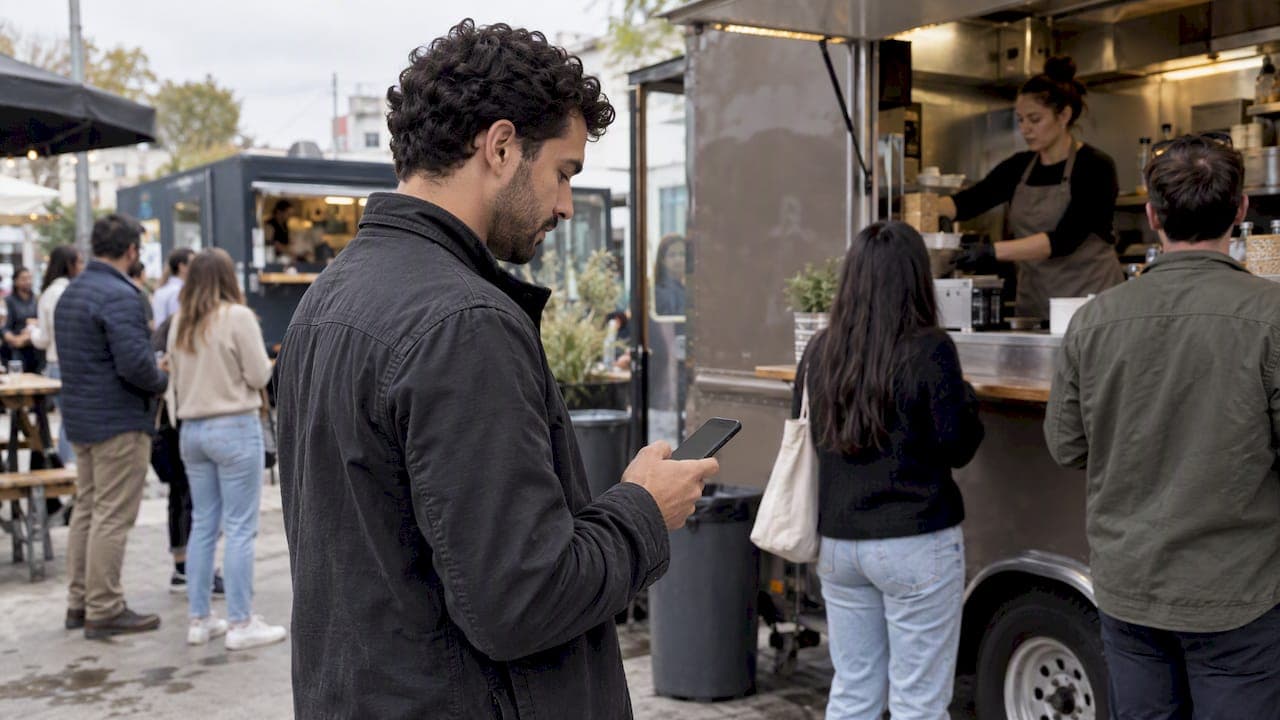
A virtual queue works when people trust it. They need to know where they stand, how long it will take, and what to do when their turn comes. Most failures come from vague messages, bad estimates and staff who ignore the digital line, not from the software. The rules below apply to a restaurant host stand, a walk-in clinic, a food truck or a festival gate.
TL;DR
- Show position and an honest time estimate, and update both as the line moves. Customers who can't tell whether the line is moving tend to leave.
- Don't pad wait times with pessimistic guesses. Research on over 1.4 million rides found that longer estimates raised abandonment.
- Put only your busiest services into the virtual queue and give people something to do while they wait.
- Treat the digital line and the physical line as one operation, with staff trained to run both.
- Pick a setup customers can join from a browser, so there is nothing to download at the door.
Table of Contents
- What a virtual queue is, and where it fits
- Rules for setting up the queue
- Rules for communicating while people wait
- Rules for running it on the floor
- Best practices by business type
- Our perspective: simple beats clever
- Try it on your busiest hour
- FAQ
- Sources
What a virtual queue is, and where it fits
A virtual queue replaces the physical line with a digital place in line. The customer joins by scanning a code, tapping a link or checking in at a kiosk. They then get updates while they do something else. Large theme parks use the same idea: Walt Disney World describes a complimentary virtual queue used from time to time for select attractions, joined through its app.
Small businesses face the same problem at a smaller scale. A barbershop with six people in the waiting area, a taco truck at lunch and a clinic front desk all lose time and goodwill when names are shouted or paper lists get lost. If you want the basics first, see our explainer on virtual queues for customers and small businesses.
Rules for setting up the queue
1. Move only your busiest services online
Not everything needs a virtual line. The Attractions.io operator guide advises limiting virtual queuing to the busiest services. It warns about displacement: guests who are freed from the line but have nowhere to go end up aimless or frustrated.
In practice:
- Restaurant: use it for the dining room on Friday and Saturday nights, not for a counter that moves in two minutes.
- Clinic: use it for walk-in hours, and keep booked appointments on their own track.
- Event: use it for the two or three stations with long lines, such as a popular food vendor or a photo booth.
Choosing which services deserve a queue is partly a process question. Businesses that connect scheduling, reminders and follow-up often find it easier to see where the real bottlenecks are, and workflow and scheduling automation is one way small teams approach that.
2. Make joining effortless
Every step between the customer and the line costs you people. An app download is the biggest one. A customer standing in the rain outside a restaurant will not install anything. A browser-based queue removes that step: a QR code on the door, a short link on a sign, or a tablet at reception. We cover the trade-offs in choosing a web-based queue.
Keep the join form short. Name and party size are enough for a restaurant. A clinic may need a reason for the visit. Collect only what staff will use during service.
3. Offer a path for people without a phone
Some customers have no smartphone, a dead battery or little patience for screens. Keep a reception kiosk, a tablet that staff fill in, or a printed ticket number option. A virtual queue that shuts out part of your public is a worse queue.
4. Show the line on a public screen
A screen near the entrance showing the ticket numbers being served does two jobs. It reassures people who joined by phone, and it lets walk-ups see that the line is organized. It also ends the shouting of names or numbers across a crowded room.
Rules for communicating while people wait
5. Show position and time together
Nielsen Norman Group's guidance on virtual queues says waits can last from minutes to hours, so a simple progress bar isn't enough. Status trackers should confirm the customer is still in line and that the line is moving. The ideal is to show both the number of people ahead and a clear estimate.
A good status page answers three questions at a glance:
- Am I still in line?
- How many people are ahead of me?
- Roughly when will I be called?
6. Let customers see they are not last
There is a behavioral reason position matters. A study in Management Science on last-place aversion in queues found that queue transparency is an effective service design lever. When customers can see they are not in last place, their tendency to abandon drops significantly. The researchers observed customers at a grocery store, so the effect is not limited to screens, but a digital position counter delivers it cheaply.
This changes how you word things. "You are number 7" is useful. "7 groups ahead of you, 3 behind" is better when your operation can show it without exposing other customers' details.
7. Be honest about wait times, not gloomy
It is tempting to quote a long wait so you can beat it later. The data says to be careful. A field experiment on a ride-sharing platform covering over 1.4 million rides found that pessimistic wait estimates raised abandonment. For example, a 5-minute estimate instead of a 3-minute one increased abandonment by 14.1%, and an 8-minute estimate instead of 5 minutes increased it by 19.6%.
A ride-sharing wait is not a dinner wait, and your customers have different alternatives. Still, the lesson holds: an estimate is a message that changes behavior. Use real service times from your own history, then adjust for the party sizes in front of each customer. Our guide to wait time estimation methods covers simple models that a small team can use without data science.

8. Update at sensible intervals
Frequency matters as much as accuracy. Constant updates that keep delivering bad news can wear customers down. Update when something meaningful happens: a customer joins, the person ahead is called, or the estimate shifts by more than a few minutes. Don't ping every 30 seconds.
9. Notify early enough to act
The "your table is ready" message is the one that counts, but send an earlier one too. Something like "you are next, please head back" gives people time to finish a coffee or walk over from the parking lot. Set the lead time to match how far customers wander. A food truck might notify when two orders are ahead. A clinic with a parking structure might need more notice.
Text or call notifications suit people who don't want to keep a browser tab open. Setting these up well is covered in our piece on wait time notifications, and the call side in virtual queue callbacks.
10. Give people something to do
A customer freed from standing still still needs a reason to stay nearby. Point them to the menu, a nearby shop, a lower-wait station or the bar. Attractions.io makes this the point of its warning on displacement. For a restaurant, a short message with a link to the menu or specials turns idle minutes into orders. If you run a mobile product or app of your own, keeping customers informed and engaged while they wait is a design problem worth planning, not an afterthought.
Rules for running it on the floor
11. Train staff before opening day
The best queue software fails if the host or receptionist keeps a paper list "just in case". Run a short rehearsal. Practice adding walk-ups, calling the next party, skipping a no-show and handling someone who insists they arrived first. Decide in advance how long you hold a spot after the first call.
For clinics, the operational side runs deeper. South Africa's national guideline on patient waiting time says services should be visibly sign-posted, and it describes preparing patient records ahead of the visit, for example 24 hours prior, so there is little friction at arrival. That is a guideline for public facilities in South Africa, not a US rule, but the principle carries over: a digital line only helps if the room behind it is ready.
12. Review the numbers and keep adjusting
Check a few figures weekly:
| Measure | What it tells you | What to change |
|---|---|---|
| Average actual wait vs. quoted wait | Whether estimates are honest | Estimation rules, buffer |
| No-show rate after notification | Whether lead time is right | Notification timing, hold time |
| Walk-aways before service | Where trust breaks | Messages, line visibility |
| Peak hour volume | When staffing falls short | Schedules, extra devices |
Ask customers one question after service, such as "Was the wait what you expected?" Their answers will point to the next fix faster than a dashboard will. For more on this, see our piece on queue customer experience.
Best practices by business type
| Business | Where the queue starts | Watch out for |
|---|---|---|
| Restaurant | QR code on the door or host tablet | Party size drives wait time, so collect it |
| Clinic | Reception kiosk plus phone check-in | Keep scheduled patients separate from walk-ins |
| Food truck | Sign with QR code at the window | Lines are short but fast, so notify early |
| Barbershop | Phone check-in from home | Service length varies by cut, so adjust estimates |
| Event | Several queues, one per station | Signage so people find the right line |
For restaurants and clinics that want a waitlist rather than a full queue, read our guides on web-based waitlist setup and walk-in waitlist systems. Events need physical signs that match the digital setup, and a custom sign ordering process for events is worth planning early so the signs say the same thing as your queue messages.
Our perspective: simple beats clever
We built Ezseat around one belief: the customer should never be asked to do more than open a link. Every download, account or form field is a place where someone gives up and walks away. That is why customers join from a web browser, and why operators run the line from a phone or tablet instead of a dedicated terminal.

We also think pricing should not punish a busy day. There is no per-message cost and no hardware requirement, so a food truck and a multi-room clinic can use the same approach and grow into more queues and devices as they need them. Operators can add public screens that show ticket numbers, reception kiosks, SMS or call notifications and custom queue fields when the business calls for them.
Our advice to a new operator is to start with one queue at your busiest hour, watch what customers ask staff, and fix the message before you add features. Most lines get shorter in perception long before they get shorter on the clock.
— Ezseat
Try it on your busiest hour
Ezseat offers a free two-month trial before any charge. After that, the Light plan is $3.90 per month or $39.00 per year, and the Pro plan is $14.90 per month or $149.00 per year. You can see what each plan includes and start on the Ezseat site. If you are comparing options first, our guide to queue management software for small businesses lays out what to look for, and phone queue management explains how running the line from a phone works day to day.
FAQ
What is the single most important virtual queue practice?
Give customers an honest, visible status. Position in line plus a realistic estimate does more for trust than any other feature. Research on queue transparency shows that when people can see their progress, they are less likely to abandon the wait.
How accurate should wait time estimates be?
As accurate as your own history allows, and never inflated on purpose. In a large ride-sharing field experiment, longer estimates increased abandonment compared with shorter ones. Start with your average service time per party, review it weekly and adjust.
Do customers need to download an app?
Not with a browser-based queue. Customers scan a code or open a link, and they get updates by text or call if you enable them. Theme parks tend to rely on apps, but a restaurant, clinic or food truck rarely has that kind of captive audience.
Which businesses benefit most from a virtual queue?
Those with unpredictable, uneven demand: restaurants with weekend waits, walk-in clinics, food trucks at lunch, barbershops and events with a few popular stations. If your line is short and moves fast all day, a simple sign-in sheet may be enough.
Sources
- Virtual Queues: 13 Best Practices for Managing the Wait, Nielsen Norman Group
- Last-Place Aversion in Queues, Management Science
- Delay Information in Virtual Queues: A Large-Scale Field Experiment on a Ride-Sharing Platform, SSRN
- The Attraction Operator's Guide to Virtual Queuing, Attractions.io
- National Guideline on Management of Patient Waiting Time in Clinics, South Africa Department of Health
- Virtual Queues, Walt Disney World Resort