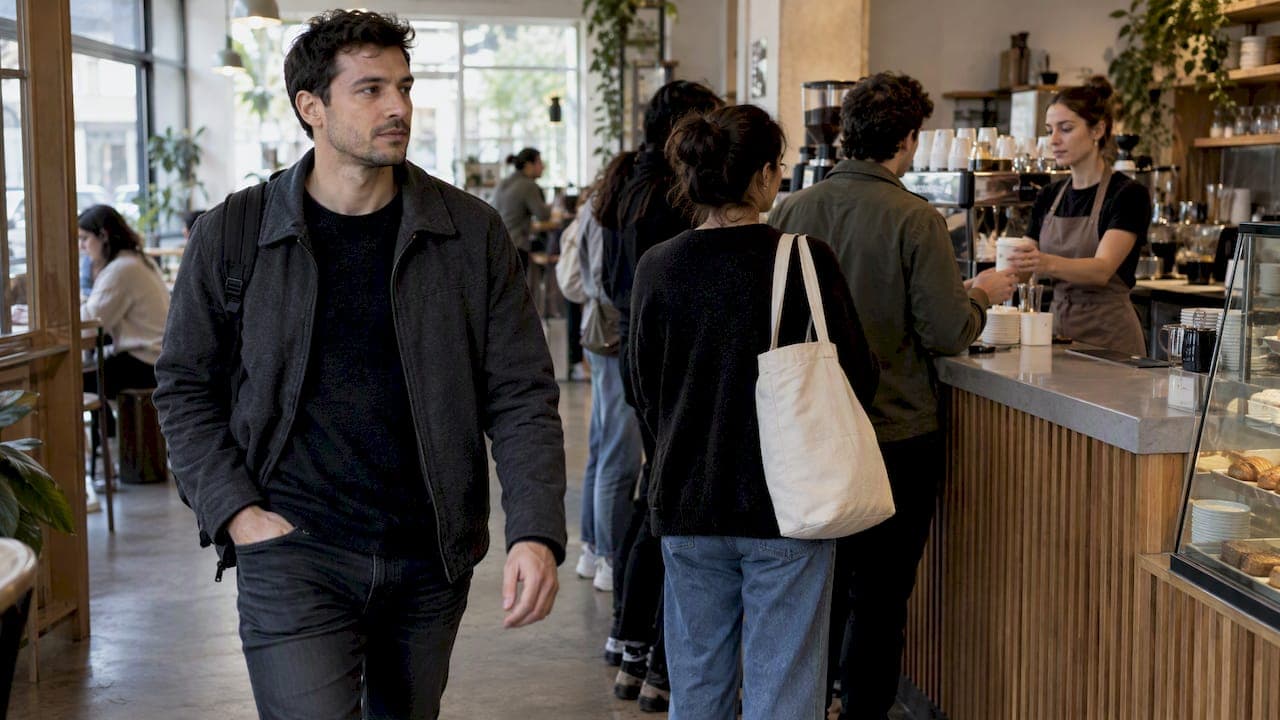
A coffee shop line moves faster when you separate ordering from pickup, staff to your real rush curve and tell customers honestly how long they will wait. A browser-based queue or waitlist can take the waiting out of the physical line, so people stand elsewhere and the counter stays free for the next order. This guide covers the layout, staffing and digital steps that work, with the numbers behind them.
TL;DR
- Most slow lines are a flow problem, not only a headcount problem. Research on simulated cafés found wait times can fall by up to 40% without adding staff.
- Run two lines in your head and on your floor: one for ordering, one for collecting. Customers who hover at the counter block new sales.
- Mobile ordering helps, but without throttling and honest wait times it can create long, visible queues and cancellations.
- A web-based queue lets guests join from a browser and wait wherever they like, with no app download and no shouted names.
- Pilot one change at a time during your busiest hour and measure it for a week.
Table of Contents
- Why coffee shop lines get long
- Split the order line from the collection line
- Staff to your rush curve, not your average hour
- Remove the small delays that add up
- Be honest about wait times
- Think carefully about payment friction
- Use a digital queue or waitlist
- Our view: the line is a conversation, not a pile of people
- Try it in your shop
- A one-week pilot for your shop
- FAQ
- Sources
Why coffee shop lines get long
Coffee is a time-sensitive, low-ticket business. A guest who sees eight people ahead of them often keeps walking. That makes the line itself a sales problem, not just a comfort problem.

The problem is also growing. A Bloomberg report summarized by Eat This, Not That found that 31% of guests at a large chain now wait 5 to 15 minutes for an order, up from 20% in 2019, and about 8% wait 15 to 30 minutes. Fortune's reporting ties the slowdown to short-handed stores and broken machinery. Your shop is smaller, but guests now carry the same expectations in.
When you look for the cause in your own shop, check three things before you hire anyone:
- Arrival pattern. Rushes are rarely evenly spread. Most shops have two or three 15-minute spikes.
- Role balance. Too many people on the register and too few on the bar, or the reverse, creates a pile-up at one station.
- Information gaps. Orders live on sticky notes, in a barista's head or on a screen only one person can see.
That last one has a name in the research: the "shadow list." The Mexico City simulation study points to it as a common pitfall and suggests a single shared digital view as the fix.
Split the order line from the collection line
The single most useful mental model is two queues, not one. The first is the order line, where a guest waits to reach the register. The second is the collection line, where a guest waits for a drink.

When both happen in the same spot, people who have already paid stand at the counter and block people who want to. A simulation study of a Malaysian café describes this as a major source of bottlenecks. Its remedy is a visual or digital nudge for pickup, so guests can wait at a seat or outside and free up the counter for new sales.
What this looks like on the floor
- Mark a clear order zone and a separate pickup zone. Even a floor decal and a sign help.
- Call out drinks by number or name only if you have a quiet shop. In a loud one, use a screen or a text.
- Keep the handoff point away from the register.
Physical layout matters here. If you are redesigning a bar, this guide to café counter layout and workflow covers counter heights and how work moves between stations. It comes from a Singapore design firm, so check local accessibility and health rules for your own city before you build.
Staff to your rush curve, not your average hour
Many owners assume a slow line means they are understaffed. The research suggests the order of operations matters more. In the Mexico City study, balancing cashiers and baristas against rush-hour arrival patterns cut waits by up to 40% with no increase in total staff.
A 2025 study on a multi-server approach for a coffee business went further. Its simulation showed that spreading work across several servers cut average time in the system from 30 minutes to about 7, and brought queue waiting to just over one minute. Treat those figures as a model of one shop, not a promise for yours. They do show that the shape of the work can matter as much as the number of people.
A simple way to find your curve
- Pull 30 days of transaction timestamps from your POS.
- Group them into 15-minute blocks by weekday.
- Mark the three busiest blocks. Those are where your schedule should change.
- Assign one fixed role per person during those blocks: register, bar, milk or food, runner.
- Re-check after two weeks.
For a deeper walk-through of this idea, see our guide on peak hour capacity management without hiring.
Remove the small delays that add up
The fastest wins are often tiny. Academic work on a Bahrain café used 5S and Lean principles to remove steps that add no value, such as walking between machines, and used simulation to redesign layout without costly construction or extra hiring.
For a small shop, that translates to:
- Keep the top 10 drinks' ingredients within one arm's reach of the bar.
- Pre-portion beans and tea doses before the rush.
- Put lids, sleeves and syrups where the barista who needs them is standing, not where they were put on opening day.
- Standardize drink order tickets so every barista reads them the same way.
- Keep a shared backup of the order list so nobody reconstructs it from memory.
None of this needs software. All of it is easier to sustain if you time it. Pick a Tuesday rush, time ten drinks from ticket to handoff, change one thing and time ten more.
Be honest about wait times
Guests tolerate a wait they understand far better than one they cannot predict. Saying "about 8 minutes" and delivering in 8 beats saying "5 minutes" and delivering in 10.
Build your estimate from your own data: the average time per drink, the number of tickets ahead and the number of baristas on the bar. Round up slightly. Our guide on wait time estimation methods and tools shows how to do this without complicated math.
The same applies to mobile orders. Coffee Intelligence notes that mobile order-and-pay can trim in-store waits by over three minutes, but it also brings "bottleneck volatility". If orders arrive faster than you can make them, you get a long, visible line that scares off walk-ins and leads to cancellations. The remedy is to throttle online orders during peaks or quote realistic prep times.
Think carefully about payment friction
Payment speed affects the line. The same Coffee Intelligence piece cites IHL Group figures that put the true cost of handling cash at 4% to 15% of transaction value once labor, reconciliation, shrinkage and security are counted. That is $40 to $150 for every $1,000 taken in cash.
But going fully cashless has a price too. The article warns of losing customers who prefer cash and of service freezing during network outages. The sensible approach is a mix: speed up the highest-friction steps, keep payment options open and have an offline plan.
If you are choosing a POS, independent reviews such as ExpertMarket's 2026 café POS roundup say the right choice depends on your scale. A queue tool is a separate layer. It does not replace the POS. It manages who is waiting and how they are told.
Use a digital queue or waitlist
A digital queue helps in two situations: when the physical line is too long for your space, and when guests wait for something other than a drink, such as a table at a busy café or a seat at a tasting event.
The core idea is simple. The guest joins by scanning a code or opening a link, receives a ticket number, and goes to sit down, browse or wait outside. When their turn is close, they are notified.
What to look for
| Need | What to check |
|---|---|
| No friction for guests | Works in a phone browser, no app download |
| Quiet, clear calling | Public screen showing ticket numbers, or text and call notifications |
| Staff control | Operators manage the queue from a phone or tablet |
| Walk-ups without phones | A reception kiosk or a staff-entered ticket |
| Flexibility | Custom fields, such as party size or drink type, and more than one queue |
| Cost control | Flat pricing, with no per-message charge or extra hardware |
For a wider comparison of options, we have a guide to queue management software for small businesses. For the same idea applied to another counter business, see our no-app waitlist guide for small restaurants.
Our view: the line is a conversation, not a pile of people
We built Ezseat for businesses where customers wait: restaurants, clinics, food trucks, barbershops and events. Coffee shops share the same pattern. Here is how we see it.
First, the customer should not have to do anything hard. Every extra step, such as an app download, an account or a form, loses someone at the exact moment you are busiest. That is why guests join an Ezseat queue from a web browser.
Second, staff should not have to shout. Calling names over an espresso machine wastes breath and gets ignored. A screen, a number or a notification does the job and lets your team keep their hands on the bar.
Third, start small. You do not need to overhaul your shop. Run a one-week pilot in your busiest hour with one queue and one device, then look at what changed. Our 7-step peak hour pilot playbook lays out how.
Fourth, a queue tool is not a substitute for good flow. If your bar layout is the problem, fix that first. If your guests are standing at the counter waiting with nowhere to go, a digital queue is the right next step.
— Ezseat
Try it in your shop
Ezseat offers a free two-month trial before any charge. After that, the Light plan costs $3.90 per month or $39.00 per year, and the Pro plan costs $14.90 per month or $149.00 per year. There is no per-message cost and no hardware requirement. You can run it from the phone or tablet you already have. See the plans on ezseat.app.
A one-week pilot for your shop
Here is a low-risk way to test changes without upsetting your regulars.
- Day 1: Time 20 orders at your peak. Record the average from order to handoff and the longest wait.
- Day 2: Mark order and pickup zones. Move the handoff point away from the register.
- Day 3: Re-assign roles for your busiest 15-minute blocks.
- Day 4: Start a digital queue for the peak hour only, with a sign at the door and a code on the counter.
- Day 5: Add a quoted wait time at the point of ordering.
- Day 6: Ask five regulars what they noticed.
- Day 7: Re-time 20 orders. Compare. Keep what helped, drop what did not.
For more tactics to try, see our line busting strategies for small businesses. If you run a business with appointments or a phone-heavy front desk, our guide to phone queue management may also help.
FAQ
How do I manage a long line in a coffee shop?
Split ordering from pickup, give each staff member a fixed role during your busiest 15-minute blocks, and quote honest wait times. If the line still spills out of your space, let guests join a digital queue and wait elsewhere. Change one thing at a time so you know what worked.
Does a coffee shop need a waitlist?
Not always. A waitlist helps when seating is limited, when events or pop-ups draw crowds, or when the line blocks the door. For a quick grab-and-go counter, better flow and clear pickup zones may be enough.
Will customers use a queue system if they have to install an app?
Many will not, especially for a five-dollar coffee. That is why a browser-based queue is simpler: the guest scans a code or opens a link and joins. There is nothing to download or sign up for.
Can mobile ordering make my line worse?
Yes, if orders arrive faster than you can make them. Coffee Intelligence describes how unmanaged mobile orders can create visible queues and cancellations. Throttle online orders during peaks or quote realistic prep times.
Sources
- Why Starbucks Wait Times Are Skyrocketing Right Now, Eat This, Not That
- Starbucks order taking forever, Fortune
- Simulation-Optimization of a Coffee Shop in Business District, IEOM 2024
- Utilization of Queuing Systems in a Coffee Shop, IEOM 2025
- Analysis of Waiting and Service Times Using Simulation Modelling
- Improving Operation Efficiency in Black Panda Café using 5S
- Is coffee completely cashless? Coffee Intelligence
- 5 Best POS Systems for Cafes and Coffee Shops in 2026, ExpertMarket