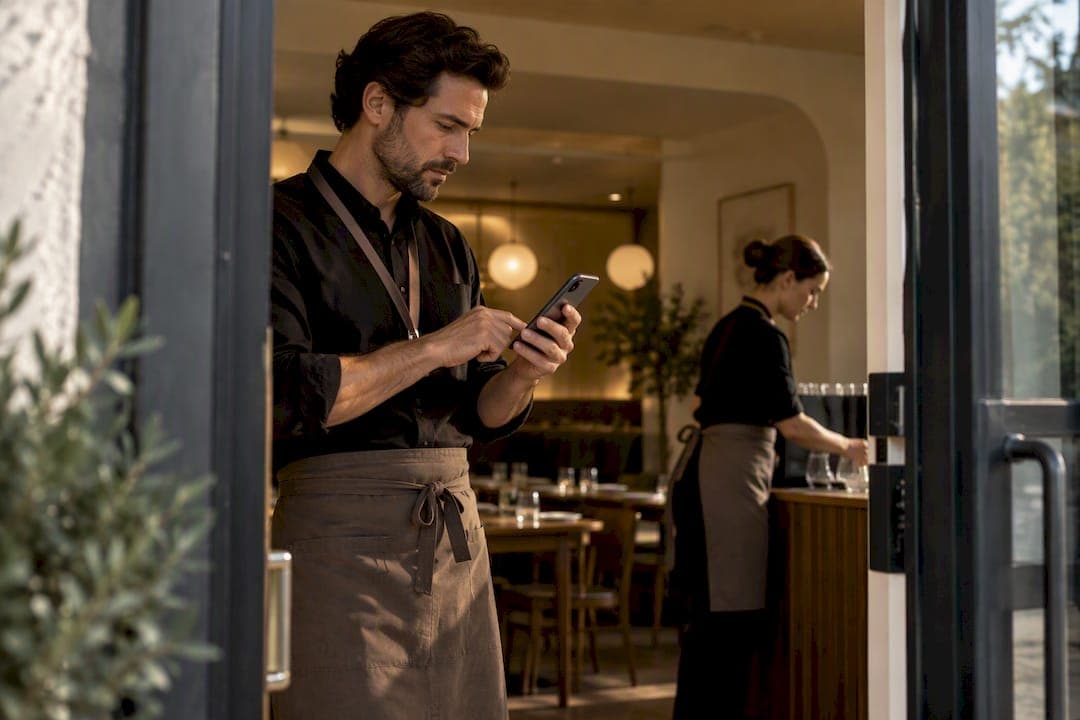
Start seasonal rush preparation 8 to 12 weeks before your busiest stretch, not two weeks before. Everything else, from signage to overtime rules, follows from those four moves.
TL;DR:
- Staffing plans must be finalized 6 to 8 weeks before peak season to avoid last-minute training during busy weekends.
- Demand forecasting should incorporate at least 12 months of historical data, including special events and channel usage, with AI-assisted tools for unpredictable volumes.
- A hybrid queue system combining appointments and virtual queues best serves businesses with both scheduled and walk-in customers, ensuring smoother flow.
- Monitoring real-time KPIs such as throughput, wait times, and abandonment rates during a dry run helps identify and fix bottlenecks before actual peak days.
- Contingency plans for staff shortages, system outages, or weather disruptions should be prepared in advance, with authority delegated for immediate activation during a rush.
Table of Contents
- Your 8 to 12 Week Seasonal Rush Preparation Checklist
- How Do You Forecast Demand for a Seasonal Rush?
- How Should You Staff and Train for Peak Season?
- Which Queue Technology Actually Works for Small Venues?
- How Do You Keep Customers Happy During the Rush?
- What KPIs Should You Watch During a Live Rush?
- How Do You Manage Inventory for a Seasonal Spike?
- What if Something Goes Wrong During Peak Season?
- What Does a Seasonal Rush Actually Cost, and Where Should the Budget Go?
- Owner Perspective: Lessons Learned From the Trenches
- Ezseat: App-Free Queueing Built for the Rush
- Sources
- FAQ
Your 8 to 12 Week Seasonal Rush Preparation Checklist
Seasonal rush preparation works best on a fixed calendar, not a vague sense of urgency. Checklist guidance built around an 8 to 12 week runway consistently produces smoother hiring, tighter training, and fewer system surprises than last-minute scrambling.
Here's the sequence that holds up across restaurants, clinics, food trucks, and event venues:
- 8 to 12 weeks out: Pull historical demand data, set revenue and capacity targets, and decide if last year's staffing model still fits.
- 6 to 8 weeks out: Lock staffing plans, finalize system configuration for your queue or booking tool, and post seasonal job listings.
- 4 to 6 weeks out: Launch marketing campaigns to capture early bookings, and start training seasonal or temp staff.
- 1 to 2 weeks out: Test communications, print or update signage, and run a full dry run under peak-like conditions.
- Go-live: Monitor KPIs in real time and keep a triage plan ready for the first rough day.
Miss the 6 to 8 week staffing deadline and you're training new hires during your first busy weekend instead of before it.
How Do You Forecast Demand for a Seasonal Rush?
Good forecasting starts with three numbers: historical daily and hourly volume, average handling time by service type, and channel splits (walk-in versus phone versus online booking). Layer in anything that moves demand outside the normal pattern, a local festival, a holiday that falls on a weekend, a marketing push, or even a weather forecast if you're a food truck or outdoor venue.
- Pull at least 12 months of volume data, broken down by hour and day of week.
- Flag one-off events from last year (promotions, storms, competitor closures) that skewed the numbers.
- Note average handling time separately for simple visits versus complex ones.
- Track which channel customers actually use to join or book, not which one you'd prefer they use.
A simple moving average is fine for a stable, repeat-pattern business like a barbershop with predictable Saturday spikes. Volume that swings unpredictably, holiday clinics, festival food trucks, event venues with variable ticket sales, benefits more from AI-assisted forecasting that catches nonlinear spikes, a flat average would miss.
Pro Tip: Convert your forecasted demand into staff-hours by dividing projected volume by your average handling time, then add a 15 to 20% buffer for no-shows, call-outs, and the inevitable slow first hour where nobody's found their rhythm yet.
How Should You Staff and Train for Peak Season?
Blend your workforce instead of leaning on one type of labor. Full-time staff anchor the shift, part-timers cover predictable peaks, and temp or gig workers absorb the unpredictable overflow, ideally scheduled in micro-shifts that match your actual demand curve instead of flat 8-hour blocks.
- Cap overtime at a level you can sustain for the full peak window, not just one big weekend.
- Rotate your strongest staff across shifts so no single day carries all your experience.
- Build a cross-training checklist so a barista can run the register and a clinic assistant can handle basic check-ins.
- Create one-page, role-specific cheat sheets for seasonal hires instead of a full onboarding manual nobody reads.
- Keep a contingency staffing pool, former seasonal workers, cross-trained managers, on-call temps, ready before you need them.
Accelerated onboarding works when it's scripted. Give new hires a script for common questions, pair them with a coach for their first two shifts, and correct in real time rather than waiting for a post-shift debrief. Historical data analysis paired with flexible scheduling and fast onboarding is what keeps service quality from cratering the moment volume doubles.
Which Queue Technology Actually Works for Small Venues?
The right queue setup depends on how predictable your traffic is. Appointment-only works when demand is scheduled and steady, a clinic running seasonal flu shots, for instance. Virtual queues work when walk-ins dominate, a food truck at a fair or a barbershop on a Saturday. Most seasonal operators end up needing a hybrid: appointments for the planned volume, a virtual queue for everyone else who shows up unannounced.
Virtual queue platforms replace the physical line with digital ticketing, a public display, and automated notifications, and operators who switch report improved throughput and fewer complaints compared to shouting names across a lobby. That matters more during a rush, when every minute of confusion at the front desk ripples down the line.
- Use SMS or automated call notifications so customers can wait outside, in their car, or browsing nearby instead of standing in a doorway.
- Post visible signage with current wait estimates. Perceived wait time drops even when actual wait time doesn't change.
- For outdoor events or pop-ups, a web-based queue you can deploy in days without hardware beats a kiosk system you have to ship, install, and troubleshoot on-site.
- Give every staff member queue access from their own phone or tablet so no single device becomes a bottleneck.
- Test your booking or point-of-sale integration before peak week, not during it. A queue tool that doesn't talk to your POS creates double-entry chaos exactly when you can least afford it.
| Queue pattern | Best fit | Main risk if misused |
|---|---|---|
| Appointment-only | Predictable scheduled demand (clinics, salons) | No overflow plan for walk-ins |
| Pure virtual queue | High walk-in volume (food trucks, events) | Customers wander off without notification |
| Hybrid (appointment + walk-in) | Restaurants, barbershops, mixed-demand venues | Requires clear priority rules between the two lines |
A hybrid queue that runs appointments and walk-ins through one system avoids the trap of managing two separate lists that inevitably get confused during the busiest hour of the day.
How Do You Keep Customers Happy During the Rush?
Set expectations before customers even arrive. Post realistic wait-time ranges on your website and at the door, and train staff to give the same honest number a customer would see on a screen. Nothing damages trust faster than a host quoting "10 minutes" when the queue display says 30.
- Route routine questions (hours, menu, availability) to a self-service option so staff aren't answering the same question 40 times an hour.
- Offer callbacks instead of hold lines for phone-heavy businesses like clinics fielding appointment requests during a surge.
- Automatically rebook canceled slots the moment they open, rather than letting them sit empty while a full waitlist waits.
- Keep a small recovery offer ready, a discount, priority rebooking, for high-value customers who had a genuinely bad wait.
None of this requires new headcount. It requires a system that pushes the right information to the right channel automatically, which is exactly where self-service and automated routing cut the strain on staff during the loudest hours.
What KPIs Should You Watch During a Live Rush?
Five numbers tell you almost everything during a peak: throughput (customers served per hour), average wait time, abandonment rate (people who leave the queue), customer satisfaction, and staff schedule adherence. Watch them in real time, not in a report the next morning.
Before the real rush hits, run a war-room dry run:
- Simulate traffic at or above your forecasted peak, not your average day.
- Test every notification channel, SMS, on-screen, call, to confirm they actually fire.
- Walk through a staff callout scenario and confirm your contingency pool can be reached fast.
- Time how long it takes a manager to open a second queue lane under pressure.
Running this kind of simulation ahead of peak days exposes routing and staffing bottlenecks while you can still fix them calmly, instead of live in front of a full lobby. When a live spike does outpace plan, the triage playbook is simple: open a priority lane for quick transactions, enable callbacks to drain the physical line, and reassign your strongest cross-trained staff to the bottleneck. Write down what broke the same night, while it's still fresh, so next season's checklist gets sharper.
How Do You Manage Inventory for a Seasonal Spike?
Inventory planning has to move on the same timeline as your staffing plan, not lag behind it. Once you've forecasted demand, translate that number into supply orders, ideally with a buffer for your top three sellers, since running out of your most popular item mid-rush costs you more in walkaway customers than a little extra held stock costs in carrying expense.
Lock in supplier commitments early. Seasonal demand hits every business in your category at the same time, which means your suppliers are fielding the same surge in orders you are. A restaurant that waits until three weeks before a holiday weekend to confirm produce deliveries is competing with every other restaurant in town doing the same thing at the same moment. Confirm delivery windows, minimum order quantities, and backup suppliers during your 6 to 8 week planning window, not after.
Build a simple par-level system for your top-moving items: a minimum stock threshold that triggers a reorder automatically rather than waiting for someone to notice the shelf is empty. Clinics stocking seasonal vaccines or test kits need the same discipline, tied to appointment forecasts rather than guesswork. Food trucks and event vendors face a sharper version of this problem: limited storage means over-ordering wastes money and under-ordering means turning away paying customers on your best day of the season.
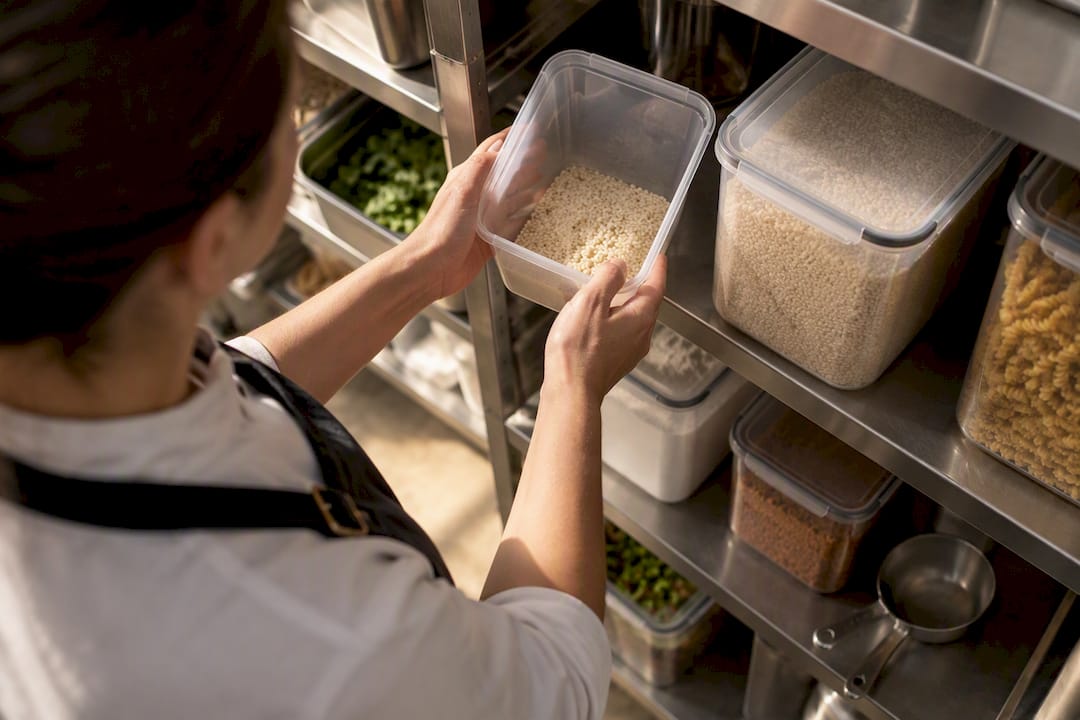
Track waste and shortage numbers from last year's peak specifically. If you ran out of a top item by 2 p.m. on your busiest day, that's not bad luck, it's a forecasting gap to close before this season's rush starts.
What if Something Goes Wrong During Peak Season?
Contingency planning means deciding your response before the crisis, not during it. The most common disruptions during a seasonal rush are predictable even if the timing isn't: a key staff member calls out sick, a supplier delivery falls through, your point-of-sale system goes down, or weather shuts down outdoor operations for a food truck or event venue.
Build a short list of your top four or five realistic disruption scenarios and write a one-paragraph response plan for each. For staffing gaps, that's your contingency pool of on-call former seasonal workers and cross-trained managers. For a system outage, that's a manual backup process, paper tickets, a phone tree, that staff have actually practiced, not just read about. For supply shortages, that's your backup supplier list and a plan for which menu items or services get temporarily cut versus substituted.
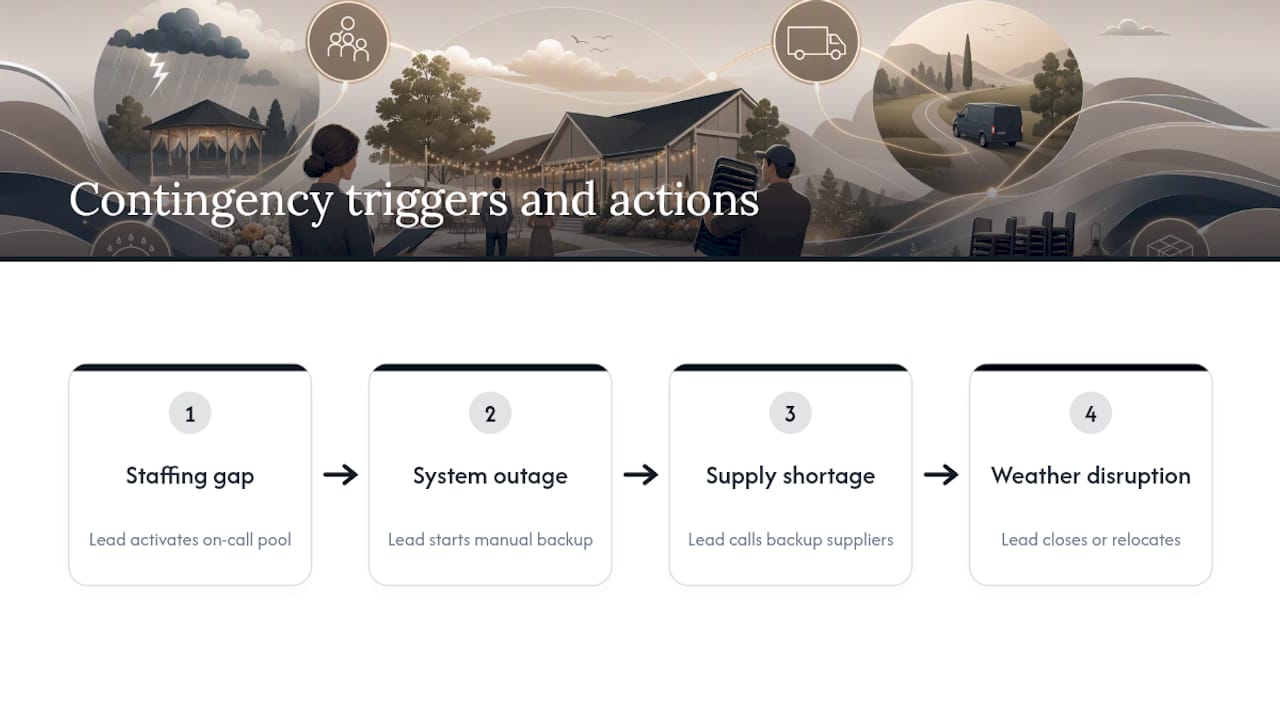
Assign one person the authority to activate the contingency plan without waiting for owner approval. During a genuine rush, the person managing the front line needs to be able to open a second queue lane, call in backup staff, or switch to the manual backup process in the moment a problem appears, not after a phone call up the chain.
Weather deserves its own line item if you run a food truck, outdoor event, or seasonal patio. Decide your rain-out or heat threshold in advance, along with what happens to bookings and queue notifications if you have to close or relocate on short notice. A customer sitting in a virtual queue for a location that just closed is a worse experience than no queue at all.
What Does a Seasonal Rush Actually Cost, and Where Should the Budget Go?
Seasonal rush budgeting fails most often not because operators spend too much, but because they spend it in the wrong order. Staffing and technology need to be funded first, since a queue system or a trained temp worker prevents the lost sales and bad reviews that no amount of post-season marketing can fully repair.
Break your seasonal budget into four buckets: labor (regular pay plus any overtime or shift differentials), technology and systems (queue tools, POS upgrades, signage), inventory buffer (the extra stock margin discussed above), and marketing (campaigns timed to your 4 to 6 week pre-peak window). Labor usually claims the largest share, and it's the one place cutting corners shows up immediately in wait times and customer complaints.
Set a hard ceiling on overtime spend per week rather than approving it shift by shift as the rush unfolds. Uncontrolled overtime is the single fastest way a profitable peak season turns into a break-even one. Compare that ceiling against what a part-time or temp hire would cost for the same coverage. Often the math favors bringing on one more seasonal worker over paying overtime premiums to your existing team for six straight weeks.
Track cost per transaction during the peak, not just total spend. A rush that costs more per customer served than your regular season, even with higher revenue, is a signal your staffing or systems aren't scaling efficiently. Compare that figure against last year's peak if you have it. If costs per transaction are climbing while volume stays flat, the gap usually points to inefficiency in the queue or the schedule, not bad luck.
Owner Perspective: Lessons Learned From the Trenches
The three mistakes we see most: starting staffing too late, skipping the dry run, and treating every customer question as a phone call instead of routing it to self-service. Fix those three and most of the rush becomes manageable. Test your queue setup two weeks early, not two days early, and protect staff morale with realistic shift lengths. A burned-out team makes more mistakes than a slightly understaffed one with reasonable hours.
— Ezseat
Ezseat: App-Free Queueing Built for the Rush
Ezseat gets your line moving without asking a single customer to download anything. Customers join through a web browser, get notified by SMS or call when it's their turn, and you manage the whole flow from your own phone or tablet, no kiosk, no per-message fees, no hardware to ship before the rush hits.

That matters most for the businesses this guide is written for: a food truck setting up a queue in a parking lot with no Wi-Fi infrastructure, an event venue running a hybrid line of ticket holders and walk-ins, or a clinic that needs multiple staff checking people in from different devices at once. Public screens display ticket numbers so nobody's shouting names across a waiting room, and the same setup that handles a Tuesday afternoon scales to a holiday weekend without adding hardware.
Ezseat runs on a free two-month trial, then moves to a Light plan at $3.90 a month or $39 a year, or a Pro plan at $14.90 a month or $149 a year for venues running multiple queues or devices. Check the plans and start a trial before your next rush hits, not during it.
Sources
- Seasonal Business Prep Checklist (2026) | SchedulingKit
- Seasonal contact center operations planning | NiCE
FAQ
How Far in Advance Should I Start Seasonal Rush Preparation?
Start 8 to 12 weeks before your peak begins. That window gives you time to forecast demand, lock staffing, and configure your systems before you're forced to react live.
What's the Fastest Way to Set Up a Queue for a Seasonal Event?
A web-based virtual queue that customers join through a browser can go live in a matter of days, with no app download and no hardware to install. Ezseat's outdoor queue playbook walks through a quick-deploy setup built for exactly this situation.
How Much Does Ezseat Cost?
Ezseat offers a free two-month trial, then a Light plan at $3.90 a month or $39 a year, and a Pro plan at $14.90 a month or $149 a year for busier or multi-queue operations.
What KPIs Matter Most During a Live Rush?
Watch throughput, average wait time, abandonment rate, customer satisfaction, and staff schedule adherence in real time. A rising abandonment rate is usually the first sign your queue is falling behind demand.
Do I Need a Dry Run Before Peak Season Starts?
Yes. A short simulation at or above your expected peak volume exposes staffing and routing problems while you still have time to fix them, rather than discovering them in front of a full waiting room.