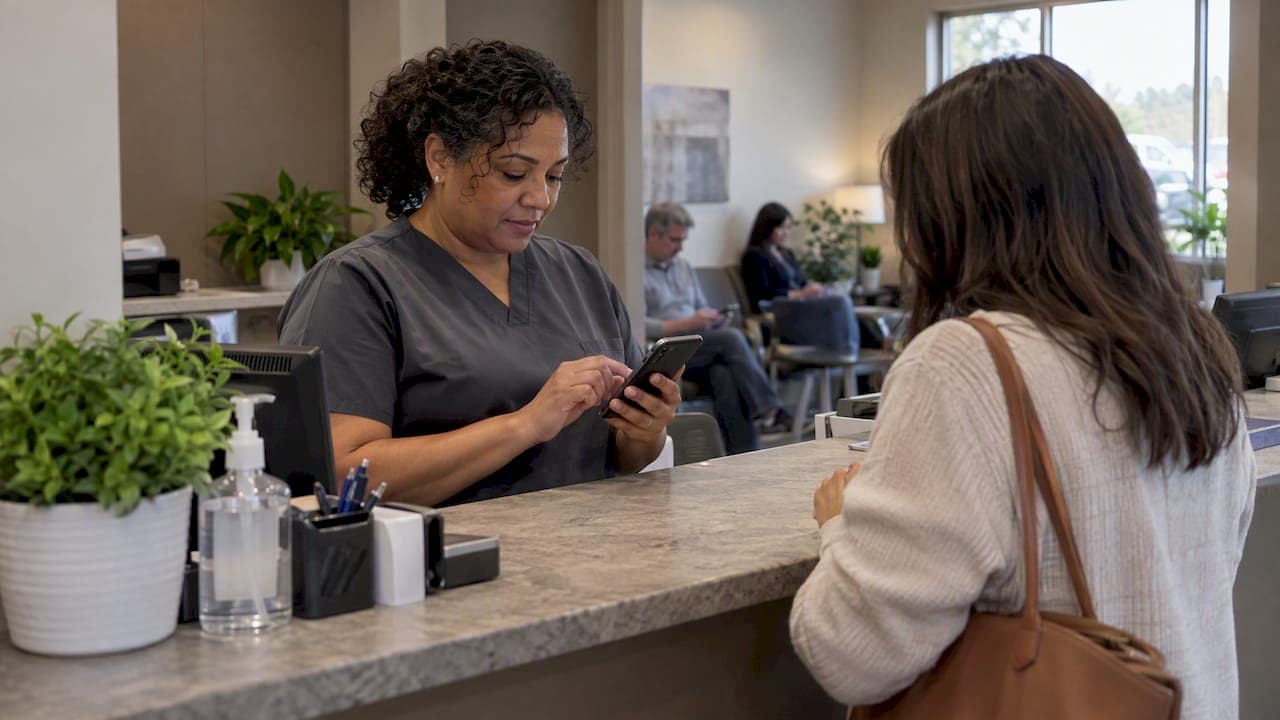
An urgent care waitlist is an ordered list of walk-in patients that the clinic manages digitally. Patients add their name from a phone or a front-desk screen, see where they stand, and get a message when it is nearly their turn. Done well, it turns a crowded waiting room into a short wait that patients can spend somewhere more comfortable. This guide covers how a waitlist works, how to set one up for busy periods, what to check in a queue system, and how to tell whether it is helping.
TL;DR
- A waitlist keeps walk-in care walk-in: nobody needs an appointment, but everyone gets a place in line and a status they can see.
- Patients tolerate waits better when they know how long they are likely to be and can see progress. Research on delay information supports this.
- Set three things before opening the doors: how patients join, how the order is decided (arrival or clinical priority), and how you notify them.
- Choose a system patients can use from a browser without installing anything, and check accessibility, privacy and cost before you commit.
- Measure registration, screening and care waits before and after the change. Do not rely on a feeling that it is calmer.
Table of Contents
- What an urgent care waitlist actually is
- Why a visible waitlist makes waiting feel shorter
- How to set up an urgent care waitlist for busy periods
- How waitlist needs differ by venue
- What to check when choosing a queue system
- How to tell whether the waitlist is working
- Our perspective: the best queue is one nobody has to learn
- Try a waitlist without buying hardware
- FAQ
- Sources
What an urgent care waitlist actually is
Most urgent care clinics advertise the same promise: walk in, no appointment needed. That promise creates the problem. Demand arrives in clumps, after school, after work, on Monday mornings, and the only visible "system" is a full room and a clipboard.
A waitlist replaces that with a real queue. In medical settings, a waiting list is a queue of patients waiting for treatment. Patients are called in order of clinical priority, and among patients of similar priority the one who has waited longest is generally called first, as Scottish government guidance on managing waiting times describes. That is the rule your digital list should encode: first come, first served only within the same level of need.
A digital version adds three things the paper version cannot do:
- Remote joining. The patient can add themselves before they arrive or from the parking lot.
- Visible position. The patient, and optionally a public screen, shows where they stand.
- Notifications. The clinic reaches the patient by text or call when their turn approaches, so nobody has to shout a name across a room.
It is not triage. A waitlist organizes patients who have already been judged suitable for urgent care. Anyone with chest pain, signs of stroke, severe bleeding or difficulty breathing needs emergency care, and your front desk script should say so plainly. Scripps Health explains the difference between emergency rooms and urgent care in terms patients understand, and it is worth borrowing the framing for your signage.
Why a visible waitlist makes waiting feel shorter
The wait itself is only half of what patients complain about. The other half is not knowing. A literature review on sharing delay information in service systems found that providing delay information can reduce uncertainty and improve perceived service quality. It also noted that delay announcements can increase a customer's sense of control and sense of progress.
For an urgent care clinic this has practical consequences:
- A patient who sees "4 ahead of you" is less likely to ask the front desk three times how long it will be.
- A patient who is free to wait in the car, a café or at home is less likely to cough on the other people in the waiting room.
- A patient who knows the estimate is a range, not a promise, is less annoyed when it slips.
The same review points out that delay information can also influence demand: some customers will choose to come later when they see a long line. For a clinic, that is a feature. Showing current queue length on your site or a public screen nudges mild cases toward quieter hours.
We go deeper on the experience side in fixing queue customer experience before the line itself.
How to set up an urgent care waitlist for busy periods
You can run a basic waitlist in an afternoon. The decisions that matter come before the software.
Decide how patients join
Offer at least two paths. Patients who plan ahead join from their phone through a link or QR code. Patients who arrive without having seen it use a front-desk tablet or a reception kiosk, or the front desk adds them. If the only way in is a smartphone app download, you have excluded older patients, people with full phone storage and anyone in pain who does not want to install anything. A browser link removes that barrier.
Collect only what you need to call the patient: a name and a phone number, plus a short reason for visit if your workflow needs it. Custom fields help here, such as "injury or illness" or "first visit", but every extra field slows joining and raises your privacy exposure.
Decide the order rules
Write down, before the first busy Monday, how the list is ordered:
- Default: arrival order, longest wait first.
- Exceptions: a clinical override for a patient whose condition worsens, an infant with a high fever, or someone who is deteriorating. Clinical staff, not the software, decide.
- Separate lines when needed: if you run different services such as X-ray, a procedure room or occupational health, give each its own queue so one long job does not block short ones.
Our guide to a no-app priority patient queue for small venues shows how to set priority up without confusing the people in the regular line.
Give honest wait estimates
An estimate is only useful if people believe it. Base it on your recent average visit length and the number of providers working, and show it as a range. Update it when a provider goes on break or a complex case arrives. Underpromise slightly: patients forgive finishing early and remember finishing late. Wait time estimation methods, models and tools walks through the simple methods first.
Plan notifications
A useful pattern is two messages: one when the patient is a few places away, and one when it is time to come in. Hospital emergency departments already do versions of this. Sault Area Hospital's virtual waiting room sends patients live text updates every 60 minutes, which shows the principle: regular, predictable contact beats silence. For a faster urgent care clinic, hourly is too slow, so tie messages to position in line instead of to the clock.
Because patients in the US may be on prepaid or limited plans, keep messages short and avoid links that require logging in. Ezseat supports SMS and call notifications with zero per-message cost, so you do not have to ration texts to control your bill.
Handle no-shows and late arrivals
Set a grace window and say it in the first message, for example: "If you are not here when we call you, you move back a few places." Then apply it consistently. If you let the queue freeze for a patient who left, everyone behind them pays. A patient who is not coming back should be removable with a single tap on a phone, which matters at a busy front desk.
Train the front desk with a simple script
Staff need three sentences ready: how to join, what the estimate means, and what to do if symptoms get worse while waiting. Put the last one on the confirmation screen as well. Patients should know that if they feel worse, they should tell the desk right away, and that for emergencies they should call 911 or go to an emergency room.
For the broader front-desk picture, see our guide to walk-in waitlist systems for clinics and service venues and, for administrators, clinic queue management.
How waitlist needs differ by venue
The same engine serves very different rooms. What changes is the rhythm, the stakes and the way people wait.
| Venue | What people do while waiting | What the waitlist must handle best |
|---|---|---|
| Urgent care clinic | Wait while unwell, often with children | Privacy, priority overrides, accurate ranges, accessibility |
| Restaurant | Wander nearby, then expect a table the moment they are called | Party size, quick table turnover, short call-back windows |
| Food truck | Stand close, often outdoors | Order numbers on a public screen, no counter crowding |
| Event | Move between activities | Several queues at once, crowd flow, many devices |
| Barbershop | Run errands, return for a haircut | Per-barber lines, short and predictable slots |
Clinics sit at the high-stakes end. A diner who misses a call loses a table. A patient who misses a call may lose care, which is why your notification pattern and your no-show rules deserve more thought than a restaurant's. If you also serve related walk-in services, such as an on-site pharmacy counter, pharmacy queue management covers the differences.
What to check when choosing a queue system
Searching for the best urgent care queue system turns up many options, so judge them by what the front desk and the patient will actually go through.
Usability for patients
Can a patient join in under a minute on a phone, with no download and no account? Test it yourself on a mid-range phone with a weak signal. Test it with someone over 70.
Usability for staff
Can one person run the list from a phone or tablet while walking the floor? Can you manage more than one queue and use more than one device without conflicts? If staff must return to a desktop to fix the list, they will stop updating it.
Accessibility
A check-in tool is a form, and forms fail people. Guidance for urgent care sites notes that check-in tools should work with screen readers and keyboard navigation, because mouse-only interfaces with dynamic visuals can block accessible use. The same guide points out that status messages, such as a confirmation that the patient is on the list, need to be exposed to assistive technology under WCAG 2.2 success criterion 4.1.3. Ask any vendor how they handle both, and try the flow with your phone's screen reader turned on.
Privacy
Urgent care queues touch health information, even if only the fact that someone is in your clinic. Ask what is stored, for how long, and who can see it. Prefer a public screen that shows ticket numbers rather than names. Have your compliance lead or counsel confirm how the vendor fits your obligations under HIPAA and any state rules before you put patient details into any tool.
Reliability
Ask what happens when the clinic's internet drops. Have a paper fallback written down and practiced once. A system that works 99 percent of the time still fails on someone's worst day.
Hardware and cost
Count everything: subscription, message fees, kiosks, screens, setup. Systems that charge per text punish you for being busy. Systems that need dedicated hardware raise the cost of adding a second location. A browser-based system that uses the phones and tablets you already own keeps the starting cost low.
Reporting
You need at least the time from joining to being seen, daily volume by hour, and no-show counts. Without those you cannot improve the queue.
How to tell whether the waitlist is working
Do not decide on feel. Measure three intervals before you start and again after a few weeks: registration wait, screening wait, and time until medical care. A 2021 study of a digital urgent care queue tool at a Brazilian hospital took exactly that approach, comparing those waiting times before and after implementation. It found that the digital solution cut the wait for medical care by roughly 12 minutes per patient, with estimated savings of 2,508 hours over 12 months. Those are one hospital's results, not a promise for your clinic, but the method transfers.
Small steps matter. A simulation study of patient flow in urgent care centers found that saving 2.5 minutes of triage time per patient reduced waits by 26.17 percent, and saving 5 minutes reduced them by 54.88 percent. The authors' broader suggestion is that digitizing small steps in history-taking can beat simply adding staff. For you, that means collecting the basics before the patient reaches the desk, which is where online patient check-in helps.
Track these numbers weekly:
- Median and 90th percentile time from joining to being called
- Share of patients who leave before being seen
- No-show rate after notification
- Gap between estimated and actual wait
- Patient comments about the experience of waiting
The gap between estimated and actual wait is the most overlooked. If it is consistently wide, your patients will stop trusting every message you send.
Our perspective: the best queue is one nobody has to learn
We built Ezseat around a simple observation: the friction in a queue is rarely the waiting. It is the instructions. Download this, create an account, allow notifications, find your number. Every step loses someone, and in a clinic it loses the people who are most unwell, most anxious or least comfortable with technology.
So we run entirely in the browser. Patients join from a link or a kiosk, and operators manage the flow from a phone or tablet instead of calling out names. We think that is the right default for urgent care: one fewer thing to explain at a moment when the front desk is already stretched.

We also think pricing should not penalize the busy days that make a queue necessary. That is why we do not charge per message and do not require special hardware. A clinic should be able to start with one device and one queue, then add screens, kiosks and more queues as volume grows.
One piece of advice we repeat to clinic owners: start smaller than you think. Run one queue, one notification pattern and one measure of success for a month. Then change one thing at a time.
— Ezseat
Try a waitlist without buying hardware
Ezseat is a web-based queue system that lets patients join from a browser, with no app to install. You can run the list from a phone or tablet, show ticket numbers on a public screen, add a reception kiosk, send SMS or call notifications and use custom queue fields and multiple queues.

Plans start with a free two-month trial. After that, Light costs $3.90 per month or $39.00 per year, and Pro costs $14.90 per month or $149.00 per year. You can see what each plan includes on the Ezseat plans page.
FAQ
Is urgent care faster than the ER?
For minor illnesses and injuries, it usually is, because urgent care centers do not handle the most critical cases that can push other patients back. Wait times still vary by clinic and by hour. If symptoms could be life-threatening, such as chest pain, stroke signs or severe bleeding, go to an emergency room or call 911 instead of waiting in an urgent care line.
Do patients need to download an app to join a waitlist?
Not with a browser-based system. Patients open a link or scan a code, enter basic details and see their place in line. This matters for older patients and anyone with limited phone storage, who often give up when asked to install something.
How accurate can a wait estimate be?
It will never be exact, because one complicated case can change everything. Show a range, base it on recent visit lengths and the number of providers on shift, and update it as conditions change. Comparing your estimates with actual waits each week tells you how far to trust them.
What should a clinic do about patients who miss their turn?
Set a short grace window and tell patients about it when they join. If someone does not respond, move them back a few places or remove them, and apply the rule the same way every time. Staff should still use judgment if a patient has a clinical reason to be delayed.
Sources
- Managing Waiting Times: Good Practice Guide, Scottish Government
- Sharing delay information in service systems: a literature survey, Queueing Systems
- Virtual Home Waiting Room, Sault Area Hospital
- Should You Go to the Emergency Room or Urgent Care? Scripps Health
- Urgent Care and Walk-In Clinic Website Accessibility Guide
- The Impact of Artificial Intelligence on Waiting Time for Medical Care in an Urgent Care Service (PubMed)
- Optimization of Patient Flow in Urgent Care Centers (PubMed Central)