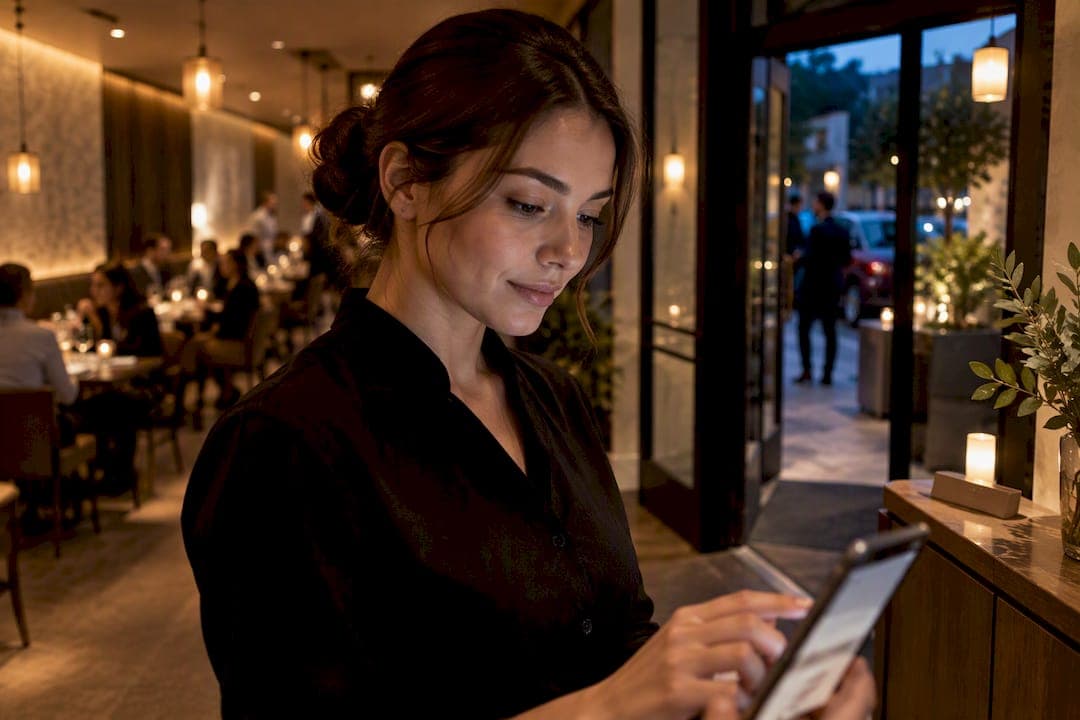
Restaurant host stand technology cuts guest wait times, reduces walkaways, and gives staff a clear way to communicate delays instead of guessing. A 12-week study of a multi-platform digital queue system found customer satisfaction rose significantly, wait times dropped notably, and revenue increased moderately across the venues tested, according to research on digital queue systems. This article covers the features, integrations, workflows, setup steps, and KPIs that turn those gains into daily practice.
TL;DR:
- Browser-based queues are ideal for pop-ups and casual venues because they require no app download and are quick to set up.
- Integration with POS systems ensures accurate table status, prevents double bookings, and enables seamless guest notes delivery to servers.
- Consistent host procedures, including regular updates and tracking KPIs like wait time and walkaways, optimize operational performance.
- Over-automation can harm guest experience in upscale settings, so a balance of human oversight and technology is essential.
- Starting with a single-location pilot and leveraging quick setup guides help ensure a smooth transition to digital host stand systems.
Table of Contents
- 1. Types of host stand technology and when to pick each
- 2. Core host stand features operators should require
- 3. Which integrations matter most and why
- 4. Operational workflows and a practical host stand checklist
- 5. Quick implementation: a go-live plan for no-app browser queues
- 6. Which KPIs to track to prove ROI at the host stand
- 7. Common pitfalls and best practices for host stand tech
- 8. When browser-based queues are the pragmatic choice
- 9. How Ezseat fits into a host stand upgrade
- 10. Research and operator resources
- Sources
- FAQ
1. Types of host stand technology and when to pick each
Host stand tools fall into four broad categories, and picking the right one depends more on your service style than your budget. Virtual queues and waitlists let guests join from a phone browser or QR code, no app download required. Reservation platforms handle bookings ahead of time and often bolt on waitlist features. POS-native tools live inside your point-of-sale system and sync table status automatically. Kiosk and QR solutions put a physical touchpoint at the door for guests who would rather tap a screen than pull out their phone.
- Fast-casual and food truck operations tend to do best with browser-based waitlists since guests rarely download an app for a single visit.
- Full-service restaurants with advance bookings usually need a reservation platform with waitlist add-ons.
- Multi-concept groups with existing POS infrastructure often extend that system rather than adopting a separate tool.
The tradeoff comes down to friction and cost: app-based tools ask more of the guest, POS-native options can mean licensing fees, and no-app browser entry keeps setup and guest onboarding simple.
2. Core host stand features operators should require
The features that matter most are the ones that prevent double seating, misquoted waits, and lost guest history. A live seating chart with real-time table status keeps hosts from guessing which tables are actually clean and ready. ETA quoting based on current pace, rather than a host's gut feeling, keeps guest expectations honest.
- Multi-queue support so patio, bar, and dining room waits run separately.
- Guest profiles and notes for allergies, high chairs, or repeat-visit preferences.
- Browser-based entry, kiosk or QR check-in, and a visible ticket display at the door.
- Digital chits that push party details straight to the server or floor tablet.
Each of these maps directly to a walkaway or a service slip you have probably already seen: a party quoted 20 minutes when the real wait is 35, a regular whose dietary note never made it to the table, a server seated blind because nobody flagged that table 12 just got bussed.
Pro Tip: Review your ETA accuracy weekly. If quoted times consistently run short, your host stand is training guests to distrust you.
3. Which integrations matter most and why
A host stand tool is only as good as what it talks to. POS integration matters most because it gives hosts visibility into table turn pace and lets servers get accurate handoffs instead of a shouted table number. Two-way reservation sync prevents the classic double-booking problem, where a walk-in gets sat in a slot already held for a 7:00 reservation. Digital chits that carry guest notes into the kitchen or server tablet cut the need for a host to physically flag down staff.
Before going live, run through a short integration checklist:
- Confirm party keys match across your waitlist and reservation system so no guest gets duplicated or dropped.
- Test cover math: does a party of six correctly block the tables you expect?
- Verify that a basic POS check, closing and reopening a table, updates your seating chart within seconds.
- Confirm guest notes actually reach the server device, not just the host screen.
A step-by-step POS and waitlist integration guide walks through this reconciliation process in more detail, including how to catch mismatched party keys before they cause a walkaway on a busy Friday.
4. Operational workflows and a practical host stand checklist
Technology only pays off when hosts follow a consistent routine. Toast's host-stand guidance outlines the recurring duties that keep a stand running, from greeting through table assignment, and a similar structure works whether you run a browser-based queue or a POS-native one, per Toast's host-stand checklist.
- Greet the guest immediately and capture contact information through browser entry, QR code, or kiosk.
- Quote an ETA based on current pace, not a flat estimate, and add any relevant notes.
- Send an update at the 7-minute mark if the wait shifts, again at 15 minutes, and a final check-in near 22 minutes if the table still is not ready.
- Log every guest response so the next host on shift knows who was already contacted.
- Seat using the live chart, rotating tables evenly across servers to balance covers.
Train new hosts on this sequence before they touch a live shift, and pair every automated notification with a human check. Pro Tip: Post the wait-time script marks (7, 15, 22 minutes) on a card at the stand until the cadence becomes automatic.
5. Quick implementation: a go-live plan for no-app browser queues
Getting a browser-based queue live does not require a long rollout. A launch playbook for small restaurants lays out the same core steps that apply to most no-app setups, and the whole process typically fits into a single prep session before a shift.
- Set up your device (tablet or host phone) and confirm Wi-Fi or cellular signal at the stand.
- Generate your QR code or kiosk link and print or display it at the entrance, following a QR code setup guide.
- Configure your ticket or queue display screen so guests can see their position without asking.
- Turn on SMS or browser notification channels so guests get updates without needing an app.
- Run a short test: add a few dummy parties, confirm party keys and cover math resolve correctly, and check that a basic POS handoff updates the seating chart.
Plan for a first week of light troubleshooting, and escalate to support if notification delivery or table sync breaks down. As covers grow past what a single device comfortably handles, moving from a Light plan to a Pro plan usually resolves capacity limits.
6. Which KPIs to track to prove ROI at the host stand
Five numbers tell you whether your host stand investment is working: average wait time, walkaway rate, time-to-seat, table turn time, and repeat visit rate. Pull wait time and walkaway data directly from your queue software's logs, and cross-reference turn time against your POS ticket timestamps to catch discrepancies.

Set a baseline in your first two weeks, then track weekly. The same DineLine study found that wait times fell significantly and satisfaction rose considerably over a 12-week rollout, giving a useful benchmark for what a well-run digital queue can achieve.
Report these numbers to your team monthly, not just to management, so hosts see the effect of the routine they are running.
7. Common pitfalls and best practices for host stand tech
The most common mistake is over-automating a venue where guests expect a human welcome. A tasting menu restaurant with a $150 average check needs a different touch than a counter-service taco spot, and leaning too hard on automated texts can read as impersonal in the wrong setting.
- Reconcile party keys and test cover math before a full rollout, not after a busy Saturday exposes the gap.
- Roll out in phases, starting with one shift or one section, and collect staff feedback before expanding.
- Enforce your communication scripts consistently. Automated notifications fail when staff skip the follow-up call they were supposed to make.
- Keep a human check on every automated wait update rather than trusting the system to run itself.
Pro Tip: Ask your hosts weekly what the software gets wrong. They will spot friction points faster than any dashboard.
8. When browser-based queues are the pragmatic choice
No-app queues fit pop-ups, food trucks, and multilingual venues best, where guests will not download an app for a single visit and simplicity wins. Average ticket size and guest expectations should guide the decision: a quick-turn casual spot gains little from an app-first flow. In upscale dining, where the host is part of the experience, technology should support the welcome, not replace it.
— Ezseat
9. How Ezseat fits into a host stand upgrade
Ezseat is built around the browser-first approach this article covers: guests join a queue from any phone without downloading anything, and hosts manage flow from a tablet or phone at the stand.

- No-app browser entry and QR check-in that guests can use in seconds.
- Ticket and queue display screens that keep guests informed without a host repeating updates.
- A setup process built for the 15 to 30 minute go-live window covered above.
- Plans that scale from a single host stand to multiple locations as volume grows.
Start with a one-location pilot using the go-live checklist above, and lean on the pop-up waitlist setup guide if you are testing at a temporary or seasonal venue. Ezseat offers Light and Pro plans with pricing details available on the Ezseat pricing page. Check current availability and start a trial before your next busy weekend.
10. Research and operator resources

Findings in this article draw on a 12-week digital queue study and Toast's host-stand task guidance. For POS terminal comparisons, see PosSlo's myPOS coverage.
Sources
- DineLine: A Comprehensive Digital Queue Management System for Modern Restaurant Operations | International Journal of Computer Sciences and Engineering
- How to Run an Efficient Restaurant Host Stand | Toast
FAQ
What is the 30/30/30 rule for restaurants?
Definitions vary by operator, and no single source in this article defines a standard 30/30/30 rule. Rather than rely on an unverified rule of thumb, track your own wait time, walkaway rate, and table turn time as the core numbers that reveal host stand performance.
What is the best restaurant host software?
The best choice depends on your service style: no-app browser-based queues suit fast-casual and pop-up venues, while POS-native tools fit operators already deep in one system. Ezseat focuses on browser-based entry with no app download, which fits venues that want a fast, low-friction setup.
What POS system do most restaurants use?
There is no single POS system used by most restaurants, since the market includes several major platforms serving different venue sizes and service styles. Operators should choose a POS based on integration needs with their host stand and reservation tools rather than market share alone.
What is the highest paid position in a restaurant?
This varies by restaurant type and region, and no source in this article addresses compensation data. Front-of-house technology decisions are more directly tied to guest flow and staffing efficiency than to pay-scale questions.