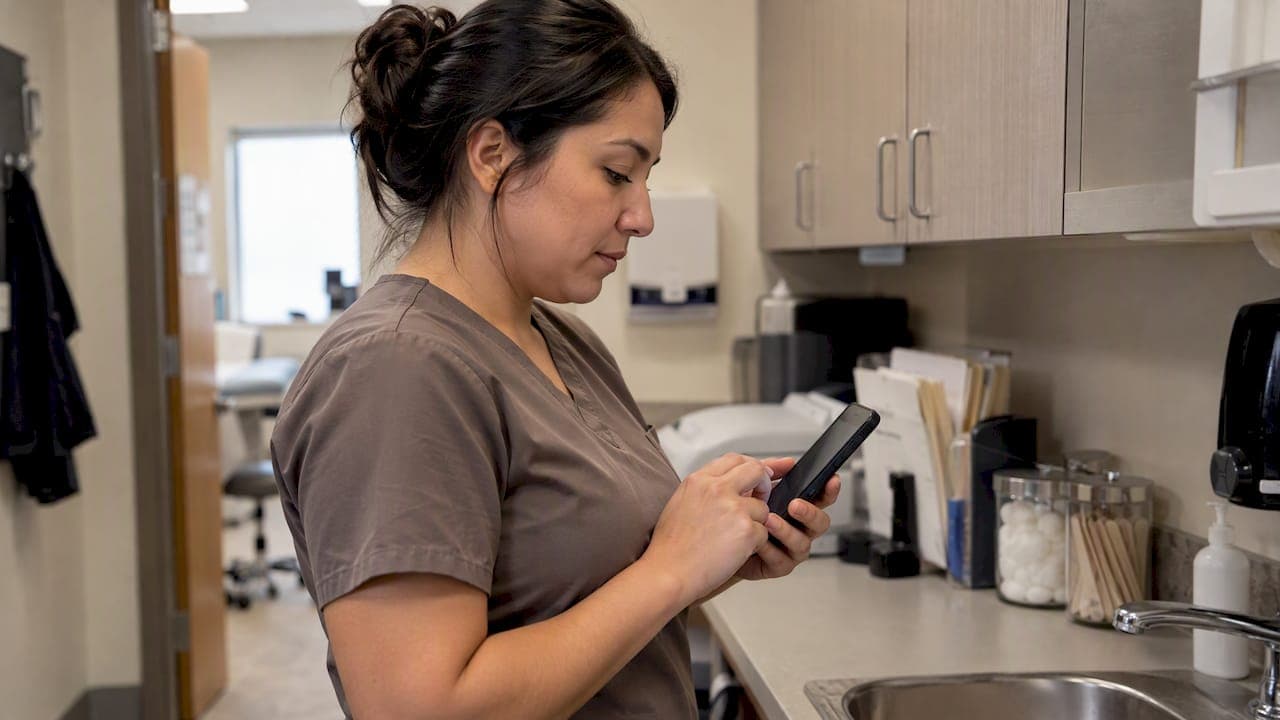
Texting patients is not banned under HIPAA, but standard SMS and consumer apps rarely meet the Security Rule's safeguards for protected health information. Compliant texting is possible when you apply minimum necessary disclosure, document patient consent, and put a signed business associate agreement in place with any vendor that touches that data.
TL;DR:
- Keep routine texts limited to appointment details; diagnoses, lab results, and medication changes require stronger safeguards, while patient requested transfers need a documented security warning.
- Complete and document a texting risk analysis, then require encryption in transit and at rest, unique staff logins, role based access, and audit logs.
- Require a signed business associate agreement before vendors handle ePHI; iMessage encrypts messages between Apple devices but lacks organization level audit logs.
- For outages, use phone calls for urgent clinical information, define a fallback for each message type, and record channel failures and actions taken.
Table of Contents
- When texting is permitted vs. when it's too risky
- HIPAA technical and administrative requirements that affect texting
- Patient consent, minimum necessary, and warnings for unsecure channels
- Secure texting platforms and vendor requirements
- Implementation checklist: risk assessment, policy, staff training, and documentation
- How Ezseat supports HIPAA-aware check-in and patient notifications
- Emergency communication procedures when traditional texting channels are down
- A brief clinic-focused perspective: balancing security and access
- Reduce PHI exposure with a link-first queue and notification workflow
- FAQ
- Sources
- Authoritative resources for compliance checks
When texting is permitted vs. when it's too risky
The safest rule of thumb separates administrative messages from clinical content. A reminder that says "Your appointment is tomorrow at 10 AM" carries little risk because it names no diagnosis, medication, or test result. A message containing lab values, a diagnosis, or treatment instructions is a different category entirely and needs stronger protections before it leaves your system.
Patient-initiated requests change the calculus. When a patient asks you to send their own records to a personal number or app, HIPAA treats that as a direct request, and you're generally not liable for what happens after the data reaches that app, as long as you warned the patient and documented the request.
- Low-risk: appointment reminders, office hours, general wellness tips with no identifying clinical detail.
- High-risk: lab results, diagnoses, medication changes, anything a stranger reading the phone could tie to a specific condition.
- Patient-directed transfers: honored under the patient's right of access, but still worth a documented warning about the receiving app's security.
HIPAA technical and administrative requirements that affect texting
The Security Rule's Transmission Security standard requires reasonable safeguards whenever ePHI moves across a network, including integrity controls that catch tampering and encryption that keeps the content unreadable if intercepted. The rule does not name one mandatory encryption algorithm. Instead, it asks you to document why your chosen safeguards are reasonable for your environment, based on a documented risk analysis.
Access control matters just as much as encryption. A compliant texting setup authenticates staff before they can view a conversation, logs who viewed or sent each message, and limits access to the people who actually need it for care or billing.
The Security Rule requires documented risk analysis before you select safeguards for any system handling ePHI, according to HHS Security Series guidance, which means a texting platform without that paper trail is a liability even if the technology itself is sound.
Practical steps that map to this standard:
- Confirm the platform encrypts messages in transit and at rest.
- Require unique logins and role-based access for every staff member who texts patients.
- Keep an audit log showing who sent, received, or viewed each message.
- Write down your reasoning for choosing (or not choosing) specific encryption methods.
Patient consent, minimum necessary, and warnings for unsecure channels
Minimum necessary means sending only the information needed for the purpose at hand. A reminder text needs a date and time, not a diagnosis code. Wording like "Reminder: appointment with Dr. Lee, Tuesday at 2 PM. Reply C to confirm" satisfies the purpose without exposing clinical detail.
Patients have the right to direct their ePHI to an app or unsecure channel of their choosing, and OCR guidance confirms that once a patient makes that request, you're generally not responsible for what the receiving app does with the data afterward. You should still explain the risk and keep a record of the patient's decision.
- Use intake forms to ask whether a patient consents to text communication and for what purposes.
- Warn patients in plain language when they request transfer to an unsecured app or number.
- Document every consent and warning in the chart, not just verbally at the front desk.
A patient's request for an unsecure channel does not remove your other duties. If a vendor creates, stores, or transmits that data on your behalf, you still need a signed business associate agreement with that vendor, regardless of what the patient asked for.
Secure texting platforms and vendor requirements
Choosing a texting vendor starts with one non-negotiable question: will this vendor create, receive, or transmit ePHI on your behalf? If yes, you need a signed business associate agreement before a single message goes out, per HHS guidance on educating patients about privacy and security.
- Confirm the vendor will sign a BAA and specify what data it stores.
- Verify encryption in transit and at rest, not just one or the other.
- Check for audit logging that records every send, read, and delete event.
- Look for role-based access controls so staff only see what their job requires.
- Ask whether the platform exports to your EHR for recordkeeping and continuity.
Consumer apps fall short on most of these points. Standard SMS has no encryption, stores copies on carrier servers, and offers no audit trail. iMessage encrypts messages end-to-end between Apple devices, but Apple does not offer a BAA or organization-level audit logging, so it doesn't meet the administrative half of the Security Rule even when the transmission itself is secure.
Pro Tip: Ask any vendor to show you their audit log screen before you sign anything. If they can't produce one in the sales call, they probably don't have one.
Implementation checklist: risk assessment, policy, staff training, and documentation
Rolling out texting the right way follows a sequence, not a single purchase decision.
- Conduct a texting-specific risk analysis and write it down, including what data types you plan to send and what could go wrong.
- Adopt a written policy covering what content is allowed, how patients opt in or out, and the exact consent language your front desk will use.
- Select a vendor that signs a BAA and test its logging and export features before full rollout, following a security-focused review process for IT teams evaluating new systems.
- Train staff on what counts as PHI in a text, log consent directly in the EHR, and schedule a recurring audit, similar to the cadence outlined in a privacy audit checklist for operators.
Pro Tip: Print the policy as a one-page reference for the front desk. Staff who text patients all day need a fast answer, not a 40-page manual.
A related resource on verifying check-in processes walks through similar steps for clinics standing up a new check-in system alongside texting.
How Ezseat supports HIPAA-aware check-in and patient notifications
We built our queue system around a simple idea: the less clinical detail that travels inside a text body, the less there is to protect. Our browser-based check-in sends patients a secure link rather than clinical content, so the message itself carries no diagnosis, no lab value, nothing identifiable beyond a queue position.
- We send device-aware notifications that tell a patient their turn is approaching without naming their reason for the visit.
- Our in-platform records keep the detail inside the system rather than inside a text thread.
- We recommend confirming our current BAA terms and technical documentation directly, and requesting a demo if your workflow needs to tie into a specific EHR.
Emergency communication procedures when traditional texting channels are down
Carrier outages, platform downtime, or a vendor's server issue can take your primary texting channel offline at the worst moment. A clinic that relies on texting for appointment confirmations or queue updates needs a documented fallback, not an improvised one.
Start with a tiered contact list: phone calls as the first fallback, since most practices already have voice lines that don't depend on the same infrastructure as a texting platform. Email can serve as a second layer for non-urgent updates, though it carries the same minimum necessary and encryption considerations as text.

For anything clinically urgent, a phone call from a staff member who can verify identity in real time is safer than any written channel during an outage, since a text sitting undelivered in a queue gives you no confirmation the patient ever saw it.
Build the outage plan into your written texting policy rather than treating it as a one-off decision during a crisis. Include:
- A designated fallback method (phone call, patient portal message, or in-person notice) for each message type you normally text.
- A rule that urgent clinical information never waits on a single channel, texting or otherwise.
- A log entry noting when the primary channel failed and which fallback was used, so your periodic audit captures the gap.
Practices that already route wait-time alerts through a flexible notification setup have an easier time swapping to a backup channel because the underlying contact list and escalation steps are already documented.
A brief clinic-focused perspective: balancing security and access
Strict security sometimes shuts out patients without smartphones or reliable data plans. Favor link-first workflows where you can, document every patient's stated preference, and keep a non-digital alternative ready for anyone who needs it.
— Ezseat
Reduce PHI exposure with a link-first queue and notification workflow
We designed our platform so clinics don't have to choose between keeping patients informed and keeping clinical detail out of text messages. A browser-based queue means patients join from any phone without installing anything, and the messages they receive point to a secure session rather than spelling out why they're waiting.

- We keep queue status, notes, and custom fields inside a secure platform instead of inside SMS bodies.
- Our plans scale from a Light plan at $3.90 per month up to Pro at $14.90 per month, with annual pricing available for both tiers.
- We encourage every clinic to confirm BAA terms and request a demo before connecting us to an existing EHR workflow.
If reducing what travels in a text message is part of your compliance plan, you can start a free trial at Ezseat and test the check-in flow against your own policy before committing.
This article is general information, not a substitute for advice from a qualified lawyer. Consult a qualified legal professional about your own circumstances before acting on anything here.
FAQ
What should I do when a patient doesn't respond to a text?
Follow up with a phone call rather than resending the same text with more detail, since repeated unacknowledged messages increase the risk that sensitive content sits unread on an unsecured device. Document the attempts and switch to voice or mail for anything time-sensitive.
Can iMessage be used for HIPAA-compliant texting?
iMessage encrypts messages end-to-end between Apple devices, but Apple does not offer covered entities a business associate agreement or organization-level audit logging, so it does not meet the Security Rule's administrative requirements on its own. A clinic would still need a signed BAA and audit trail from a dedicated platform to use texting for clinical content.
What are common HIPAA violations tied to texting?
Frequent issues include sending clinical detail over unencrypted SMS, using a vendor without a signed BAA, lacking an audit trail for sent messages, and skipping the documented risk analysis the Security Rule requires. Missing staff training on what counts as PHI in a text is another recurring gap.
What does HIPAA say about protecting patient privacy in messages?
HIPAA requires covered entities to apply the minimum necessary standard, secure ePHI in transit and at rest, and inform patients of risks when they request an unsecured channel, per HHS guidance on educating patients. Patient-authorized disclosures are exempt from the minimum necessary standard, but providers should still document the patient's informed choice.
Sources
- HIPAA Security Series #4 - Technical Safeguards
- Resource for Health Care Providers on Educating Patients about Privacy and Security Risks
- CMS memorandum: Texting of Patient Information and Orders for Hospitals and CAHs
- OCR guidance: Access, apps, and APIs
Authoritative resources for compliance checks
- HIPAA Security Series #4: Technical Safeguards
- Resource for Health Care Providers on Educating Patients about Privacy and Security Risks
- CMS memorandum: Texting of Patient Information and Orders for Hospitals and CAHs
- OCR guidance: Access, apps, and APIs