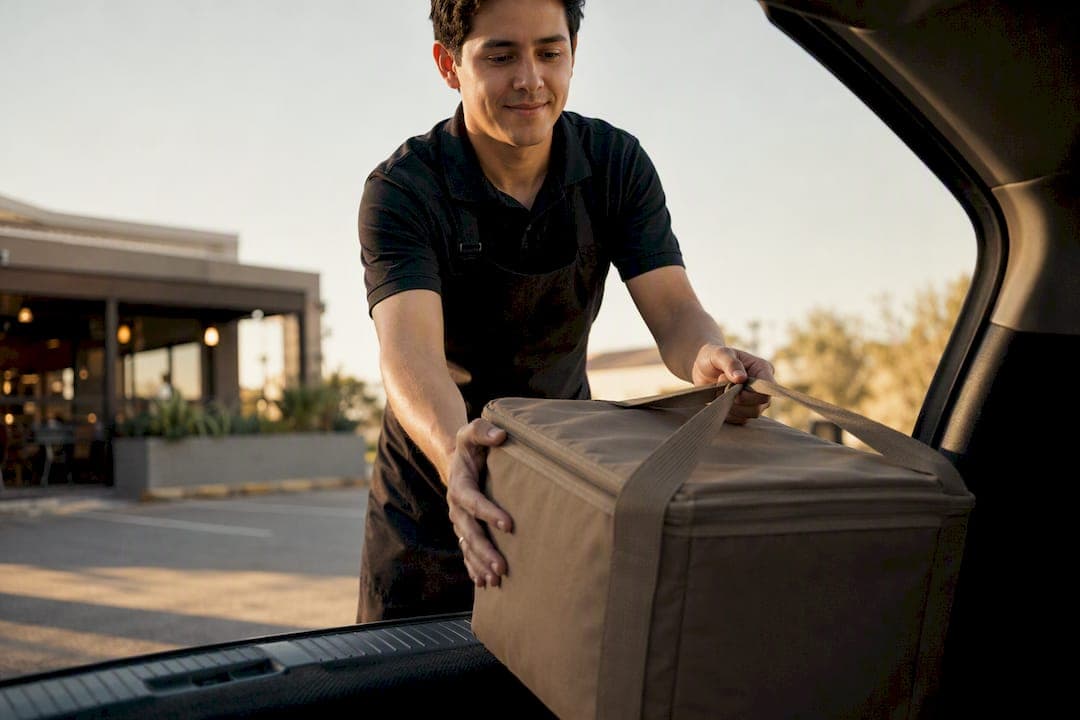
A browser-first digital queue using SMS or a one-tap "On my way" link, paired with a dedicated staging area and a runner, is the single change that shortens curbside handoffs and stops customers from driving off. A significant portion of curbside shoppers use the service frequently, and they have little patience for unpredictable waits, so a system that gives them a clear ETA and a staff member ready at the curb solves the actual problem.
TL;DR:
- A browser-first curbside system using SMS or a simple link can be set up within a week, primarily requiring signage, check-in setup, and staff training.
- Staff dashboards should display ETA, vehicle descriptions, and payment status to reduce wait times and prevent drivers from leaving without their order.
- Volume increases demand dedicated runners and organized staging by order time and temperature zone to keep pace during peak hours.
- Relying solely on phone check-ins causes delays, while integrating digital check-in and staging discipline ensures orders are ready when customers arrive.
- The key metrics to monitor are arrival-to-handoff times, walk-away rate, order accuracy, and prepaid percentage to maintain curbside efficiency and customer satisfaction.
Table of Contents
- What Curbside Queue Management Actually Solves
- The Core Pieces of a Working Curbside System
- Setting Up Curbside Pickup in Under a Week
- Running Curbside Smoothly During Peak Hours
- Choosing the Right Check-In Technology for Your Volume
- The Metrics That Actually Tell You If Curbside Is Working
- Where Most Curbside Systems Break Down
- How Ezseat Approaches Browser-First Curbside Management
- Curbside Is a Fulfillment Lane, Not a Marketing Line Item
- Get Curbside Running This Week With Ezseat
- Sources
- FAQ
What Curbside Queue Management Actually Solves
Curbside queue management is the coordination system that connects an order placed online to the moment it lands in a customer's trunk. Done right, it is one continuous workflow: order placed, order staged, customer notified, order handed off. Done wrong, it is a patchwork of phone calls, guesswork, and a runner squinting at license plates in a parking lot.
Customer behavior backs up why this matters more than most managers assume. People tolerate a slow delivery truck far more than a curbside wait that drags on with no explanation. McKinsey's research on delivery expectations found that unpredictability, not just duration, is what pushes someone to give up and walk away. Curbside customers already made the trip. They are sitting in a parking lot with the engine running. Every extra unexplained minute costs you trust.
Retail and restaurant managers should track three outcomes to know if their system is working:
- Throughput: how many curbside orders you complete per hour without adding staff.
- Walk-away rate: the percentage of customers who leave before pickup.
- Customer satisfaction score, since curbside speed and clarity directly move loyalty metrics.
The Core Pieces of a Working Curbside System
A curbside setup lives or dies on a handful of components, and skipping any one of them is usually what causes the breakdown a manager can't quite diagnose.

Check-in method. For most small and mid-sized operators, SMS or a browser-based check-in link is the right starting point. It requires no app download, works on any phone, and gets adopted immediately because there's no friction. Stratacache's curbside technology research points to a clear arrival flow and live order visibility as non-negotiable pieces of any functioning setup.
POS and kitchen display integration. Your point-of-sale system needs a curbside flag that triggers kitchen prep timed to finish 3 to 5 minutes before the customer's estimated arrival, guided by best practices in the Ordering Fresh Food Workflow. Prep too early and food sits going cold. Prep too late and the customer waits in the lot wondering if their order was forgotten.
Staging area and signage. Every curbside spot needs a number, and every number needs to be visible from the driver's seat, not buried on a sign facing the sidewalk. Staging shelves should be organized by pickup time, not by the order it came in.

Staff dashboard. Whoever runs food or merchandise to the car needs to see, at a glance: estimated arrival time, a vehicle description if the customer provided one, and payment status so nobody's standing at a window waiting on a card swipe that should have happened online.
Pro Tip: Label staging shelves with the customer's name and spot number facing outward, toward the runner's walking path. That single change can cut search time at handoff to under 20 seconds per order.
Setting Up Curbside Pickup in Under a Week
You don't need a six-week rollout plan. A working curbside system can go live inside seven days if you sequence the work correctly.
- Day 1: Signage and staging. Order or print numbered curbside signs, and designate a shelf or rack near the door specifically for outgoing orders. This costs almost nothing and takes an afternoon.
- Day 2: Enable digital check-in. Turn on SMS or browser-based check-in so customers can alert you when they've arrived, or better, when they're on their way. A browser-first check-in tool skips the app-download friction that kills adoption in week one.
- Day 3: Configure your POS. Add a curbside order flag and set prep timing so kitchen or fulfillment work finishes a few minutes ahead of the customer's stated ETA, not the moment they walk in.
- Day 4: Build the notification sequence. Set up the two-message flow that matters most: "On my way" from the customer, followed by a staff-side "We'll be right out" once the order clears staging.
- Day 5: Role-play with staff. Walk through common edge cases: the customer who shows up early, the one who never sends an "on my way" text, the double-parked car blocking your only curbside spot.
- Day 6 and 7: Soft launch. Run it during a slower shift first. Track average arrival-to-handoff time and note where the process stalled.
Pro Tip: Run your soft launch during a Tuesday lunch or a weekday afternoon, not your busiest Friday night. You'll catch process gaps without the added pressure of a full parking lot.
Running Curbside Smoothly During Peak Hours
Volume changes everything about how curbside should run. What works for 8 orders an hour falls apart at 20.
Staffing scales with order volume, not with gut feeling. A single dedicated runner comfortably handles 6 to 12 curbside orders an hour. Past that, add a second runner with backup support, since a well-staged setup lets one skilled runner manage up to 20 to 25 handoffs an hour before wait times start creeping up.
Staging discipline matters even more under pressure. Organize by promised pickup time and temperature zone, hot items separate from cold, and label every order facing the runner's approach path so nothing requires flipping over bags to find a name.
- Trigger staging the moment you get a reliable "on my way" signal, not when the car actually pulls in, since starting late is what causes food to sit too long in the window.
- Use an audible alert on the staff dashboard for orders inside a 5-minute ETA window. It gives runners a physical cue instead of relying on someone glancing at a screen.
- If your curbside spots fill up during a rush, switch to a virtual queue message like "You're next, estimated 4 minutes," a tactic Chick-fil-A has used effectively to keep cars from clogging the lot.
Pro Tip: Write a one-line script for your runners to use when a customer's order isn't ready yet. Something as simple as "Two more minutes, we're finishing it fresh" prevents the awkward silent wait that makes customers assume they've been forgotten.
Choosing the Right Check-In Technology for Your Volume
Not every business needs the same tech stack, and buying more sophistication than your order volume justifies just adds complexity without adding speed.
- SMS gateways work well for businesses with moderate volume and customers already comfortable texting a business number.
- Browser-first check-in removes the app-download barrier entirely and tends to see the fastest adoption for restaurants, clinics, and food trucks serving a broad customer base.
- Native apps make sense only once you have loyal repeat customers who'll actually keep the app installed. Otherwise it's a barrier, not a convenience.
- Geofencing should wait until you have a track record of consistent arrival data. Turning it on too early, before your system has logged enough real arrivals, tends to produce false "arrived" triggers that confuse staff.
Whatever you choose, the integration chain matters more than any single tool: online ordering has to talk to your POS, your POS has to talk to your kitchen display, and both need to feed the notification system and staff dashboard in real time.
The Metrics That Actually Tell You If Curbside Is Working
Four numbers matter more than the rest. Average arrival-to-handoff time tells you how long cars actually sit. Order accuracy tells you if speed is coming at the cost of getting orders wrong. Walk-away rate tells you how many customers gave up. Percent prepaid tells you how much friction exists at the handoff itself.
Run small experiments to move these numbers. Offering a small incentive for customers to tap "On my way" a few minutes before arrival, for instance, gives your staging team a real head start. Keep the counter-facing dashboard simple: current queue and next-up order. Save the fuller data, hourly averages and daily trends, for a back-office screen instead of the customer-facing one.
Where Most Curbside Systems Break Down
Most curbside failures trace back to one of three habits.
- Phone-only check-in during a rush. Lines tie up, calls go unanswered, and customers sit without any signal. Fix it by adding SMS or browser check-in as your primary channel, with phone as backup only.
- No staging discipline. Orders pile up out of sequence and nobody can find the right bag. Fix it with a max dwell time rule and name-and-spot-number labeling facing outward.
- Kitchen ignoring the curbside flag. If your POS doesn't clearly separate curbside orders from dine-in, prep timing falls apart. Fix it by configuring the flag properly and training staff to check it every shift, not just during onboarding.
How Ezseat Approaches Browser-First Curbside Management
Ezseat's queue system runs entirely through a web browser, on both the customer and staff side. A customer joins the queue by tapping a link, no app store, no download screen, no forgotten password. On the operator side, a phone or tablet dashboard shows who's waiting, who's on their way, and who's ready for handoff.
That no-app design matters most during a lunch rush, when a customer fumbling through an app install is the last thing your line needs. A few features that show up consistently in how restaurants and retailers use the system:
- Public screens showing live ticket numbers so customers aren't stuck wondering where they stand.
- SMS and call notifications that don't require the customer to have any particular phone or carrier.
- Custom fields for vehicle description or order details, visible right on the staff dashboard.
- Multi-queue support for businesses running curbside and in-store pickup at the same time.
For a step-by-step build-out, the quick launch playbook for curbside walks through the same setup sequence covered above, adapted to Ezseat's dashboard specifically.
Curbside Is a Fulfillment Lane, Not a Marketing Line Item
Predictability, not marginal speed, is what brings customers back. Treat curbside like a fulfillment lane with real standard operating procedures, not a feature you bolted on to compete.
— Ezseat
Get Curbside Running This Week With Ezseat
Ezseat is the alternative to juggling phone calls and paper tickets for curbside pickup: no app for customers to download, no hardware to install, and a browser-based dashboard your staff can run from a phone they already own. That matters most during a lunch rush, when the last thing a customer wants is an app-store screen between them and their order.

The setup mirrors what this article just walked through: SMS or browser check-in, an "on my way" trigger, and a staff dashboard showing ETA and order status in real time. Ezseat offers a free two-month trial before you commit to a paid plan, with Light and Pro plans available; current pricing details are on the Ezseat site. If you're running a food truck, clinic, or multi-location operation, the same browser-first workflow scales with you. Head to the Ezseat product page to start your free trial and see the operator dashboard in action.
Sources
Claims in this article draw on the Ipsos grocery ecommerce study, McKinsey's delivery expectations research, the Ryder last-mile consumer study, and Stratacache's curbside technology guidance. For setup tactics, see Ezseat's guide on line-busting strategies for peak periods.
- Ipsos grocery ecommerce excellence study (press release)
- McKinsey: What do US consumers want from e-commerce deliveries
- Stratacache — curbside pickup technology
FAQ
What Is Queue Management?
Queue management is the system a business uses to organize, track, and notify customers waiting for service, whether that's a line inside a store or cars waiting in a curbside lot. It typically combines a check-in method, a way to communicate wait status, and a process for calling people forward in order.
What Are the Top Queue Management Systems for Small Businesses?
The best fit depends on volume and whether customers need to avoid app downloads. Browser-first tools like Ezseat suit restaurants, clinics, and food trucks that want customers to join a queue with a single tap and no install, while larger operations sometimes add native apps or geofencing once they have consistent arrival data.
Is There a Free Curbside Queue App?
Ezseat offers a free two-month trial before moving to a paid plan, giving new operators time to test browser-based check-in and staff dashboards without upfront cost. After the trial, the Light plan starts at $3.90 a month, with pricing details available on the Ezseat site.
How Much Should Curbside Notifications Cost?
Costs vary by provider and message volume, and pricing structures differ enough between SMS gateways and browser-first tools that there's no single industry number. Businesses evaluating options should compare per-message fees against flat-rate browser check-in, since message-based pricing can climb fast during high-volume weeks.
What Causes the Longest Curbside Delays?
Unclear or missing check-in signals are the most common cause, since staff can't stage an order for a customer they don't know has arrived. Adding a reliable "on my way" trigger paired with dedicated staging, as outlined in the Ryder last-mile study, closes most of that gap.