A waitlist intake form has one job: capture full name, contact information, and what the person is waiting for, then turn that into an entry your team can act on immediately. The fastest path to live is a customizable web template or printable PDF you copy today, not something built from scratch. Skip the extras until you have those three fields locked down.
TL;DR:
- The most effective waitlist forms at minimum capture full name, contact information, and timestamp with consent to ensure proper communication.
- Using a web form with conditional logic and integration to a CRM automates segmentation and personalized outreach without manual effort.
- Setting a strict acceptance window of 24 to 72 hours and auto-reoffering prevents stale entries from cluttering the list.
- Prioritizing operational rules like acceptance timing and clearance policies outweighs cosmetic customization or design details.
- Browser-based forms increase conversion and efficiency by removing app download barriers and allowing real-time management from any device.
Table of Contents
- What Is a Waitlist Intake Form, and Which Template Format Fits Your Setup?
- What Fields Belong on a Waitlist Intake Form?
- How Do You Turn Signups Into Automated, Segmented Leads?
- How Long Should You Give Applicants to Accept a Spot?
- Copy These Two Ready-to-Use Templates
- Why Ezseat Sees Browser-Based Intake Cut Friction
- What the Waitlist Templates Nobody Talks About Get Right
- Get Your Waitlist Live With Ezseat
- Sources
- FAQ
What Is a Waitlist Intake Form, and Which Template Format Fits Your Setup?
A waitlist intake form is a structured document, digital or paper, that collects contact details and preferences from people waiting for a service, seat, or spot before you can accommodate them. The format you pick should match how people actually find you, not what looks nicest.
Printable PDFs still work well for in-person intake: a clinic front desk, a barbershop counter, a food truck line where someone hands over a clipboard. They're simple, require no Wi-Fi, and staff can transcribe entries into a system later. Web forms and QR codes fit anywhere someone has a phone in hand, which today means most walk-up and remote signup scenarios. A QR code posted at the door lets a customer join without downloading anything or waiting for a host.
Sharing options matter as much as the form itself:
- Direct link: paste into a text message, email, or social post for remote signups.
- Embedded form: drop it into your existing website so visitors never leave your domain.
- QR code: print it on a table tent, door sign, or receipt for instant scanning.
- Email or SMS: send the link straight to people who called and asked to be added.
Childcare centers and clinics tend to favor structured web forms because they need to store detailed records. Restaurants and food trucks lean on QR codes for speed. Workshops and classes often split the difference, using a printable sign-in sheet at the venue and a web form for anyone registering ahead of time.
What Fields Belong on a Waitlist Intake Form?
Every waitlist intake form needs a floor and a ceiling. The floor is the minimum you cannot skip. The ceiling is what separates a form that just logs names from one that helps you run the waitlist strategically.
At minimum, collect:
- Full name — no substitute for this.
- One reliable contact method — email or phone, whichever your notification system uses.
- Timestamp and consent — when they joined and confirmation they agree to be contacted.
High-performance forms add fields that let you prioritize and personalize outreach:
- Service or program requested — which class, table size, or appointment type.
- Preferred date or time — so you can match availability the moment it opens.
- Urgency or priority note — a short field where applicants explain why timing matters.
- Referral source — tells you which marketing channel is actually working.
Effective waitlist forms include at minimum full name and contact information, and the higher-performing versions layer in interest type and preferred start date specifically to enable targeted outreach rather than blind first-come-first-served processing.
Pro Tip: Add an optional "eligibility flags" checkbox for programs with age, membership, or insurance requirements. Clinics use this to filter out a percentage of registrants who wouldn't qualify anyway, before a staff member ever has to call them.
Language preference and deposit consent are worth adding if your operation serves a mixed-language customer base or requires a hold fee. Neither is mandatory, but both save a phone call later.
How Do You Turn Signups Into Automated, Segmented Leads?
Raw signups sitting in a spreadsheet do nothing for you. The value comes from connecting the form to systems that act on the data without a human re-typing it.
Conditional logic is the first lever. Show a "preferred appointment type" field only when someone selects "clinic visit" instead of "consultation," and hide fields that don't apply to their selection. Hidden tagging works alongside this: tag every entry from a specific QR code or landing page so you know which channel drove the signup, without asking the applicant directly.
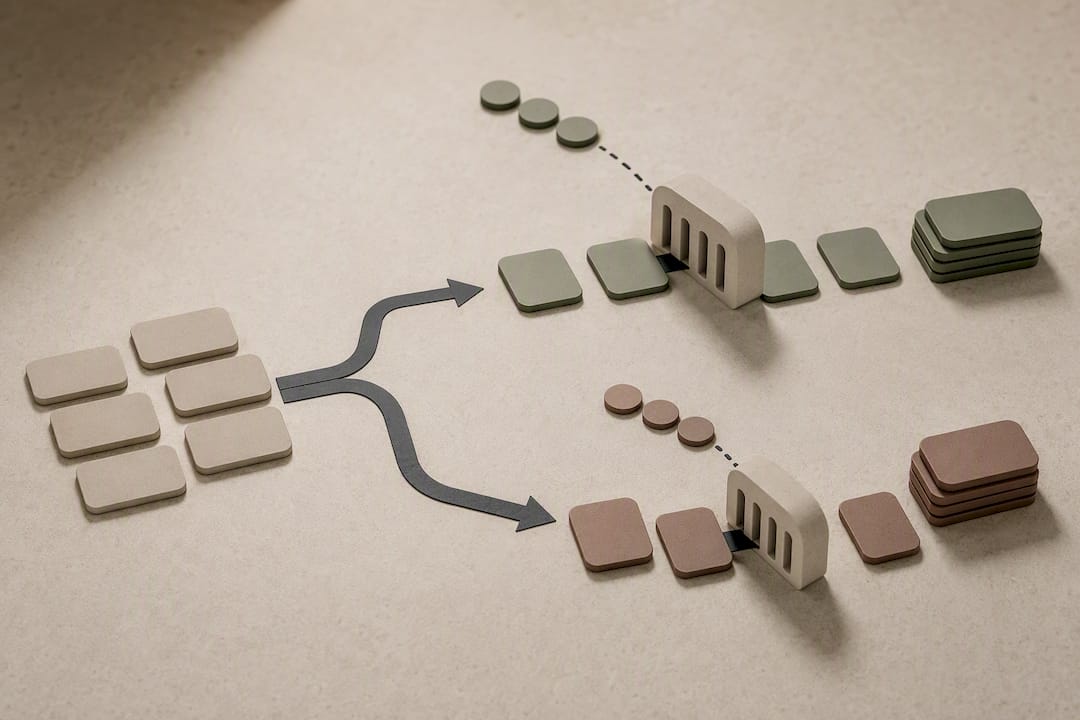
Mapping matters just as much as collection. Match your form's "service requested" field to a CRM property, and you can auto-segment applicants into nurture groups the moment they submit, rather than sorting manually once a week.
Integration priorities, in order:
- CRM sync — every entry lands as a contact record automatically.
- Email sequences — trigger a confirmation and a "still interested?" follow-up.
- SMS alerts — notify people the instant a slot opens.
- Calendar or booking links — let accepted applicants self-schedule instead of waiting for a callback.
Automating CRM or email integration avoids manual spreadsheet tracking and lets you notify specific applicants the moment capacity changes, instead of blasting the entire list. A POS and waitlist integration setup extends this further by tying registration data directly to your point-of-sale system.
Add one line near your submit button stating how contact information will be used and how long you'll retain it. That single sentence heads off most privacy complaints before they start.
How Long Should You Give Applicants to Accept a Spot?
A waitlist without a clock on it turns into a graveyard of stale entries. Set a firm acceptance window and stick to it.
- Send the offer immediately when a slot opens, using the contact method the applicant provided.
- Give a 24 to 72 hour acceptance window, stated clearly in the original offer message.
- Auto-reoffer to the next qualifying applicant the moment the window lapses with no response.
- Archive or flag stale entries after a set period of inactivity, typically 30 to 60 days, so your active list stays accurate.
- Confirm deposits or refund terms in writing whenever a financial commitment is part of accepting the spot.
Setting clear acceptance timeframes and deposit policies reduces disputes and filters out applicants who aren't genuinely committed. A defined 24 to 72 hour acceptance window with automatic re-offering keeps throughput high instead of letting one unresponsive person block the entire queue.
Pro Tip: Require a phone number even if email is your primary contact method. Email offers get missed or land in spam far more often than a text, and a missed offer is a slot that sits empty for no reason.
To avoid duplicate entries, require a unique email or phone number at submission and flag repeat submissions from the same contact for manual review rather than auto-adding them as new records.
Copy These Two Ready-to-Use Templates
You don't need a designer or a developer to launch either of these today.
| Element | Web Form Field | Printable PDF Section |
|---|---|---|
| Name | Short text input, required | Line labeled "Full Name" |
| Contact | Email input with format validation | Two lines: "Email" and "Phone" |
| Service/interest | Dropdown menu | Checkbox list of offerings |
| Preferred date/time | Date picker | Blank line with format hint |
| Urgency note | Optional short text | Small "Notes" box |
| Consent | Checkbox, required to submit | Signature line with date |
For the web version, validate the email field so incomplete entries bounce before submission, and mark phone as optional only if email is required, or vice versa, per Typeform's baseline field guidance.
A sample confirmation message: "You're on the list for [service]. We'll text or email you within 72 hours if a spot opens." A sample notification: "A spot just opened for [service] on [date]. Reply YES within 24 hours to claim it." Keep both under two sentences. Nobody rereads a wall of text to find out if they got a spot.
Why Ezseat Sees Browser-Based Intake Cut Friction
Every app-install prompt is a chance for someone to abandon the signup. Browser-based intake removes that step entirely, which is why web-based waitlist setups tend to convert more walk-ins than app-gated alternatives. Operators keep control from a phone: managing multiple queues, pushing updates to a public screen, and sending SMS or call notifications without extra hardware. Custom fields let a food truck track order type while a clinic tracks appointment reason, all from the same interface.
What the Waitlist Templates Nobody Talks About Get Right
Most advice on waitlist forms stops at "collect a name and number," which misses the actual point of the exercise. A waitlist form is a lead-segmentation tool disguised as a signup sheet. Treated that way, the priority or urgency field matters more than the color scheme or the logo placement everyone obsesses over.
The bigger failure isn't the form design. It's the absence of a rule for what happens after submission. An acceptance window, a re-offer policy, and a stale-entry cutoff do more for a waitlist's health than any amount of field customization. Operators who skip these end up managing a list that grows but never actually clears.
Prioritize the acceptance window first, the essential fields second, and cosmetic customization last. A plain form with a strict 48-hour offer window will outperform a beautifully branded one that lets accepted slots rot for a week. Build the operational rule before you build the pretty template.
— Ezseat
Get Your Waitlist Live With Ezseat
This queue system is designed for browser-based waitlist entry with no app download required. Customers join from a phone, and operators manage the flow, multiple queues, public number screens, and SMS or call notifications, all from their own device.

There's a free two-month trial before you commit to a paid plan, and pricing stays simple from there: the Light plan runs $3.90 a month or $39.00 a year, while Pro runs $14.90 a month or $149.00 a year for operations that need more queue control. Visit Ezseat to start your trial and have a browser-based waitlist running before your next rush hour.
Sources
- Waitlist Form Template — Typeform
- Workshop waitlist form — Penland School of Craft
- Waitlist signup form generator — Tregovia
FAQ
Can You Provide Examples of Waitlist Intake Forms?
A childcare waitlist form typically collects child's name, age, preferred start date, and parent contact, while a restaurant form focuses on party size, name, and phone number for a text alert. A browser-based waitlist form built with Ezseat covers both cases without requiring separate software.
What Should I Do if I've Been Waitlisted for a Program?
Confirm you completed every required field, including consent and contact information, since incomplete entries often get skipped during offer rounds. Ask the organization for its stated acceptance window so you know how quickly you need to respond if a spot opens.
Is It Possible to Get In After Being Waitlisted?
Yes. Waitlists move regularly as accepted applicants decline, miss their acceptance window, or reschedule, and automatic re-offering to the next qualifying applicant is standard practice for well-run lists. Staying reachable at the contact information you submitted matters more than anything else.
How Do I Create a Waiting List?
Start with a customizable web template or printable PDF that captures full name, contact information, and what the person wants, then add an acceptance window rule before you launch. Tools like Ezseat let you set this up directly in a browser, with SMS notifications built in so you're not manually calling each person when a slot opens.