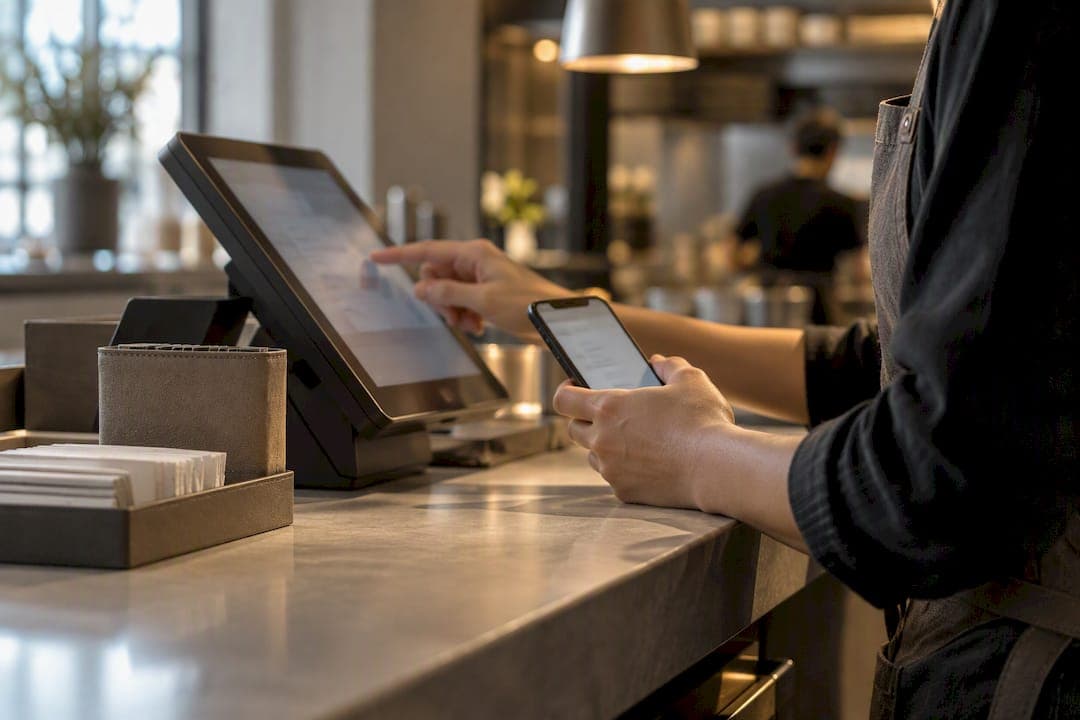
Integrating a queue management system with your point of sale means the two systems trade real-time data automatically, so a customer's place in line, their order, and the sale itself all live in one record instead of three disconnected ones. The immediate payoff is fewer walkaways, faster handoffs at the counter, and a single dashboard instead of separate logbooks. Getting there starts with mapping which data fields actually need to move between the two systems before you touch any code.
TL;DR:
- Real-time data exchange between queue management and POS systems reduces errors, improves wait estimates, and speeds up customer flow, especially when synchronization is precise.
- Using webhooks for instant notifications combined with APIs for data hydration ensures timely updates without overloading bandwidth or risking duplicate tickets.
- Piloting the integration on one queue type and monitoring walkaway rates over two weeks helps identify sync issues early before full deployment.
- API gateways, webhook signing, event deduplication, and asynchronous processing are essential for maintaining security and reliability in live systems.
- Simple cloud-based setups can be operational within weeks, while legacy or multi-system integrations often require months due to testing and staff training.
Table of Contents
- How Queue System POS Integration Actually Works
- What Do You Actually Gain From Integrating Them?
- API, Webhook, or Middleware: Which Integration Method Fits?
- Rollout Checklist: From Discovery to Go-Live
- Keeping the Integration Secure and Reliable
- What to Measure Once You're Live
- How This Looks in Retail, Restaurants, and Healthcare
- Where Ezseat Fits Into This Process
- A Pragmatic Recommendation
- Try Ezseat Without the App-Download Friction
- Sources
- FAQ
How Queue System POS Integration Actually Works
The integration follows a predictable event chain: a customer checks in, gets a ticket, places an order, the kitchen or clerk marks it ready, and the POS logs the sale. Each step generates data that the other system needs to see almost instantly.

Three or four components usually sit behind this: the POS itself, the queue service, an API gateway or middleware layer, and whatever screens or kiosks display ticket numbers to customers. In enterprise setups, that middleware often does the heavy lifting, translating between systems that were never built to talk to each other, a pattern documented in Wavetec's breakdown of queue integrations with CRM, HIMS, and banking platforms.
The part that trips people up is synchronization: order IDs, timestamps, and status fields have to match exactly across both systems, or you get duplicate tickets, orphaned orders, or a customer who shows as "served" in the queue but "pending" at the register. Get the ID mapping right early, and everything downstream gets simpler.
What Do You Actually Gain From Integrating Them?
The business case comes down to four measurable wins, and none of them require guesswork to track.
- Shorter wait times and fewer walkaways. When the queue knows the moment an order is placed, it can update wait estimates in real time instead of relying on staff to update a whiteboard.
- Faster handoffs at checkout. Staff aren't asking "what number were you again?" because the POS already has it linked to the ticket.
- Smarter staffing decisions. Joined data shows you exactly when queues spike relative to order volume, not just guesses from memory.
- Better follow-up opportunities. A no-show or a long wait becomes a flagged event you can act on, rather than an anecdote from a frustrated employee.
Retailers and restaurants that connect these systems typically describe the change less as "new software" and more as finally seeing their floor and their register agree on what's happening.
API, Webhook, or Middleware: Which Integration Method Fits?
Three approaches dominate queue and POS integration, and most businesses end up using more than one.
- APIs for on-demand retrieval. Good when you need to pull specific data on request, like checking order status when a customer approaches the counter. Poll sparingly; constant polling wastes bandwidth and can hit rate limits fast.
- Webhooks for real-time push. The queue system gets notified the instant something changes on the POS side, which is faster than polling. The catch: webhook payloads from many POS vendors carry only metadata, IDs, status, timestamps, so you often need a follow-up API call to "hydrate" the full order details, a pattern Square's developer forum confirms for its own Orders API.
- Middleware or connectors for legacy systems. If your POS is older or you're syncing data across multiple sources (CRM, billing, banking), middleware translates between them without forcing a rebuild, a common pattern in enterprise queue integrations.
Choose a prebuilt connector when your POS is mainstream and well-documented. Reserve custom development for edge cases middleware can't cover.
Rollout Checklist: From Discovery to Go-Live
A rushed integration is how you end up with duplicate tickets and a furious front-of-house team on launch day. Follow a staged process instead.
- Discovery. Map every data field that needs to move, every customer touchpoint (kiosk, phone, web), and the two or three metrics that define success.
- Design. Define your event triggers, decide on canonical IDs, and plan fallback behavior for when a sync fails.
- Security planning. Set authentication scopes, decide who holds API keys, and confirm TLS is enforced end to end.
- Development and testing. Build in a sandbox first. Test idempotency (does resending the same event cause duplicates?) and replay handling before touching production data.
- Rollout. Start with one location or one queue type, train staff on the new flow, keep a rollback plan ready, and monitor closely for the first two weeks.
Pro Tip: Run your pilot on your slowest service window first, not your busiest. You want to catch sync errors when a mistake costs you one annoyed customer, not fifty.
Simple, cloud-native setups can go live in a matter of weeks. Enterprise environments with legacy POS or banking backbones typically need months, since middleware testing and staff retraining take longer to get right.
Keeping the Integration Secure and Reliable
Most integration failures aren't dramatic breaches, they're timeouts, duplicate events, and unverified webhook calls that quietly corrupt data. A handful of controls prevent nearly all of it.
- Route traffic through an API gateway that enforces authorization and validates schemas before requests ever touch your POS or queue database. NIST's guidance on API protection for cloud-native systems recommends exactly this kind of policy enforcement point, paired with ongoing runtime monitoring.
- Sign every webhook with an HMAC signature and verify it using constant-time comparison, and reject anything with a timestamp older than a short window (five minutes is a common standard) to block replay attacks, a practice detailed in webhook endpoint security guidance.
- Deduplicate events by ID. If the same webhook fires twice, your system should recognize it and skip reprocessing.
- Accept webhooks fast, process asynchronously. Return a 200 response immediately, then hand the actual work to a background queue. OWASP's webhook security draft lists this alongside signing, timestamp windows, and secrets management as core defenses against spoofing and replay attacks.
Treating a webhook like a synchronous function call, waiting on it to finish before moving on, is one of the more common design mistakes, and it's usually what causes timeouts under load.
What to Measure Once You're Live
Four numbers tell you almost everything: average wait time, walkaway rate, throughput per shift, and conversion rate after a customer has waited past a certain threshold. Track them weekly, not just at quarter-end, because queue behavior shifts with seasons and staffing changes faster than most owners expect.
Joining queue events to POS sales data requires matching on order ID and timestamp, the same discipline that matters during integration design. Once that link is solid, a dashboard can show you which shifts have the highest walkaway rate relative to order volume, which is usually a staffing problem disguised as a customer service one.

How This Looks in Retail, Restaurants, and Healthcare
Retail businesses running curbside or BOPIS pickup sync queue status with the POS so an order marked "ready" instantly updates the pickup line, cutting the awkward wait at the curb. Restaurants connect the waitlist directly to table assignment, so a party's order at billing already reflects their table and wait history instead of being re-entered by hand. Clinics and healthcare settings sync appointment check-in with billing or records systems, flagging insurance or intake issues before the patient reaches the front desk, a use case documented by Wavetec alongside CRM and banking integrations.
Where Ezseat Fits Into This Process
A browser-first design removes one common friction point outright: customers join the queue from a web link, no app download, no account setup, which means fewer abandoned check-ins before the queue even starts working for you.
For restaurants specifically, our step-by-step guide to connecting a waitlist to POS walks through the setup that cuts walkaways without a full system overhaul. If you're testing the waters, start small.
- Pilot one queue type, like pickup or waitlist, before expanding.
- Track walkaway rate for two weeks as your success metric.
- Expand to additional queues only after the pilot data looks clean.
A Pragmatic Recommendation
Most integration headaches come from trying to connect everything at once. Pick one use case, curbside pickup or a single restaurant waitlist, run it for two weeks, and measure walkaway rate before expanding. A narrow pilot exposes sync problems while the stakes are still low, and it gives you real numbers instead of guesses when you decide what to build next.
— Ezseat
Try Ezseat Without the App-Download Friction
This system is built for exactly the scenario this article walks through: connecting customer flow to your POS without asking customers to download anything or asking your staff to learn a new hardware system. Everything runs from a browser, on your phone or tablet, with public screens, SMS notifications, and multi-queue setups available as you grow.

The Light plan runs $3.90 per month ($39.00 billed annually), and the Pro plan runs $14.90 per month ($149.00 billed annually), with a free two-month trial before either tier kicks in. For readers weighing prebuilt POS connectors against a browser-based approach, it's worth comparing feature sets directly, resources like FlowLab's POSFlow product page outline what a connector-heavy retail POS setup involves, so you can judge which model fits your current stack. If you're ready to test a pilot queue on your own floor, Ezseat and see how check-in to checkout looks with one shared record instead of three.
Sources
For technical teams building or auditing an integration, NIST's API protection guidance and OWASP's webhook security cheat sheet cover the controls this article references in more depth. Security credential resources like Guard Select's compliance page are also worth a look if your integration touches regulated data.
FAQ
What Is POS Integration for a Queue System?
POS integration means your queue management software and point-of-sale system exchange data automatically, ticket status, order details, timestamps, instead of staff manually cross-checking two separate tools. It typically happens through APIs, webhooks, or middleware connectors depending on your existing POS setup.
What Are the Top Queue Management Systems Available?
There's no single universal ranking, since the right system depends on whether you need app-free browser access, kiosk support, or multi-location handling. Ezseat focuses on browser-based check-in without app downloads, which fits restaurants, clinics, food trucks, and event venues that want low setup friction.
What Are the Main Types of POS Systems?
POS systems generally fall into a few categories: traditional terminal-based systems, cloud-based/mobile POS, tablet POS for restaurants, self-service kiosks, and integrated retail systems that combine inventory with sales tracking. Most modern queue integrations work with cloud-based or mobile POS systems since they expose APIs more readily than older terminal hardware.
Can You Give an Example of a Queuing System in Action?
A restaurant waitlist is a common example: a customer joins a virtual line through a browser link, gets a ticket number, and receives a notification when their table is ready, with the POS automatically linking their eventual order to that same ticket. Retail curbside pickup works similarly, where an order marked "ready" in the POS instantly updates the customer's position in a pickup queue, a use case documented in enterprise queue integration guides.
How Long Does a Queue and POS Integration Usually Take?
Simple, cloud-native integrations often go live within a few weeks. Setups involving legacy POS hardware or multiple backend systems (banking, HIMS, CRM) tend to run longer, sometimes months, since middleware development and staff retraining both take extended testing time.