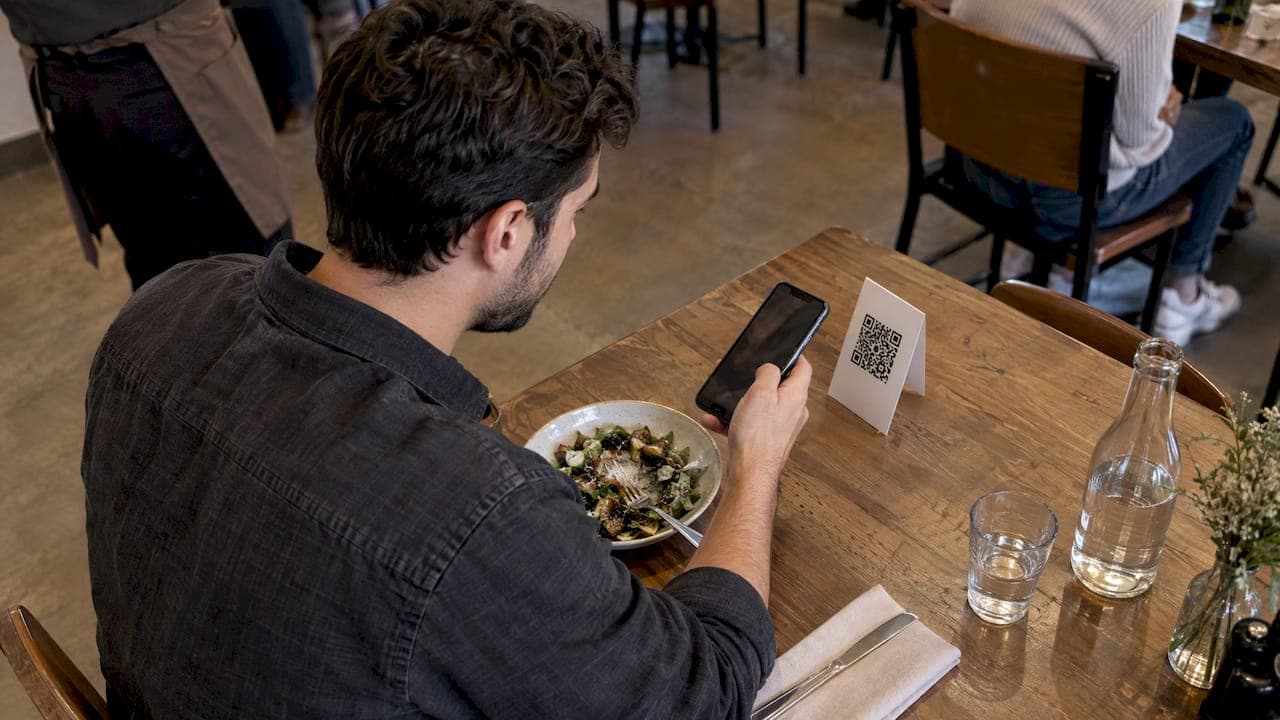
Put your QR code where people already pause with a phone in hand, at a comfortable reach, sized for the viewing distance, with a short call to action beside it. Table tents, counters, receipts, window posters and menus are common places to put a QR code. Size it at roughly one-tenth of the scanning distance and leave a four-module blank border.
TL;DR:
- Size codes at roughly one tenth of the scanning distance, keep a four module blank border, and enlarge them for outdoor signs or central logos.
- Use matte, high contrast prints on flat surfaces, and test window stickers with a white backing to prevent glare or background colors from weakening scans.
- Pair each code with a short line stating its benefit, link it to one fast mobile page, and assign a dynamic code to each placement.
- Test a final size proof at the real distance and lighting with an iPhone and Android, then expand only placements that earn scans.
Table of Contents
- Where to place QR codes for the most scans
- How big should a QR code be, and what is the quiet zone?
- What height and surface work best for mounting?
- How do lighting, finish and material affect scanning?
- What should sit beside the code, and where should it lead?
- How do you test QR code placement before and after printing?
- What does research say about where QR codes get scanned?
- How should you adjust QR code placement for seasons and events?
- How do you keep QR code surfaces clean in high-touch areas?
- Which print materials last in outdoor and indoor spots?
- An editorial take: pause points beat clever design
- Using QR codes to join app-free queues with Ezseat
- FAQ
- Sources
Where to place QR codes for the most scans
Start with the spot where your customer already stops. Operator-focused placement guides point to tables, counters, cards, packaging and posters as the places codes get scanned, and they advise using a separate code for each action.
- Table tents and menu cards: scanned at 30–50 cm, so keep the code at least 2 cm wide and label it "Scan for menu".
- Counters and payment areas: people wait here with a phone out. Try "Scan to join the queue" or "Scan to contact us".
- Receipts and invoices: the last touchpoint is a natural home for a review or feedback link. Print the code large enough to scan at arm's length.
- Windows and entrance posters: read from outside, so scale the code to the viewing distance.
- Packaging and product inserts: use a flat panel customers see while unboxing, and add a specific CTA.
For more ideas on cards and signage, see our queue signage ideas.
How big should a QR code be, and what is the quiet zone?
The simplest sizing rule is that scan distance is about 10 times the code width. A 2 cm code suits handheld scanning, while a 10 cm code is needed to scan from 1 meter away. Treat that as a floor, not a target.
The quiet zone is the blank margin around the code. The same guidance recommends at least 4 modules on every side. Modules are the small squares that make up the pattern. Without that margin, a camera struggles to find the three corner squares it uses to lock onto the code, so never let text, borders or artwork crowd it.

Go larger, and consider higher error correction, in three cases: outdoor signage, long viewing distances, and codes with a logo in the middle. Error correction lets a code survive smudges and partial coverage, but it also makes the pattern denser, so a bigger print size helps. Keep logos away from the corner squares, since GS1 warns against customizations that obscure finder patterns.
For digital screens, scaling works differently. This partner guide on QR code size for TV explains why a code that looks fine up close can fall short at 10 feet.
What height and surface work best for mounting?
Mount wall codes at a comfortable height so adults can scan without bending or stretching. Industry guidance also favors flat, matte surfaces at eye level, plus testing for lighting and surface effects.
Surface matters as much as height. Choose flat panels, and keep the code away from folds, seams, trim edges and curved areas. GS1 packaging guidance says the same: place 2D codes on flat panels away from edges, with adequate quiet zones and strong contrast.
Skip ceilings, floors and moving vehicles. People should not tilt their necks or step into traffic to scan, and a code on a moving surface blurs before the camera can focus. If a guest has to think about how to reach your code, some may skip it.
How do lighting, finish and material affect scanning?
Cameras read contrast, so use a dark code on a light background with a matte finish. Black, dark blue or dark green on white are the most reliable choices, while red on white can fail with scanners that read in red light. A ten-rule best-practice list also recommends matte finishes.
Glossy lamination, glass and bright spotlights create glare that washes out the pattern. For window stickers, add a matte white backing so the code does not depend on what is behind the glass, and avoid spots hit by direct sun.
If you print on metallic or textured stock, test at the final size under the lighting you actually have. When it still fails, swap in a dedicated white panel behind the code.
What should sit beside the code, and where should it lead?
A bare square gives people no reason to act. Add a short line that states the benefit: "Scan for menu", "Scan to join the waitlist" or "Scan for 10% off".
- Use dynamic codes for anything long-lived in print, so you can change the destination and track scans per placement.
- Send the scan to a mobile-first page with one purpose that loads fast.
- Print a short fallback URL in small type for people who cannot scan.
- Use a separate code for each action instead of one code that tries to do everything.
Pro Tip: Treat the code as the call to action that follows your message, not as decoration. Place it after the headline or offer that motivates the scan, not in a visual dead zone.
For campaign tracking ideas, this partner guide to QR codes for sales covers analytics for QR-driven marketing.
How do you test QR code placement before and after printing?
Testing on a screen misses glare, angle and material problems, so test physical proofs in the real environment. Follow this routine:
- Print a proof at the final size and on the final material.
- Scan it with at least one iPhone and one Android from the real distance and angle.
- Check it under the actual lighting, including evening light and nearby spotlights.
- Give each placement its own dynamic code so scans map to locations.
- Review results after you have collected enough data, and scale only the spots that deliver.
Use this checklist before sending files to print:
| Check | Target |
|---|---|
| File format | Vector export |
| Quiet zone | At least 4 modules on all sides |
| Distance from folds | At least 10 mm |
| Distance from trim edge | At least 5 mm |
| Finish | Matte |
| Error correction | Set for the environment, medium as a default |
What does research say about where QR codes get scanned?
Convenience and a clear reward beat clever placement. Observed public studies found many passers-by but relatively few scans, unless context or incentives gave people a reason to act. Professionally designed materials with a clear offer did better than plain posters.
One practitioner tip applies to walk-by spots: add 20–30% to the minimum size to improve hit rates. Then start small. Pick one high-impact placement, measure it, and expand from there.
How should you adjust QR code placement for seasons and events?
Seasonal and event setups change who is scanning and how they move, so revisit placement each time. A summer patio has different lighting and foot traffic than a winter dining room, and an event crowd moves faster than a seated lunch.
- Outdoor seasons: check glare at different times of day. Low winter sun and bright summer noon both wash out glossy prints, so favor matte stock and shaded spots.
- Peak periods: crowds mean people scan on the move. Add the 20–30% size buffer mentioned above and move codes to places where lines naturally stall, such as entrances and counters.
- Events and festivals: use badges, lanyards, handouts and signs at entry points, where people wait. This partner guide for event hosts shows how QR codes work on party signage.
- Temporary offers: use dynamic codes so you can change the destination after the promotion ends, instead of reprinting everything.
- Retire stale codes: a code that leads to an expired page costs trust. Redirect or replace old placements as soon as the season ends.
Give every seasonal placement its own tracking code. Comparing scans across weeks shows you which spots to repeat next year and which to drop.
How do you keep QR code surfaces clean in high-touch areas?
Codes on tables, counters and menus get touched, wiped and spilled on. A smudged or scratched pattern scans poorly, so build cleaning into your routine.
- Wipe codes with a soft, lightly dampened cloth, then dry them. Harsh scrubbing can wear away ink and leave a dull finish.
- Choose wipe-clean materials such as laminated matte cards or sealed panels, and avoid porous paper in spill-prone spots.
- Check each code weekly. Scan it with a phone, and replace it as soon as scans slow down or fail.
- Keep a spare set of printed codes on site so a damaged one never stays up.
- Watch the edges. Peeling corners and cracked laminate often creep into the quiet zone first.
Hygiene is also a design choice. Placing codes on stands or table tents lets guests scan from a distance without touching anything, and it keeps the code out of the busiest spill zones. For a counter, a small stand angled toward the customer avoids both glare and handling.
Treat your maintenance log like any other opening checklist. A quick scan test at the start of each shift catches problems before a guest does.
Which print materials last in outdoor and indoor spots?
Match the material to the environment, then test the printed proof in place.
Indoor placements: matte paper, card stock or laminated cards work for table tents, menus and receipts. Keep the finish matte so overhead lights do not bounce off the code. For frequently handled items, a wipe-clean laminate adds life.
Outdoor placements: sun, rain and temperature swings fade and warp ordinary prints. Use weather-rated vinyl or rigid panels with UV-resistant ink, mount them flat, and keep them out of direct sun when you can. Add a matte white backing for window stickers so the code stays readable from outside.
Packaging: print on flat panels away from folds and edges, as GS1 packaging guidance recommends. Seams and curves distort the pattern.
Metallic or textured stock: these can throw off the camera. Test at final size, and switch to a white panel if scans fail.
Whatever you choose, keep contrast high and replace anything that fades. A faded code looks fine to people but fails for cameras, so scan-test aged prints regularly instead of judging them by eye.

An editorial take: pause points beat clever design
The research here points one way: the best QR code is the one that is easy to scan at the exact moment someone has a reason to. Most advice fixates on colors, logos and shapes. Those matter far less than where the code sits and what it promises.
Conventional advice also falls short by treating placement as a one-time decision. A code that works on a table tent may do nothing on a poster, and passive engagement is often low without a reason to scan. The fix is cheap: test, track and move.
What should you do first? Choose one pause point, size the code with the 10× rule, keep the quiet zone, write a benefit-led CTA, print a proof and scan it on two phones. Everything else is polish you can add once that first placement proves itself.
— Ezseat
Using QR codes to join app-free queues with Ezseat
A QR code on a table tent or counter can open a browser-based waitlist, so guests join the queue without installing anything. That is exactly what we built Ezseat to do, and you can see our plans and product pages to get started.

What operators get from a QR-driven queue:
- Guests can join the queue through a browser-based waitlist
- A smoother flow, with names and numbers managed from your phone
- No app downloads for your customers
Our QR code waitlist setup guide walks through the steps. Start with a single placement, give it a dynamic code, and measure scans before rolling it out. Ready to try it? Ezseat.
FAQ
Where is the best place to put a QR code?
Put it where people already pause with a phone in hand, such as tables, counters, receipts or posters at eye level. Operator guides recommend starting at those pause points. Pair the code with a clear call to action.
Does it matter which way up a QR code is?
Not for scanning, since phone cameras read a code in any rotation. What matters is that the label and code sit upright for a natural viewing angle. Mount it flat, at comfortable height, with no glare.
How is a QR code laid out?
A QR code is a square grid of modules with large corner squares that help cameras find and orient it. A blank border called the quiet zone surrounds it, and the recommended minimum is 4 modules on every side. Keep text and borders out of that margin.
How big should my QR code be for a given distance?
Scan distance is about 10 times the code width, so a 2 cm code suits handheld scanning and a 10 cm code suits about 1 meter. For walk-by spots, add a safety margin to the size.
Sources
- QR Code Minimum Size Guidelines
- [A Quantitative Analysis of User Interaction and Security Behaviour with Quick Response (QR) Codes | International Journal of Interactive Mobile Technologies (iJIM)](https://online-journals.org/index.php/i-jim/article/view/61501)
- 10 Places to Put a QR Code People Will Actually Scan | qrfyy