
Ezseat is the top recommended Waitwhile alternative for most U.S. small-to-mid businesses: customers join the queue through a browser with no app download, operators manage everything from a phone or tablet, and the two-month free trial lets you validate the system before paying a cent. If your operation is a restaurant, clinic, food truck, barbershop, or event venue, Ezseat fits out of the box.
Here is the fast shortlist for everyone else:
- Ezseat — Best for SMBs wanting browser-first, no-app queue management with quick deployment and scalable Light/Pro pricing. Two-month free trial available.
- Qminder — Best for enterprises needing 24/7 support, deep analytics, and multi-location reporting. Starting price is $429/month; no free plan.
- QLESS — Best for healthcare and government workflows where HIPAA readiness and appointment-plus-queue hybrid flows matter. Pricing varies; request a demo.
- NextMe — Best for lightweight event check-in and simple kiosk UX where speed of setup beats feature depth.
- Wavetec — Best for kiosk-heavy deployments with large public display hardware integrations. Pricing varies; contact vendor.
- Dineplan — Best for restaurants that need reservation management alongside queue flow and POS alignment.
No free plan exists for Qminder. Waitwhile itself offers a freemium tier and a 14-day trial, which sets the baseline expectation for this category. For healthcare operators, HIPAA readiness is a non-negotiable filter before any other feature comparison.
Table of Contents
- How these Waitwhile alternatives compare side by side
- Detailed profiles of the top Waitwhile alternatives
- How to pick the right replacement for your operation
- Why Ezseat is our recommended pick for most U.S. SMBs
- What user reviews say about these platforms
- How customer service quality compares across vendors
- Customization and scalability across the shortlist
- Mobile app usability across the shortlist
- Offline functionality and reliability
- Case studies and user success stories
- Key Takeaways
- The case for simplicity over feature sprawl
- Try Ezseat free for two months
- Cited sources and further reading
How these Waitwhile alternatives compare side by side
| Product | Best for | Starting price / free plan | Trial | Platforms | Kiosk / display | Notifications | Key integrations | HIPAA / data | Support model |
|---|---|---|---|---|---|---|---|---|---|
| Ezseat | SMBs: restaurants, clinics, food trucks, barbershops, events | Paid tiers (Light/Pro); 2-month free trial | Yes — 2 months | Web, iOS, Android | Yes — public screens, reception kiosk | SMS, call | Custom fields, multi-queue, multi-device | Confirm with vendor for healthcare | Self-serve + onboarding |
| Qminder | Enterprise, multi-location, analytics-heavy | $429/month; no free plan | Not listed | Web, mobile | Yes | SMS, email | Zapier, Shopify, Salesforce, Slack, Microsoft Teams, Google Sheets | Confirm with vendor | 24/7 phone, email, chat |
| QLESS | Healthcare, government, higher education | Pricing varies — request demo | Demo available | Web, iOS, Android | Yes | SMS, email, voice | API, calendar | HIPAA-oriented; confirm scope | Managed + SLA |
| NextMe | Events, simple check-in, small venues | Pricing varies — request demo | Demo available | Web, iOS, Android | Yes | SMS, email | Limited; confirm with vendor | Not emphasized | Self-serve |
| Wavetec | Kiosk-heavy, large-display deployments | Pricing varies — request demo | Demo available | Web, iOS, Android | Yes — hardware integrations | SMS, email, voice | API, POS | Confirm with vendor | Managed + SLA |
| Dineplan | Restaurants, reservations + queue + POS | Pricing varies — request demo | Demo available | Web, iOS, Android | Yes | SMS, email | POS, calendar | Not emphasized | Self-serve + support |

Pricing note: Qminder's $429/month starting price is the only published figure in this group. All other alternatives except Ezseat require a demo or direct quote. Budget accordingly: enterprise and vertical-specific vendors almost always price on volume, locations, or seat count rather than a flat monthly rate.
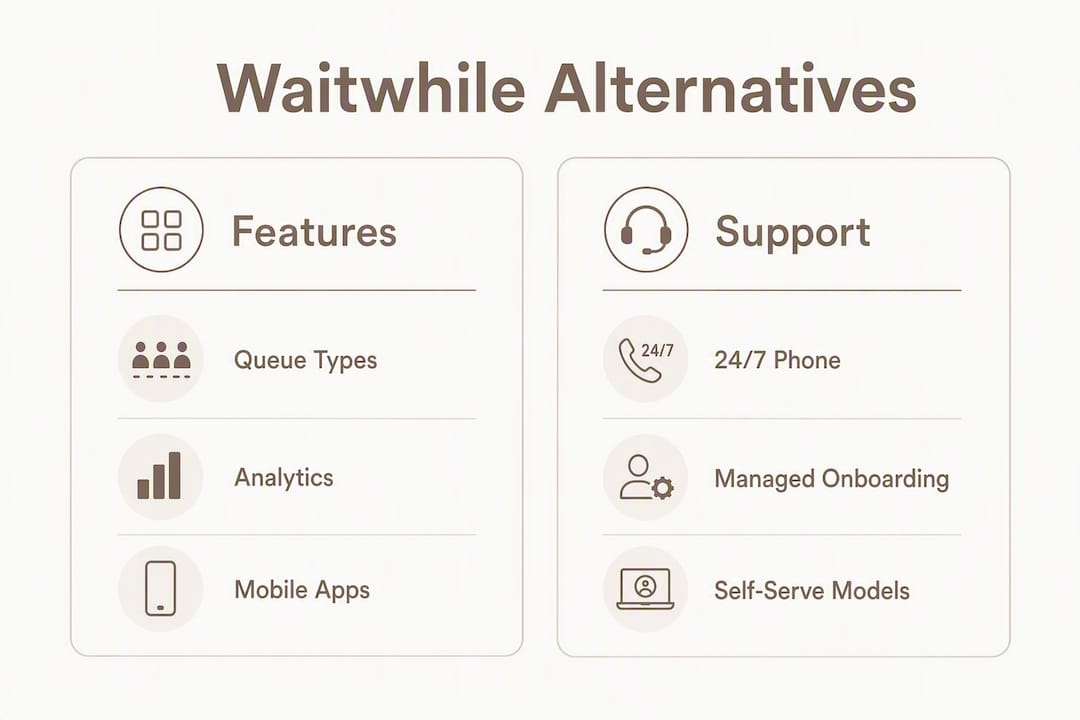
Support note: Qminder is the only vendor in this shortlist with confirmed 24/7 phone support. Most others operate on business-hours email and chat, or a managed-SLA model for enterprise contracts.
Detailed profiles of the top Waitwhile alternatives
## 1. Ezseat — browser-first queue management for U.S. SMBs
Ezseat is a web-based queue management system built for operators who need customers in a line without asking them to install anything. Restaurants, clinics, food trucks, barbershops, and event venues are the primary fit.
Core features:
- Customers join via any web browser — no app download required
- Operators manage queues from a phone, tablet, or desktop
- Public screens display ticket numbers for waiting areas
- Reception kiosk mode for front-desk check-in
- SMS and call notifications keep guests informed off-site
- Custom queue fields capture the data your operation needs
- Multi-queue and multi-device setup for busier locations
Pricing: Light and Pro tiers with a two-month free trial before any charge. This is the longest trial period in the shortlist.
Pros: Zero friction for guests, fast deployment, no hardware dependency, scalable pricing. Cons: Newer brand with fewer published third-party reviews than Qminder or QLESS; HIPAA scope should be confirmed directly for clinical use.
Integrations are handled through the platform's multi-device setup and custom fields. For healthcare operators, confirm HIPAA compliance scope with the Ezseat team before going live with patient data.
## 2. Qminder — enterprise queue management with deep analytics
Qminder is a cloud-hosted queue and appointment platform built for organizations that need multi-location reporting, SLA-grade support, and integrations across enterprise tools.
Core features:
- Virtual queues and online scheduling
- Automated messaging (SMS, email)
- Multi-location management and analytics dashboards
- Integrations: Zapier, Shopify, Salesforce, Slack, Microsoft Teams, Google Sheets
- 24/7 support via phone, email, and chat
- Web and mobile platforms
Pricing: Starting at $429/month with no free plan. This is the highest published starting price in the shortlist.
Pros: Best-in-class support coverage, strong enterprise integrations, proven multi-location track record. Cons: Price point eliminates most SMBs; no free plan means you are committing before you can test.

Pro Tip: If you are evaluating Qminder, ask specifically about per-location pricing versus flat-rate contracts — the gap between those two structures can be significant at five or more locations.
## 3. QLESS — healthcare and government workflow specialist
QLESS targets organizations where queue management intersects with compliance: hospitals, government agencies, and universities. The platform handles appointment scheduling alongside virtual queuing, and its HIPAA orientation makes it one of the few options worth evaluating for clinical environments.
Core features:
- Virtual queues plus appointment scheduling in one platform
- SMS, email, and voice notifications
- Kiosk and public display support
- API integrations and calendar sync
- HIPAA-oriented architecture (confirm scope with vendor)
- Managed deployment with SLA options
Pricing: Not publicly listed. Request a demo for a quote.
Pros: Purpose-built for regulated environments, voice notifications for accessibility, managed onboarding. Cons: Pricing opacity makes budgeting difficult; overkill for simple retail or food-service queues.
CB Insights notes that healthcare-focused queue tools increasingly advertise AI and smart-routing features for multi-clinic patient flow. QLESS fits that pattern, though you should verify specific AI capabilities directly with the vendor.
## 4. NextMe — lightweight check-in for events and small venues
NextMe is a straightforward queue and check-in tool aimed at operators who need something working in under an hour. Event organizers, pop-up shops, and small service businesses are the typical buyers.
Core features:
- Simple virtual waitlist and check-in flow
- Kiosk mode for self-service entry
- SMS and email notifications
- Web, iOS, and Android support
- Minimal configuration required
Pricing: Not publicly listed. Demo available.
Pros: Fast setup, low learning curve, good for one-off or seasonal deployments. Cons: Limited integration depth; not built for multi-location or analytics-heavy operations.
## 5. Wavetec — kiosk hardware and large-display deployments
Wavetec specializes in physical queue infrastructure: ticket dispensers, large-format display boards, and kiosk hardware alongside its software layer. Banks, telecom stores, and government service centers are common customers.
Core features:
- Kiosk hardware integration and ticket dispensing
- Large public display boards
- SMS, email, and voice notifications
- API and POS integrations
- Managed deployment with SLA support
Pricing: Not publicly listed. Contact vendor for a quote.
Pros: Best option when physical kiosk hardware is part of the requirement; strong in high-volume, high-footfall environments. Cons: Hardware dependency adds cost and lead time; software-only buyers will find lighter options more practical.
## 6. Dineplan — reservation and queue management for restaurants
Dineplan is built specifically for food-and-beverage operators who need reservation management, walk-in queue handling, and POS alignment in a single platform. It sits closer to a restaurant management tool than a generic queue system.
Core features:
- Reservation and waitlist management in one interface
- POS and calendar integrations
- SMS and email guest notifications
- Public display and kiosk support
- Web, iOS, and Android platforms
Pricing: Not publicly listed. Demo available.
Pros: Restaurant-native feature set, POS alignment reduces double-entry, reservation-plus-queue in one tool. Cons: Narrow vertical focus means it is not a fit outside hospitality; integration depth outside POS varies.
SaaSHub's aggregated list of Waitwhile alternatives identifies Dineplan among the top competitors for restaurant operators, alongside QLESS and Qminder.
How to pick the right replacement for your operation
The wrong queue system costs you twice: once in the subscription, once in the staff hours spent working around its gaps. Run this checklist before you book a demo.
Selection checklist:
- Business size and peak load: How many guests per hour at your busiest? A food truck at a festival and a hospital outpatient clinic have very different throughput requirements.
- Integration needs: Do you need POS sync (Dineplan, Ezseat), CRM connections (Qminder via Salesforce), or calendar integration (Waitwhile, Qminder via Google Sheets)?
- Kiosk vs. drop-in queue: Physical kiosk hardware points toward Wavetec; browser-based drop-in points toward Ezseat or NextMe.
- Notification channels: SMS is table stakes. Voice notifications matter for accessibility-sensitive environments (QLESS, Wavetec). App-based notifications add friction for guests.
- HIPAA and data requirements: Any platform handling patient data needs a signed Business Associate Agreement. QLESS is the most explicit about this; confirm scope with any vendor before going live.
- Offline reliability: Ask every vendor what happens when the internet drops. Some platforms cache locally; others go dark entirely.
- Support level: 24/7 phone support exists at Qminder. Most others are business-hours email and chat.
Questions to ask on demos:
- What is the onboarding timeline from contract to live?
- What is your uptime SLA, and how do you handle outages?
- Who absorbs SMS costs — the platform or the operator?
- Can we add custom fields and build custom reports without developer help?
- What are the API rate limits?
- What are the cancellation terms if we need to exit mid-contract?
Red flags to watch for:
- Pricing only available after a sales call with no ballpark published
- No trial or sandbox environment to test before committing
- Vague answers on HIPAA scope for healthcare use cases
- Onboarding described as "self-serve" with no documentation or support contact
Pro Tip: Run a two-week parallel trial at peak hours before switching production systems. Test SMS delivery latency specifically — a notification that arrives three minutes late after a guest has already left is a failed notification, not a delivered one.
Aggregator sites like SaaSHub are useful for discovering options, but always verify HIPAA readiness and integration depth directly with vendors rather than relying on aggregator-listed feature tags.
Why Ezseat is our recommended pick for most U.S. SMBs
Ezseat is the right starting point for small-to-mid U.S. businesses that want a queue system running this week, not next quarter. The browser-first entry flow is the single biggest practical advantage: guests scan a QR code or tap a link and they are in the queue. No app store, no account creation, no friction at the door.
The operational case for Ezseat:
- No app download required for guests — the lowest possible barrier to entry
- Operators run everything from a phone, tablet, or desktop without dedicated hardware
- Public screens display queue status in waiting areas, reducing staff interruptions
- Reception kiosk mode handles front-desk check-in for clinics and offices
- SMS and call notifications reach guests off-site so they do not have to wait inside
- Multi-queue and multi-device setup scales as locations or service lines grow
- Two-month free trial — the longest in this shortlist — before any billing begins
- Light and Pro tiers scale with operational needs rather than locking you into enterprise pricing
Who should pick Ezseat:
Restaurants managing walk-in flow, clinics handling patient check-in, food trucks at markets and festivals, barbershops with rotating staff queues, and event venues managing entry lines. If your primary need is getting guests into a digital queue fast without asking them to install anything, Ezseat is built for exactly that.
When a different alternative makes more sense:
- Enterprise with multi-location analytics and 24/7 SLA requirements: evaluate Qminder.
- Healthcare with strict HIPAA workflow requirements and voice notifications: evaluate QLESS.
- Restaurant with deep POS-native reservation management: evaluate Dineplan.
- Kiosk hardware and large-display infrastructure: evaluate Wavetec.
Pro Tip: During your Ezseat trial, set up a public screen in your busiest waiting area on day one. The reduction in "how long is the wait?" questions from guests is immediate and measurable.
For implementation guidance on waitlist management best practices, the Revively waitlist management blog covers practical deployment patterns worth reviewing alongside your trial.
What user reviews say about these platforms
Published review data on G2, Capterra, and Software Advice consistently surfaces the same pattern across this category: ease of setup and SMS reliability are the two factors that drive positive reviews, while pricing opacity and poor onboarding support drive negative ones.
Qminder earns strong marks from enterprise users for its analytics depth and support responsiveness. The $429/month starting price generates friction in reviews from smaller operations that outgrew a free tool and found Qminder's entry point too steep. QLESS reviews from healthcare and government users emphasize the managed onboarding experience as a differentiator, though implementation timelines draw occasional criticism.
NextMe reviews on Capterra tend to highlight simplicity as both the product's strength and its ceiling: operators who need more than basic check-in eventually migrate to a more capable platform. Ezseat's browser-first approach addresses one of the most common complaints across the category — guests abandoning a queue because they were asked to download an app.
How customer service quality compares across vendors
Support quality in this category splits cleanly into three tiers. Qminder sits at the top with confirmed 24/7 phone, email, and chat support, which matters when a queue system goes down during a Friday evening rush. That level of coverage is priced accordingly.
The middle tier includes QLESS and Wavetec, both of which offer managed deployment and SLA-backed support for enterprise contracts. Response times and escalation paths are negotiated at contract time, so ask explicitly during the sales process.
Ezseat, NextMe, and Dineplan operate on self-serve models with onboarding support. For most SMBs, this is sufficient: the platforms are simple enough that most issues resolve through documentation or a single support email. The practical test is response time on a Saturday afternoon — ask each vendor directly.
Customization and scalability across the shortlist
Customization depth varies more than most buyers expect. Ezseat supports custom queue fields, multi-queue configuration, and multi-device setup, which covers most SMB customization needs without requiring developer involvement. Qminder's enterprise tier allows deeper workflow customization and branded interfaces, with Salesforce and Slack integrations enabling CRM-connected queue data.
QLESS and Wavetec both offer API access for custom integrations, which matters for organizations embedding queue management into existing patient portals or government service platforms. Dineplan's customization is narrower but restaurant-specific: table configuration, reservation rules, and POS field mapping are where its flexibility lives.
Scalability follows a similar split. Ezseat's Light and Pro tiers are designed to grow with a single-location or multi-location SMB. Qminder and QLESS are built for organizations adding locations at scale, with pricing and support structures that reflect that.
Mobile app usability across the shortlist
Every platform in this shortlist supports iOS and Android for operators. The meaningful difference is on the guest side. Ezseat requires no app from guests at all — the entire queue-join flow runs in a mobile browser. That removes the single biggest drop-off point in digital queue adoption.
Qminder, QLESS, and Wavetec all offer operator-facing mobile apps with solid reviews for dashboard usability. NextMe's mobile experience is straightforward and fast, which aligns with its lightweight positioning. Dineplan's mobile interface is restaurant-optimized, with table and reservation views that make sense on a phone during service.
For operators managing queues from the floor rather than a fixed desk, a clean mobile operator interface matters as much as the guest-facing flow. Test both sides during your trial period.
Offline functionality and reliability
This is where most vendors are vague, and where the consequences of a gap are most visible. A queue system that requires a live internet connection and goes dark during an outage is a liability at a food truck festival or a clinic with spotty Wi-Fi.
Ezseat is web-based, which means it requires connectivity for full functionality. The same is true for Qminder and most cloud-hosted alternatives in this category. Wavetec's hardware-integrated deployments sometimes include local caching for ticket dispensing, but software features still depend on connectivity.
The practical answer: ask every vendor specifically what the system does when the connection drops. Can operators still see the current queue? Can guests still receive their position? The vendors with honest, specific answers to that question are the ones worth trusting with your production environment.
Case studies and user success stories
Published case studies in this category tend to cluster around enterprise deployments. Qminder has documented multi-location retail and government use cases. QLESS has published healthcare and university implementations. Wavetec's case studies focus on banking and telecom environments with high-volume kiosk deployments.
For Ezseat, the strongest proof of concept is the two-month free trial itself: running your own operation through a peak period is more relevant than a case study from a different industry. Restaurants and clinics that have deployed Ezseat report the browser-based entry flow as the feature that most surprised their guests positively — the expectation of an app download is so common that removing it generates genuine goodwill.
[Ezseat customer case studies and testimonials — insert verified customer stories here as they become available.]
Key Takeaways
Ezseat is the fastest path to a working queue system for most U.S. SMBs: browser-based entry, no app required, and a two-month free trial that covers both Light and Pro features before any billing begins.
| Point | Details |
|---|---|
| Start with Ezseat for SMBs | Restaurants, clinics, food trucks, barbershops, and event venues get the fastest deployment with browser-first guest entry and no app requirement. |
| Qminder for enterprise needs | At $429/month starting price, Qminder fits multi-location organizations that need 24/7 support and deep analytics. |
| QLESS for healthcare compliance | QLESS is the most explicit about HIPAA-oriented architecture; always confirm BAA scope directly before handling patient data. |
| Test SMS delivery at peak hours | Run a parallel trial during your busiest period and measure notification latency — a late SMS is a failed SMS. |
| Ezseat's two-month trial | The longest free trial in this shortlist; use it to validate public screen setup, multi-queue behavior, and guest drop-off rates before committing. |
The case for simplicity over feature sprawl
Most businesses shopping for Waitwhile alternatives are not under-served by features. They are over-served by complexity. The platforms that win in this category long-term are the ones that a new staff member can operate correctly on their first shift without a training session.
That is the lens worth applying to every demo you run. A queue system that requires a 45-minute onboarding call to configure basic SMS notifications is not saving you time — it is redistributing the friction from your guests to your staff. Browser-based entry, clean mobile operator interfaces, and honest support coverage are not premium features. They are the baseline.
The scenarios where more complexity is genuinely justified are narrow: multi-location enterprise analytics (Qminder), regulated healthcare workflows with HIPAA documentation requirements (QLESS), or physical kiosk hardware at scale (Wavetec). Outside those cases, the simpler system almost always wins in practice.
For operators using waitlists to actively fill capacity rather than just manage it, the Revively guide on smart waitlists and studio revenue offers a useful framing for thinking about waitlist ROI beyond queue length.
Try Ezseat free for two months

Ezseat gives you the concrete alternative most Waitwhile comparisons overlook: a queue system your guests can join from any browser, with no app download, no hardware requirement, and no long onboarding timeline. The two-month free trial covers both Light and Pro features, so you can test public screens, multi-queue setup, SMS notifications, and kiosk mode under real operating conditions before you pay anything.
The practical next step is straightforward: start your free trial at ezseat.app and run it in parallel with your current system for 7–14 days during peak hours. That pilot period will tell you more than any feature comparison chart.
Cited sources and further reading
Pricing, features, and platform support change frequently. Confirm current details directly on vendor sites or by requesting demos before making a final decision.
- Compare Waitwhile vs Qminder 2026 | SoftwareWorld — platform comparison, support channels, and deployment details
- Qminder vs Waitwhile Comparison: Reviews, Features, Pricing & Alternatives in 2026 | Nerdisa — pricing signals, integration lists, and trial details
- Waitwhile Alternatives & Competitors | SaaSHub — aggregated shortlist including QLESS, Qminder, and Dineplan
- Top Waitwhile Alternatives, Competitors | CB Insights — healthcare-focused alternatives including Mintcode/HappyQ
- 4 Best Waitwhile Alternatives & Competitors in 2026 | SoftwareSuggest — niche and low-cost alternatives for simple deployments
- Top 10 Waitwhile Alternatives & Competitors in 2026 | G2 — user review data and competitive rankings
- Best Waitwhile Alternatives 2026 | Capterra — buyer reviews and alternative listings
- Waitlist Management | Revively Blog — practical implementation guidance for waitlist and queue management